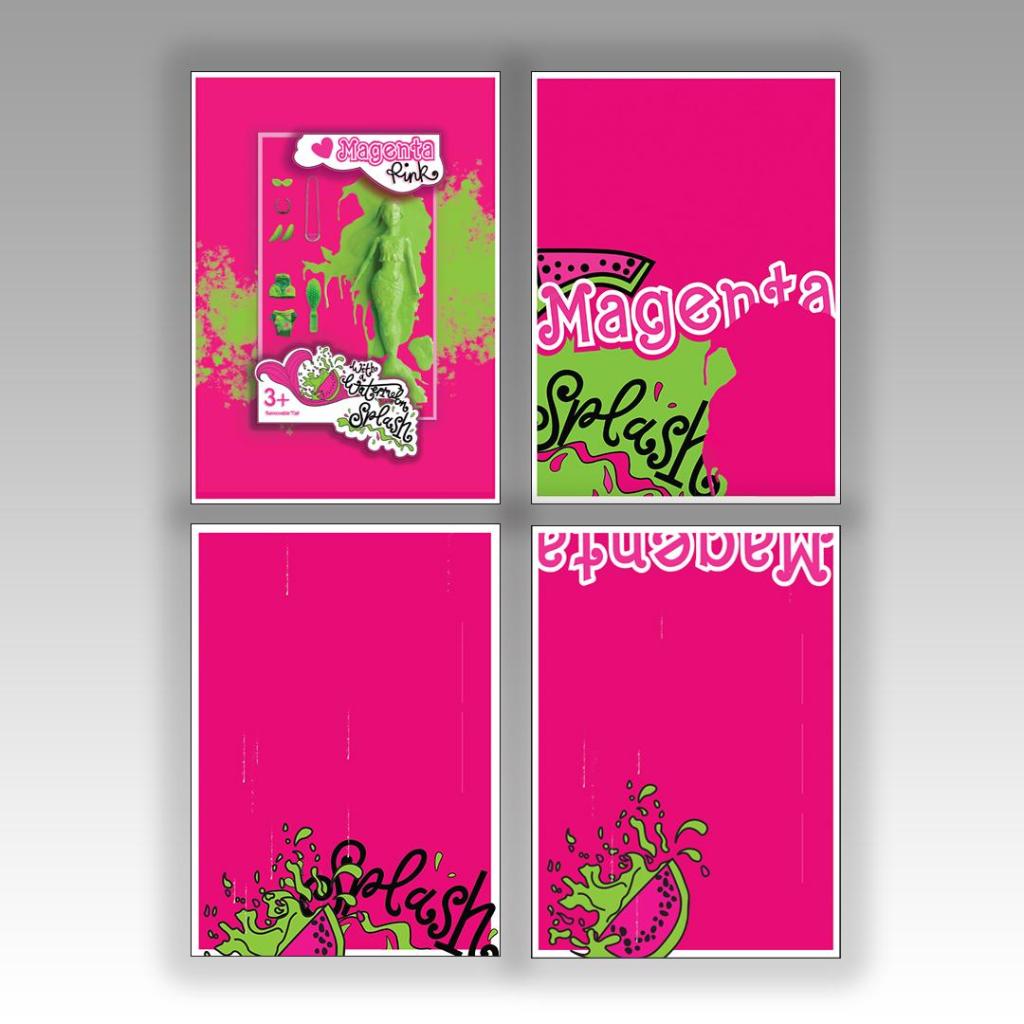
Assignment 3: Colour me…Magenta Pink

  • The Brief
  • First thoughts
  • Research – Mood boards
  • Research – Mind mapping
  • First Ideas/ sketches
  • Development
  • Final Artwork
  • Poster 2
  • Poster 3
  • Poster 4
  • Sketchbook pages
  • Poster mockups

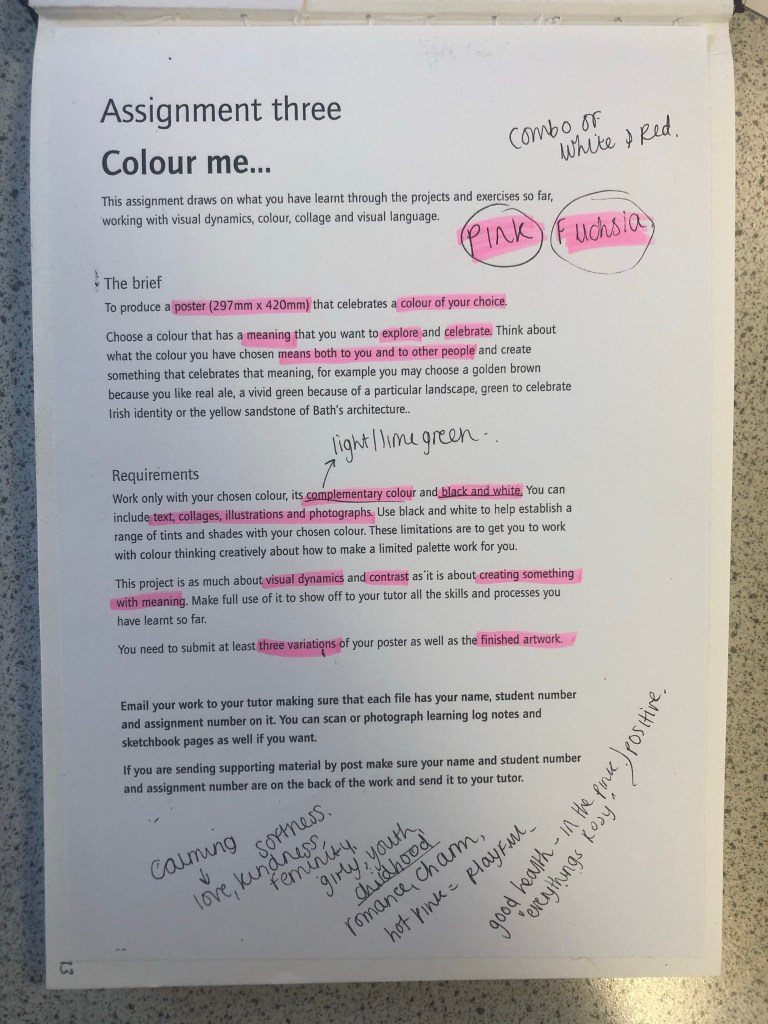
The Brief

First Thoughts

I approached this brief feeling fairly confident! I knew exactly what colour I would choose… PINK! In particular though, a more grown up Magenta Pink; It is not “pink pink” it’s not Fuchsia but it’s somewhere between the 2! I thought that the most difficult thing would be to convey what the colour means! I have never really thought about what the colour Pink does to me! 😀 All I know is that I am drawn to anything Pink and it just makes me feel happy and girly! I am familiar with colours on the colour wheel so knew what the complementary colour would be – lime green! I knew that I would have to research further to come up with some good ideas!

Research – Mood Boards

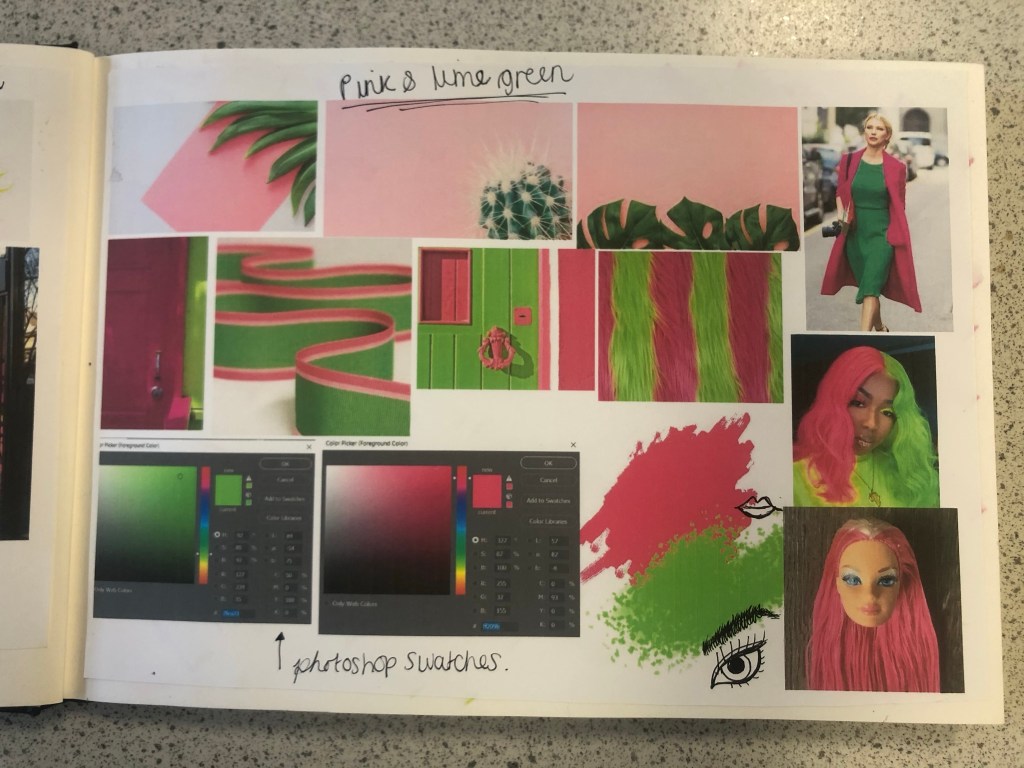
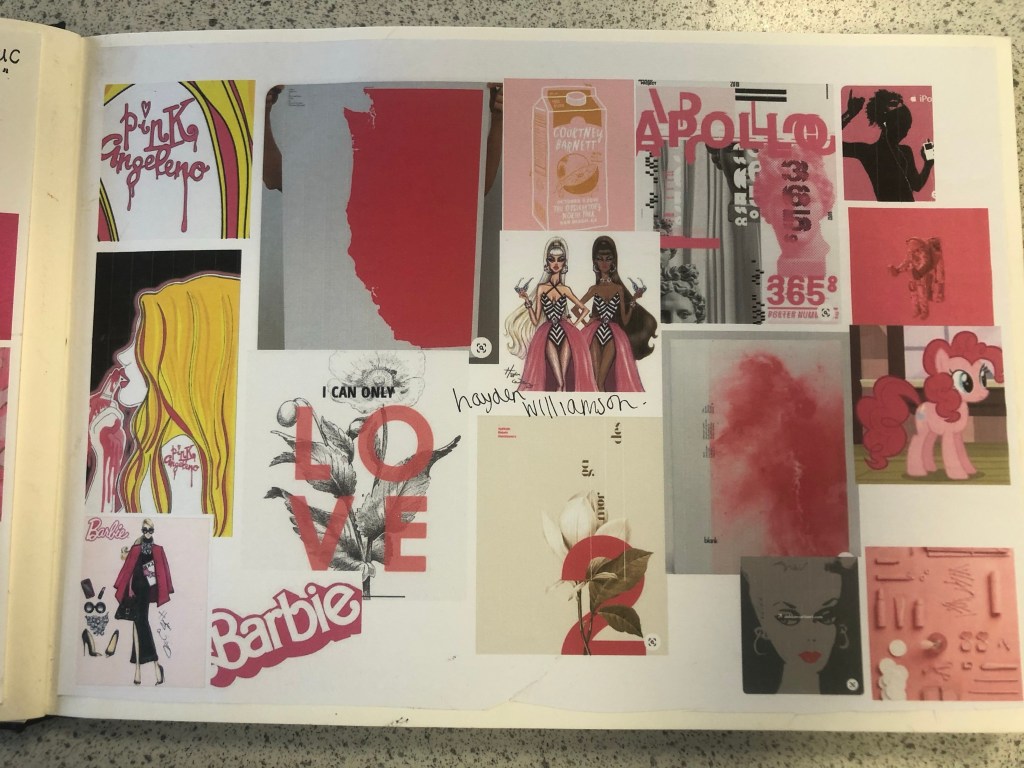
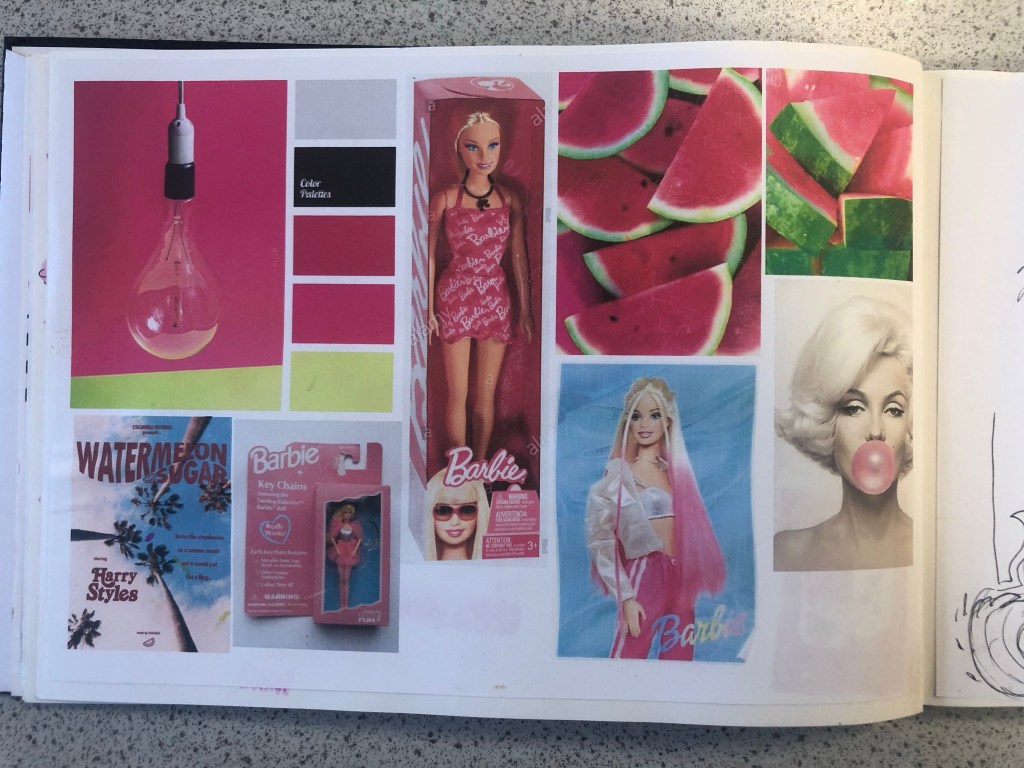
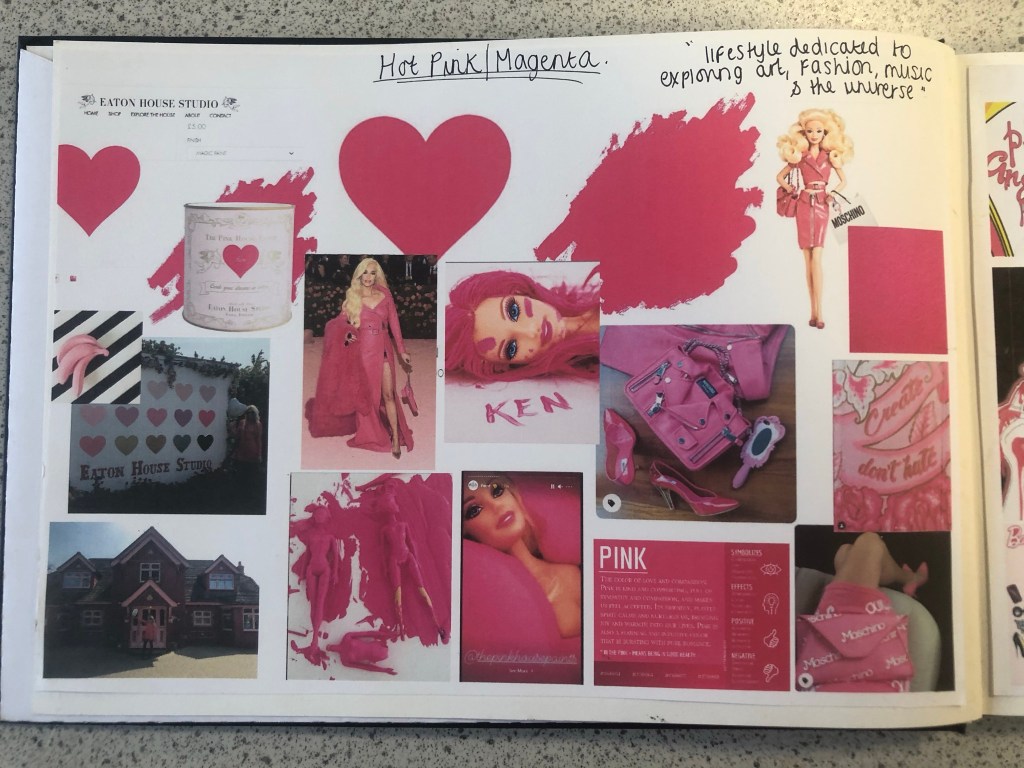
Whenever I begin with the research process I always start off with moodboards and mind maps. I started a brand new sketchbook for this assignment and began with some moodboards that I filled with images which I find appealing and that make me think of Magenta Pink the most. When I think of Pink I automatically think of Barbie and the hours of fun I had as a child playing with their long blonde hair, dressing them in bright funky outfits and collecting lots of hot pink accessories for them! My first 2 pages of my moodboards were inspired completely by this. A big source of inspiration also came from Eaton House (The pink House) in Essex which I had the joy of visiting almost 2 years ago now! (I have a post and some photos abut it in my “places to go people to see” menu at the top of site!) Eaton House now have a line of interior wall and magic (fabric) paints and I felt compelled to include this on my moodboard also, one of the paints is called “Ken” and it is a bright hot Magenta Pink. I found myself ordering a tester pot to see what the fuss was about and to see if I could use it as mixed media for this assignment. One of the images that stood out to me from Eaton House was one of their photographs they took for their Instagram page advertising “Ken”.
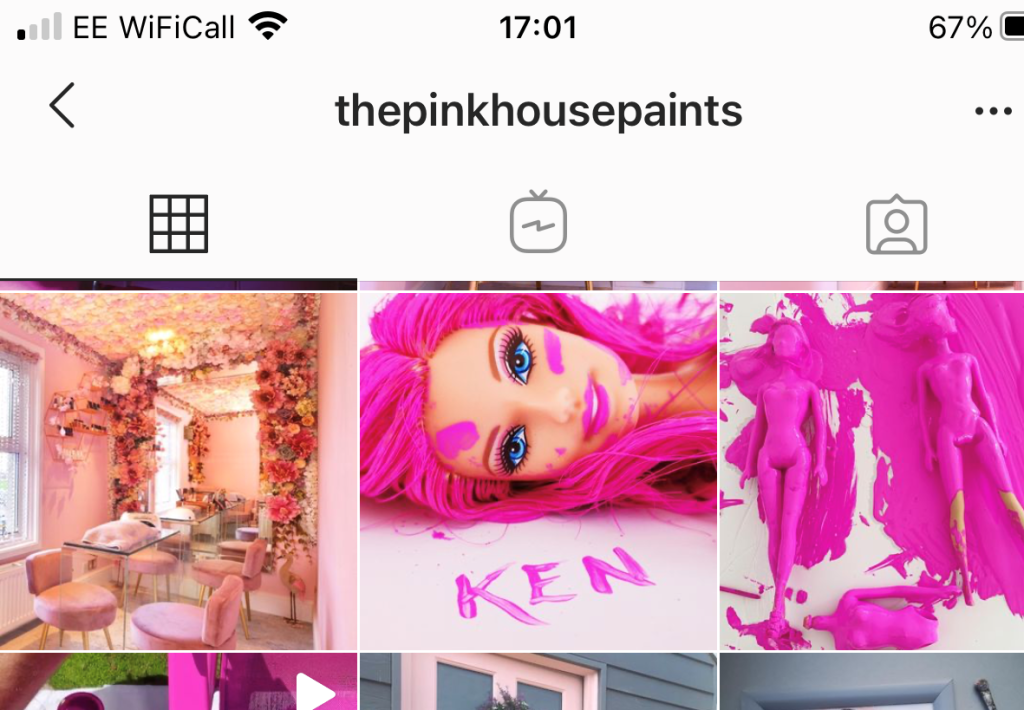
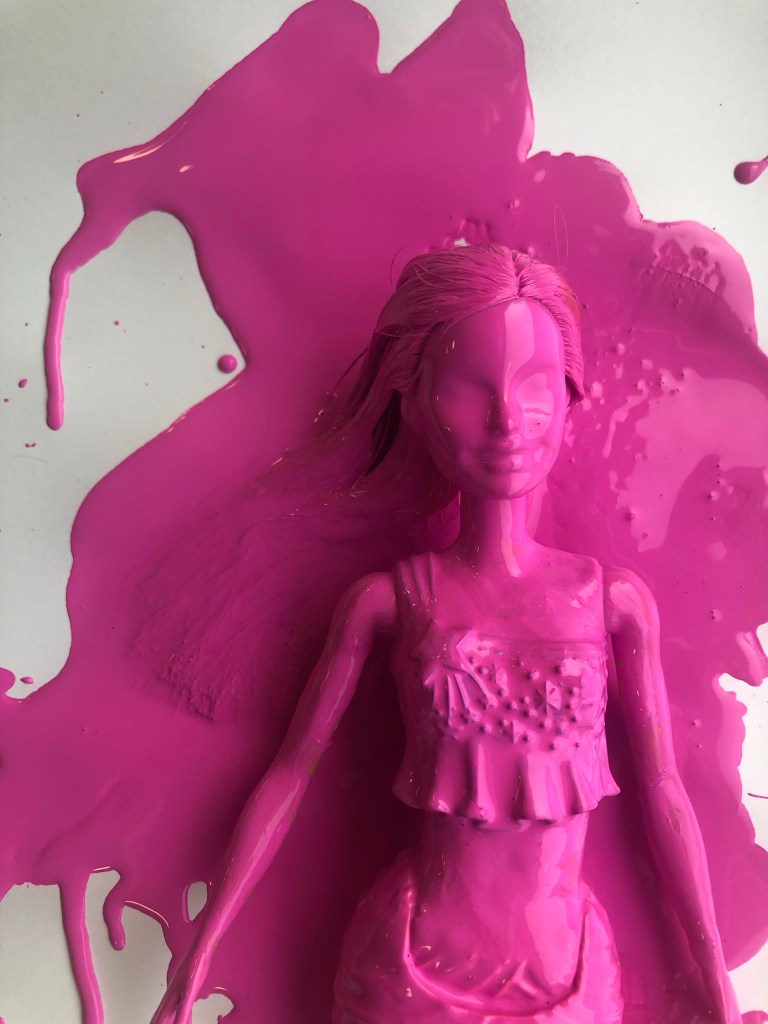
The photograph shows a Barbie completely covered and dripping in the pink paint, I liked the look of this and it gave me ideas; it was basically them messing around to see how consistent and bright the paint actually was before they sold any – basically grown ups playing around with Barbie’s but in a different way- Experimenting with paint colour! That is exactly what this colour is; It is like it was made for having fun! It is bold, attention seeking and experimental! It is the grown ups answer of a colour to mean play time!

I also looked at the Moschino Barbie range from Spring/Summer 2014. I am lucky to own a few pieces from this collection (I only wish I had them all!) for whatever reason, every time I see this collection I am inspired!- I absolutely love it! It was only right that I included the images onto my mood board. I also included on my moodboard illustrations that I did for my Assignment 1 and from where I got my blog name “Pink Angeleno” from, my Assignment 1 very much emphasised the fact that I love the colour pink! I looked into fashion illustrations by Hayden Williamson (He did a Barbie illustration series) and I looked into pink branding, pink films (Legally Blonde!) and pink poster art. I wanted to get as many images as possible to sum up what this colour means (colour theory), who the target audience is and what the colour means to others (emotionally).

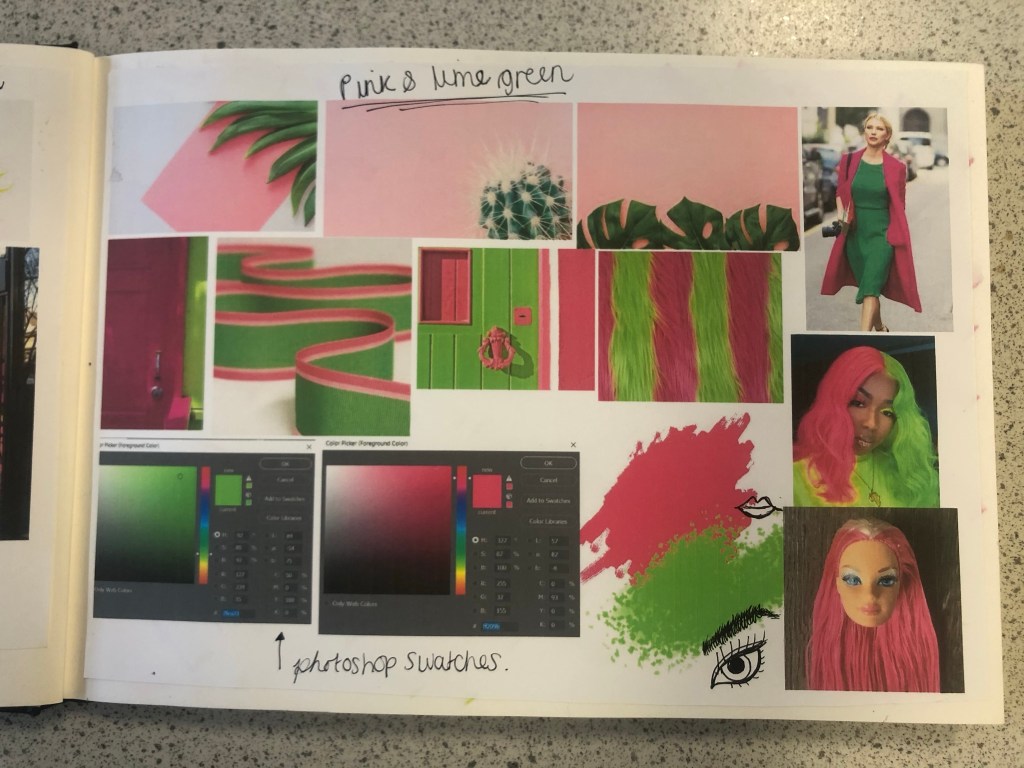
My last page of my mood boards was based around the complementary colour. I wanted to see how well Lime Green and Magenta worked together side by side and I also wanted to research into the uses of those colours. The images that appeared the most in my search were pink backgrounds with palm trees in front or banana leaves (think of the Beverly Hills Hotel!) It was very clear from the images that these colours represented summer!
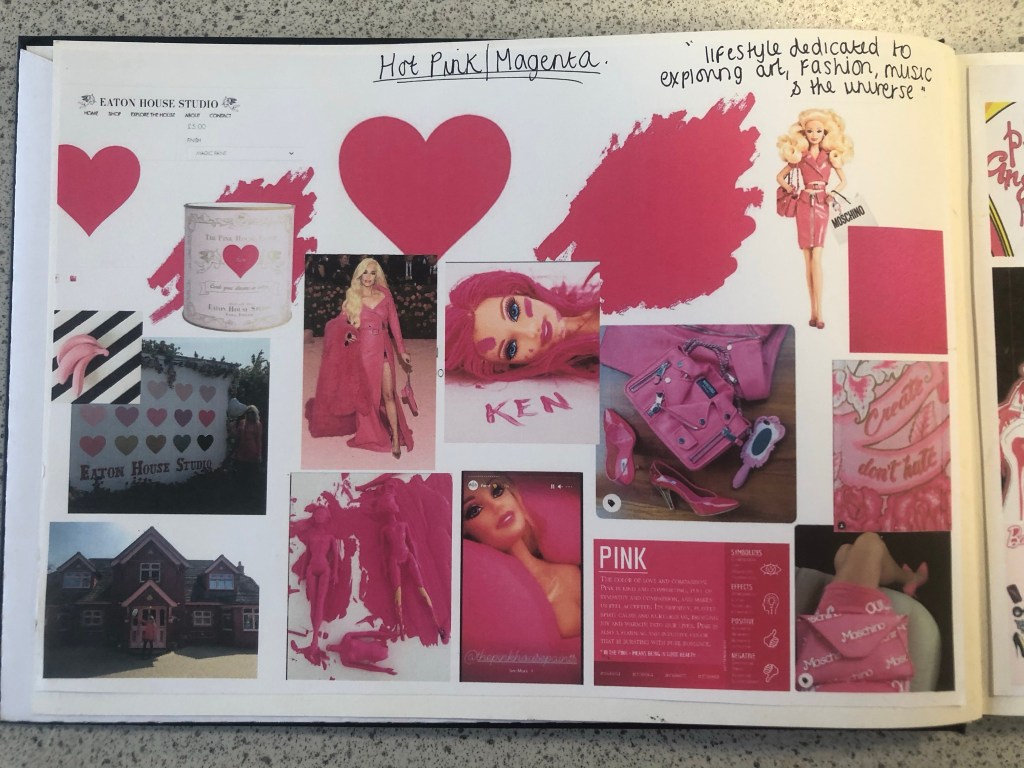
Having visual references on my pages helped inspire me more in my ideas. I then moved on to mind mapping.

Research – Mind Mapping

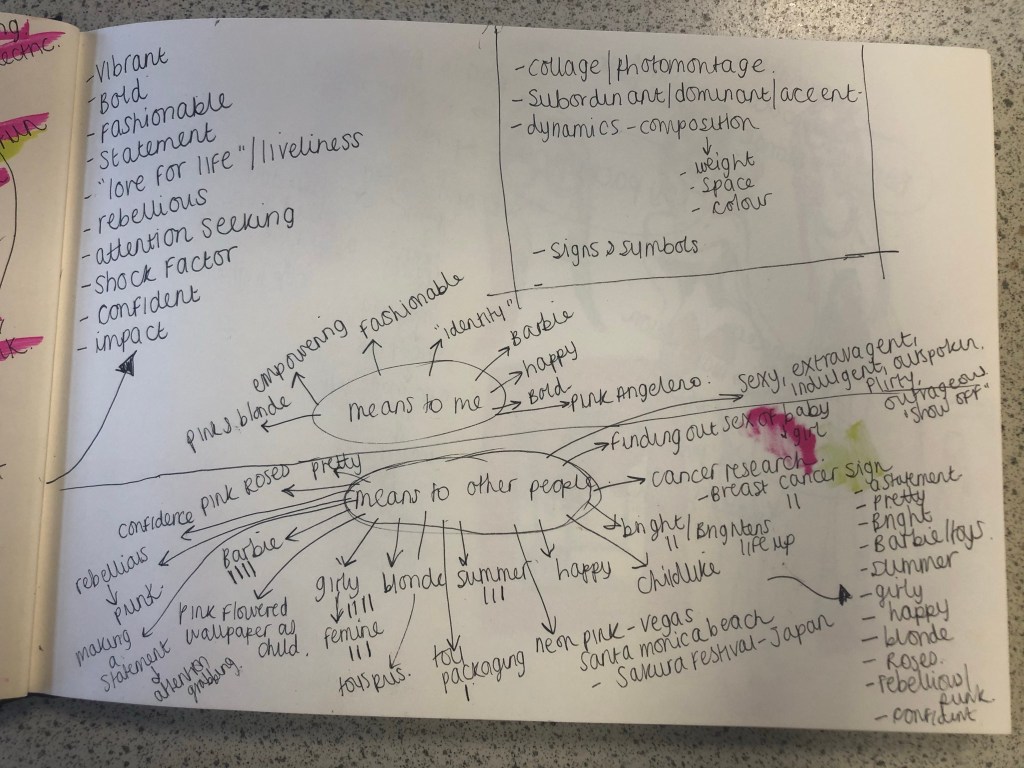
The first page of mind mapping was me exploring the meanings/emotions behind all 3 colours; Pink, Magenta Pink and Lime Green. I then looked at all the answers I had mind mapped and underlined the ones that both colours (Magenta and Lime Green) had in common:

  • Confident
  • Vibrant and bold
  • fashionable
  • fun
  • statement
  • “love for life”
  • rebellious
  • liveliness
  • impactful
  • attention seeking
  • shock factor

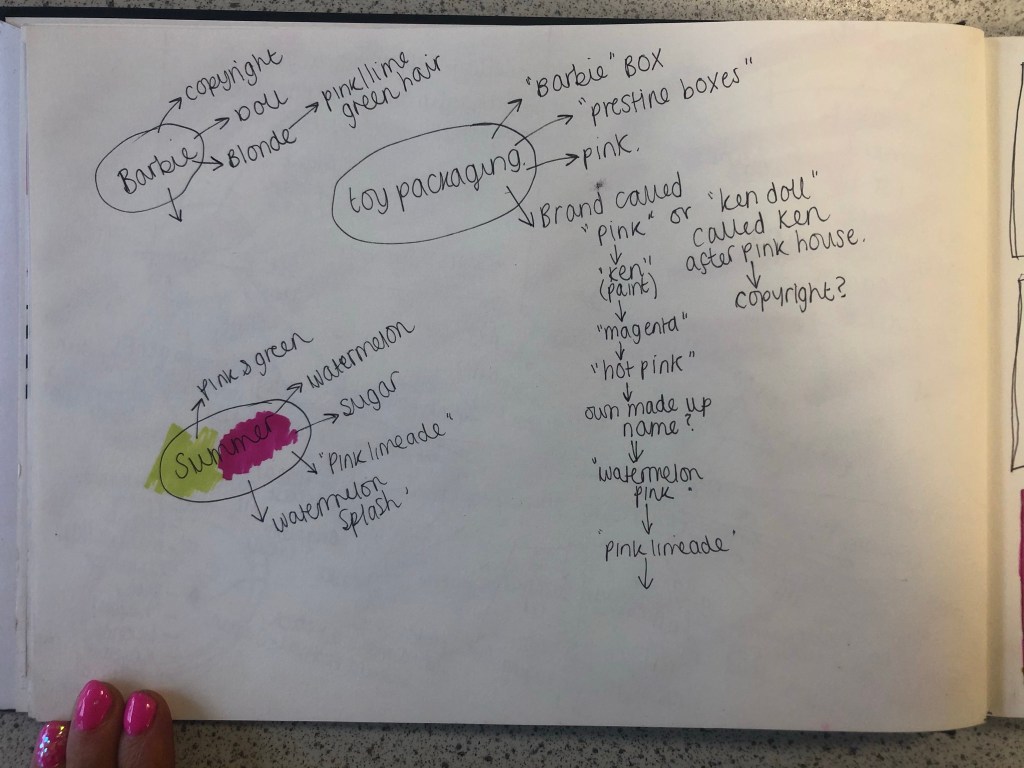
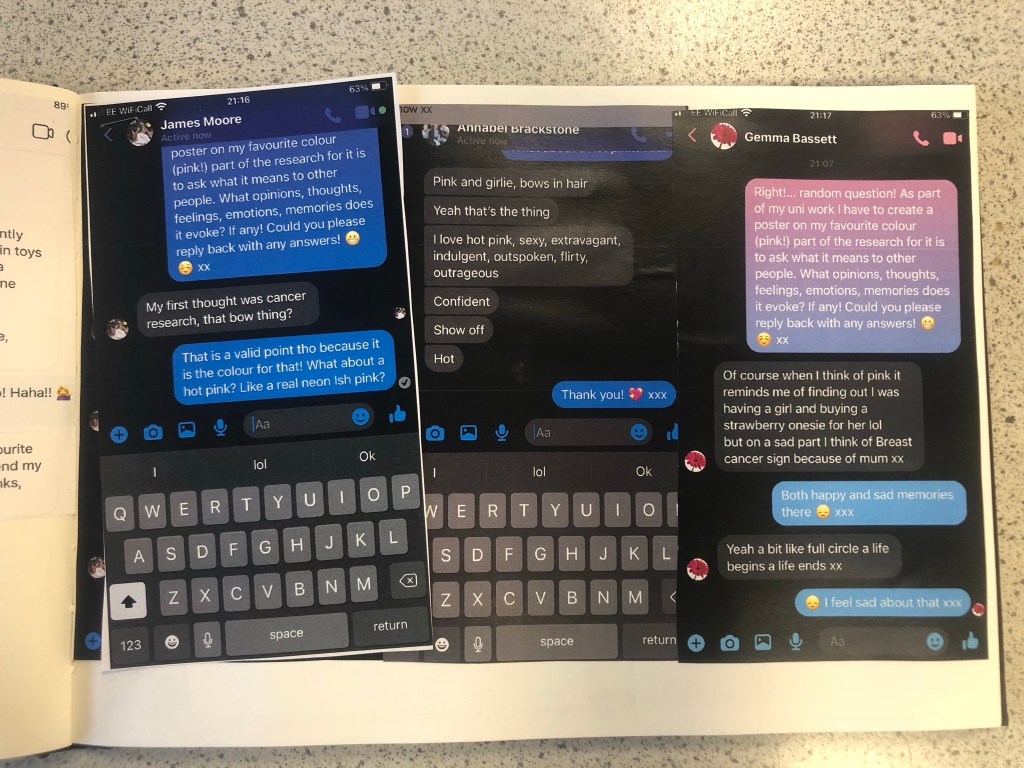
I knew that these were the factors that I would have to take forward into my first ideas and designs. My second page of mind mapping I concentrated on what the colour means to me and to others. I decided to ask some close friends and family what Pink means to them, what it reminds them of and what they think of when they hear the word PINK! I sent a message out through social media to ask people their thoughts on the colour; Luckily I had some good replies back! Almost every answer I received back from females mentioned Barbie and remembering the bright pink packaging from their childhood! It is very stereotypical also that Pink automatically reminds people of “Barbie girls” .I wanted to play on this in my designs as this is how most people see pink! The other answers were:

  • a statement
  • pretty
  • bright
  • Barbie and “pristine pink packaging!”
  • Toy packaging
  • Summer
  • Girly
  • Happy
  • Blonde
  • Roses
  • Rebellious/ punk
  • Confident
  • Vegas neon lights
  • Japanese Cherry Blossom trees

I knew from these answers that I definitely wanted to focus on how the colour reminds people of their childhoods with Barbie’s and the pristine pink toy packaging. The first idea I had was to make the poster into toy packaging.. instead of making the poster the colour Magenta pink, using some images to represent Magenta and writing about that colour I wanted to create something on the poster that represents the colour without the need for explanation but which is also playful and different in approach. Another answer that regularly came up was that people saw Magenta as attention seeking, bold and very confident. I wanted to show how Magenta is seen as the “grown up pink”. I could do a poster based around how Magenta is girly, pink, playful and brings out your childish side but is also a grown up striking pink, bold in appearance, rebellious and very confident! How could I bring the Lime Green into this idea though?…

First Ideas/Sketches

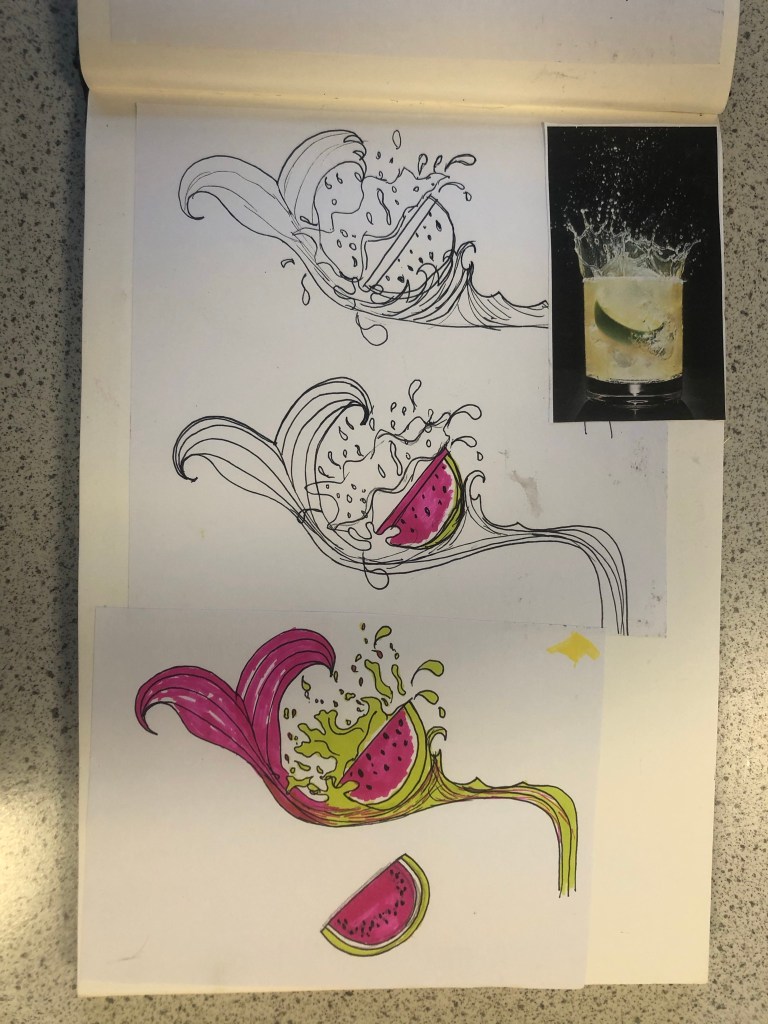
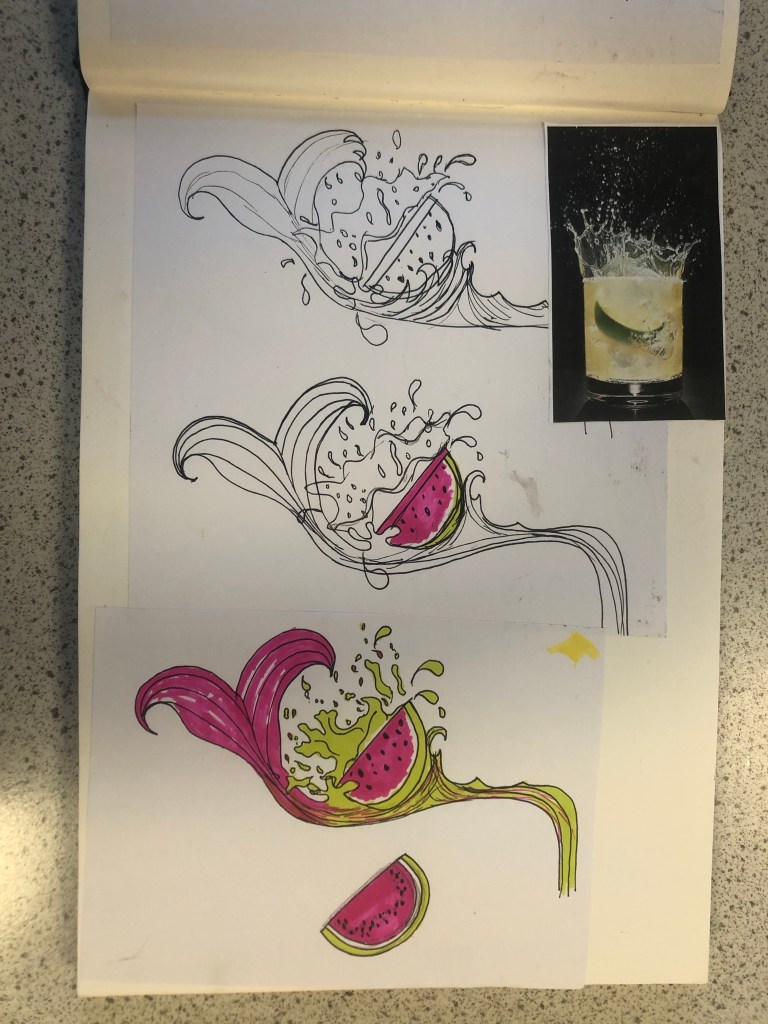
When I think of Lime Green and Magenta together I instantly think of Watermelons. I know Watermelons are usually Red and Green but in my mind I had the idea of brightly coloured vector art resembling a Lime Green and Magenta Watermelon. How would I bring a watermelon and toy packaging together to create a design though?.. In the back of my head I still had the Barbie doll that Eaton House poured into the paint playfully; If I could recreate my own version of this and bring it into my toy packaging design? I mind mapped around how I could bring the Watermelon into the design. Watermelons also represent summer so I knew I had also met one of the emotions that people feel when they think of Pink. The idea I had was to create limited edition doll packaging; make the doll a watermelon special doll but I needed a clever name for this. I mind mapped names that I could use for the limited edition packaging. I came up with “Pink limeade”, “Watermelon Pink” and my favourite “Watermelon splash”. The splash would symbolise the clash of the 2 colours coming together (Magenta and Lime Green). It also gave me the idea to use a mermaid doll which would further represent the “splash”. Since designing my posters I have looked around the high street and retail shops and seen a few designs that feature Watermelons:
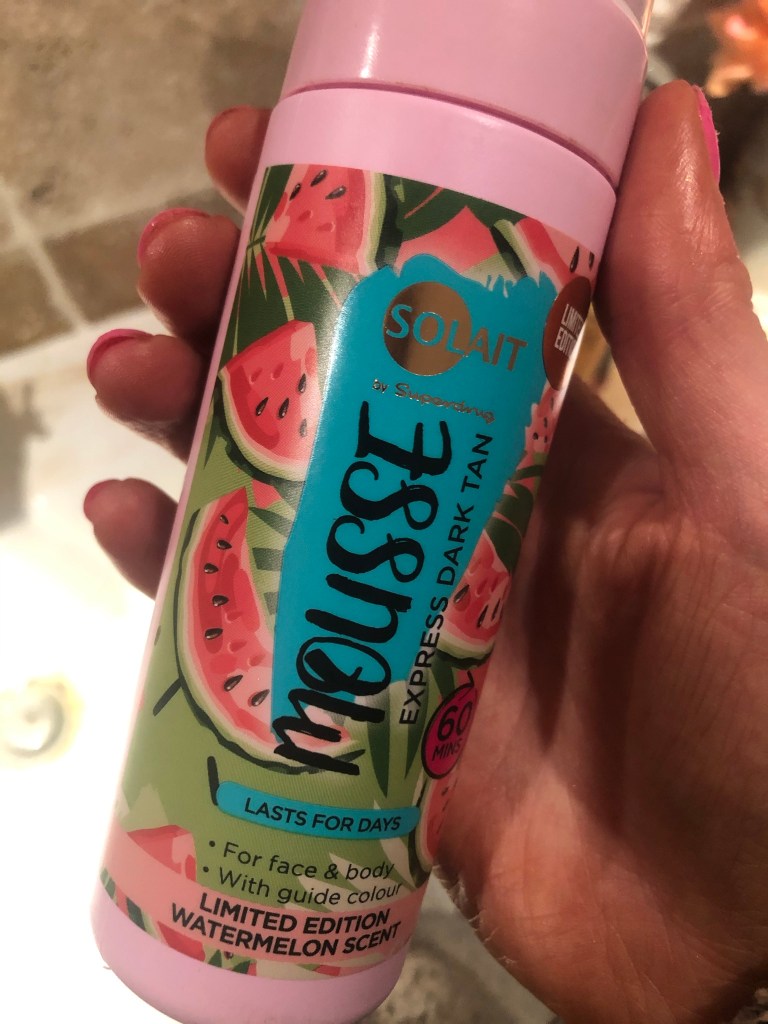
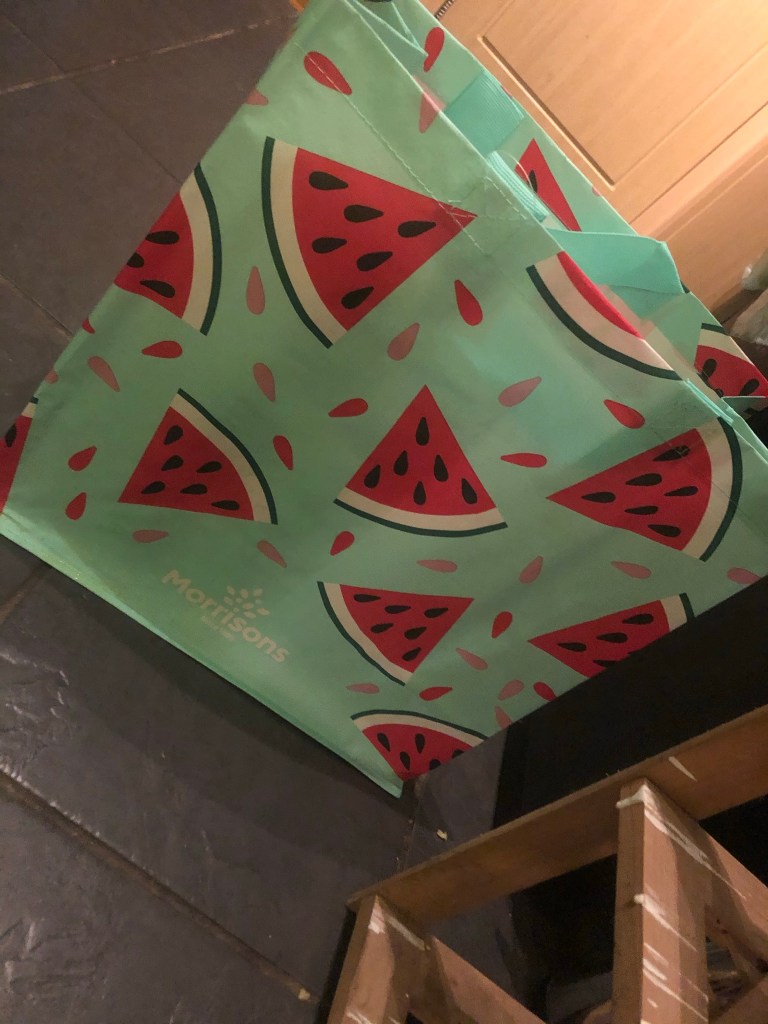
If I was designing toy packaging for my poster I knew I had to be clever and not use the name “Barbie” because of copyright purposes. I needed another name. I did ponder the thought of designing a packaging for a Ken doll and using the Eaton House “Ken” paint as the colour I was designing the poster for but I decided to keep it for a female target audience as the colour is mainly seen as feminine. I needed a name for a female doll that would be representative of Barbie but not be Barbie… I simply thought of – “MAGENTA”.

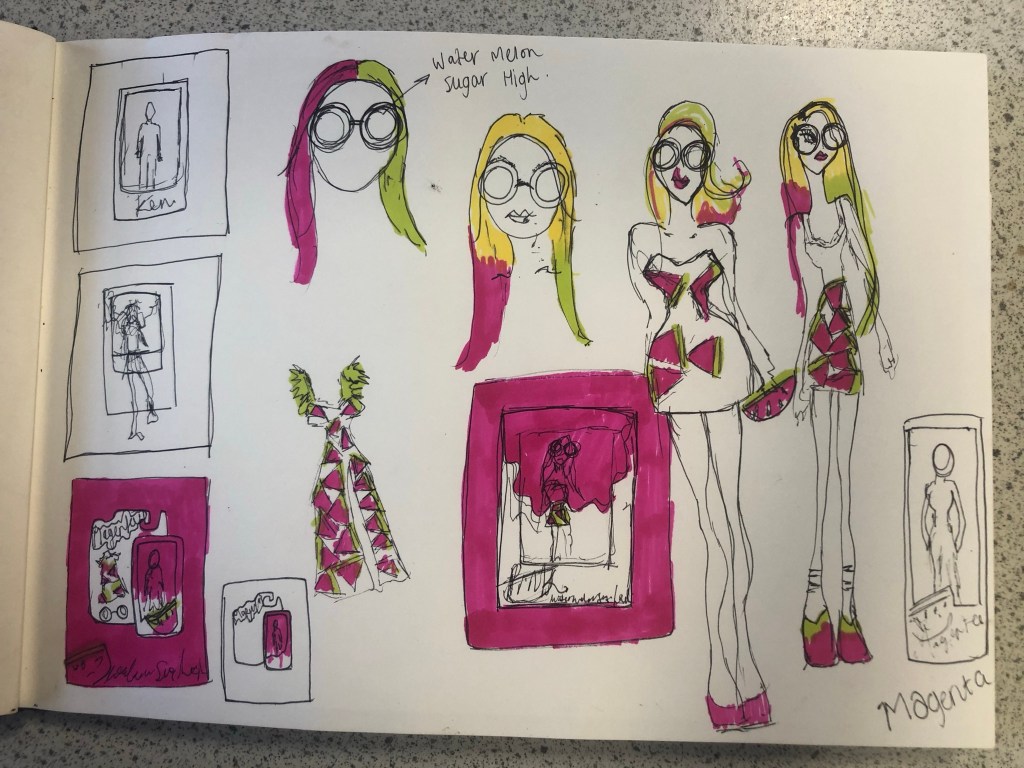
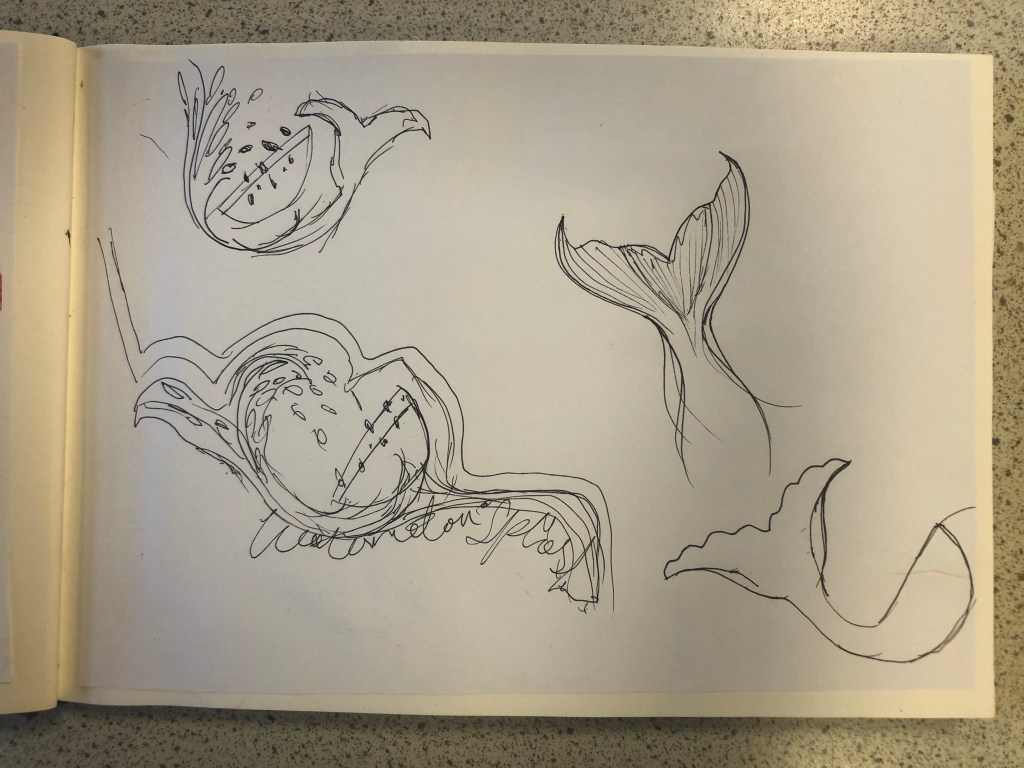
I started to sketch some ideas based around this idea in my sketchbook. I drew out some toy packaging and some illustrations of dolls wearing brightly coloured Watermelon clothing and accessories. I was not sure whether I wanted to use the “painted Barbie” idea or whether I wanted to create a vector art illustration doll.
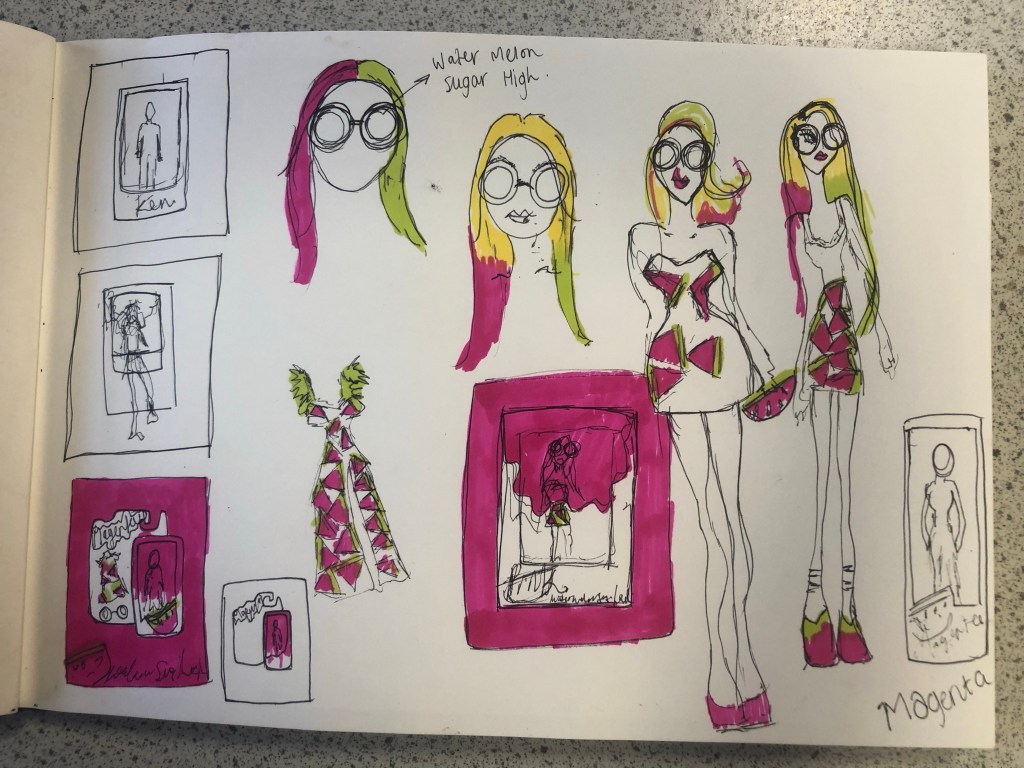
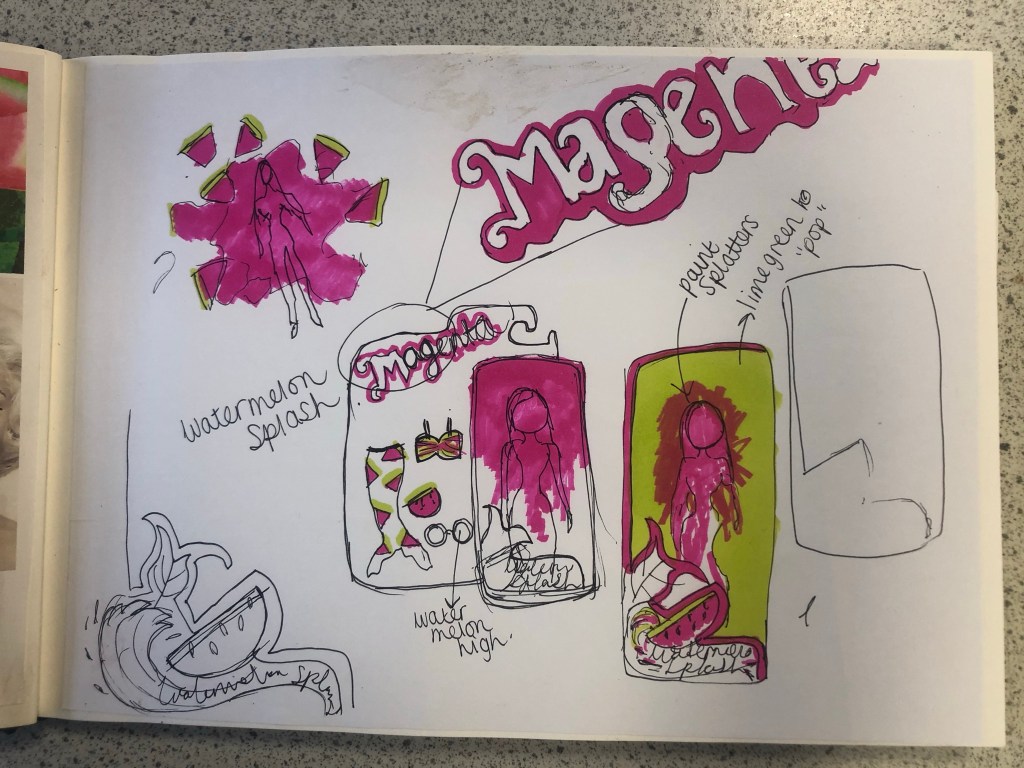
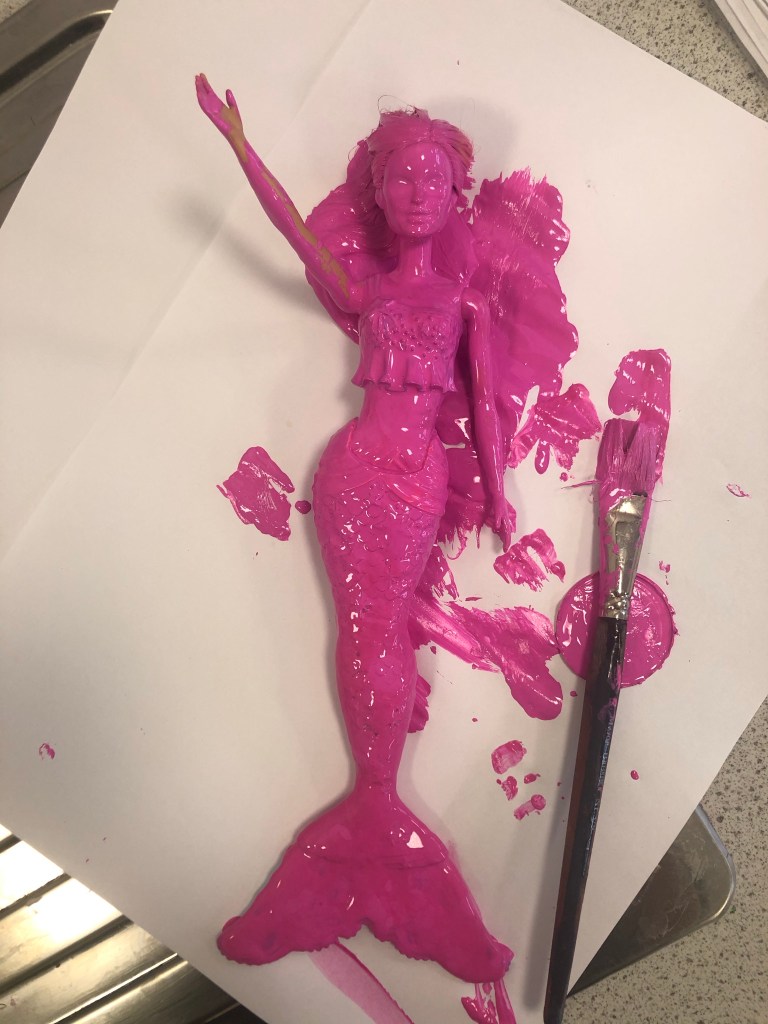
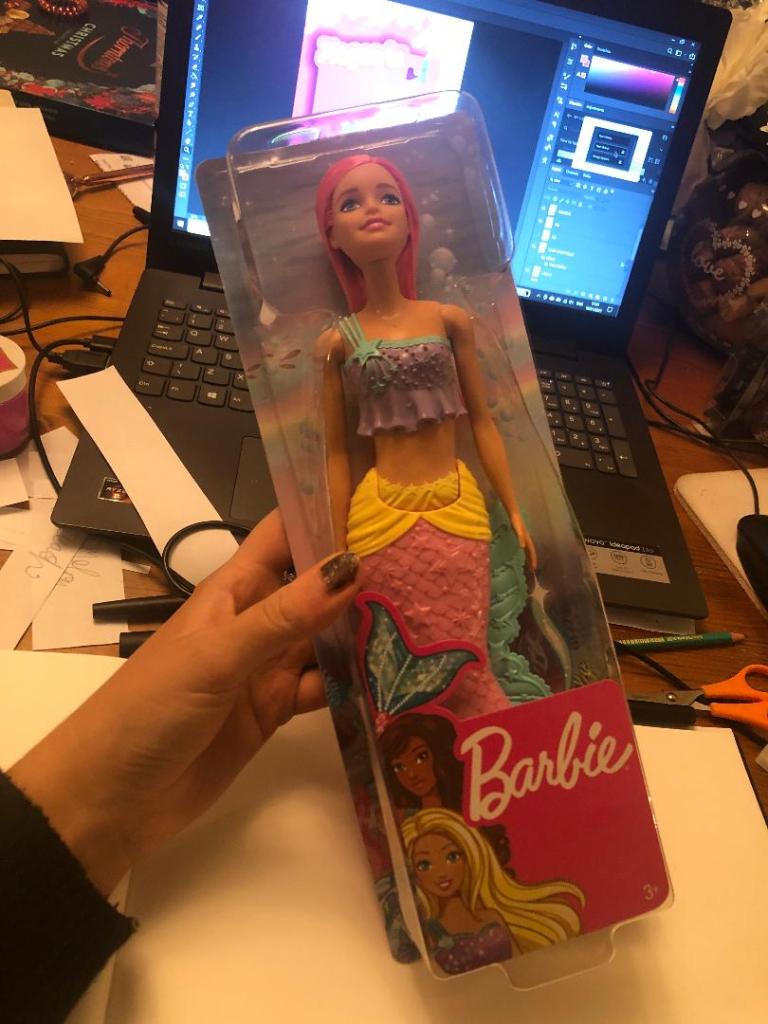
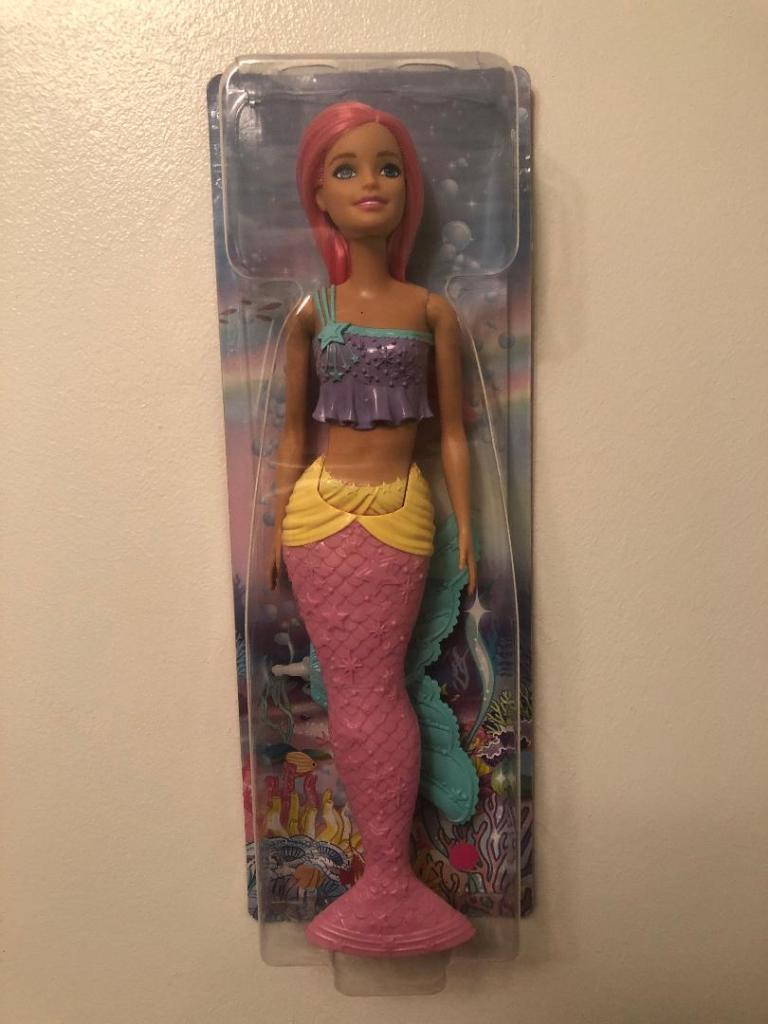
I drew some ideas for a mermaid doll with a Watermelon tail but then came back to the idea of the Eaton House painted doll and searched Amazon to see if there were any mermaid Barbie dolls I could buy and use. I found one on Amazon for £13. She had already pink hair and a removable mermaid tail. I could use this to experiment with the “Ken” paint just how Eaton House did.
Development

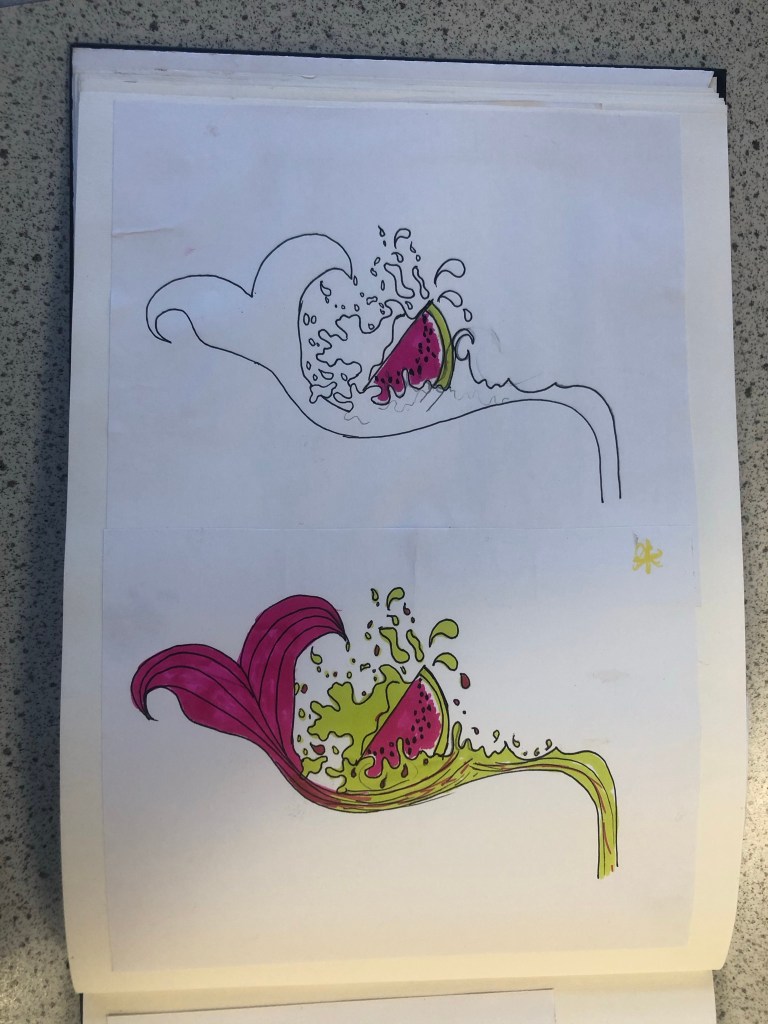
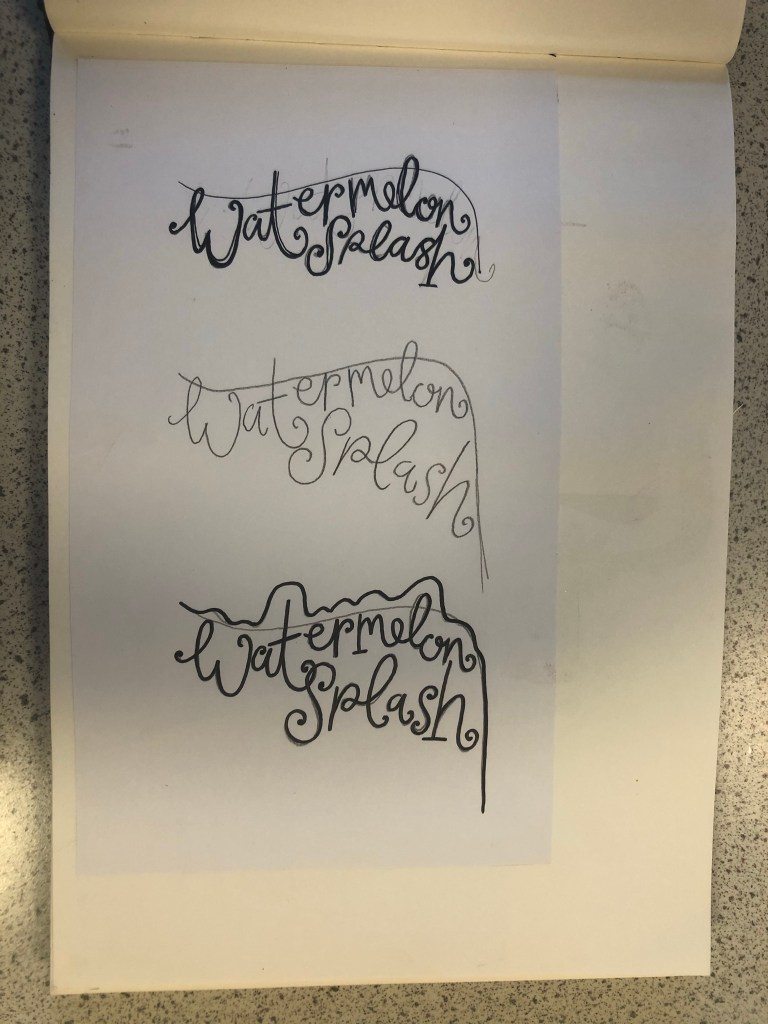
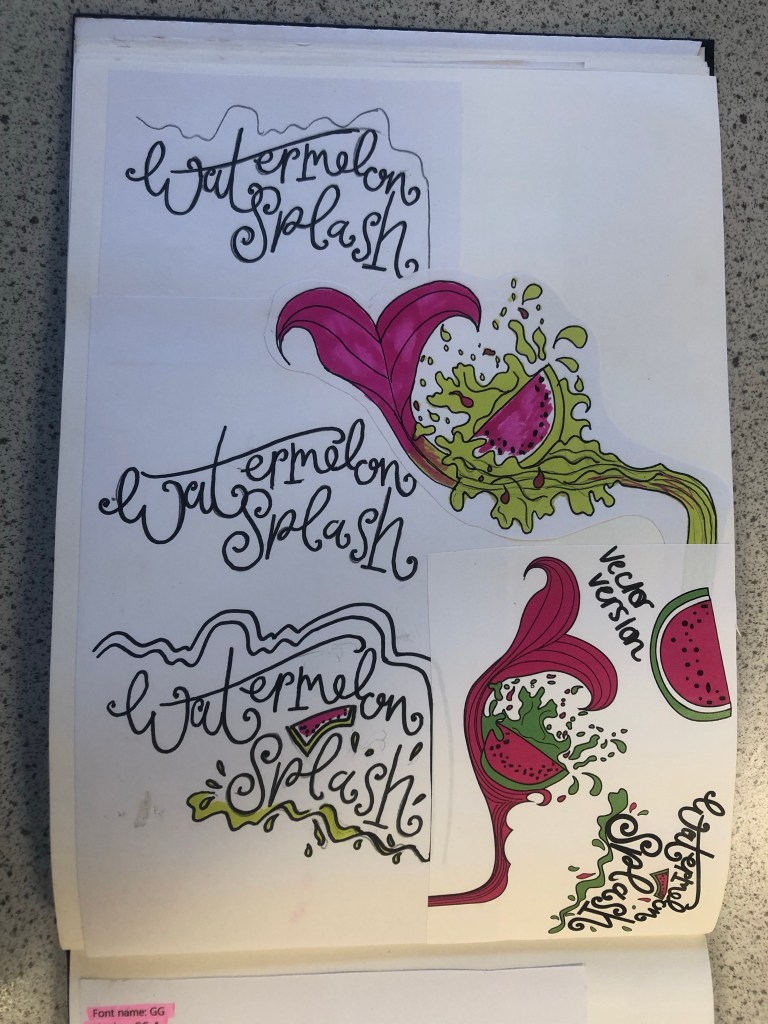
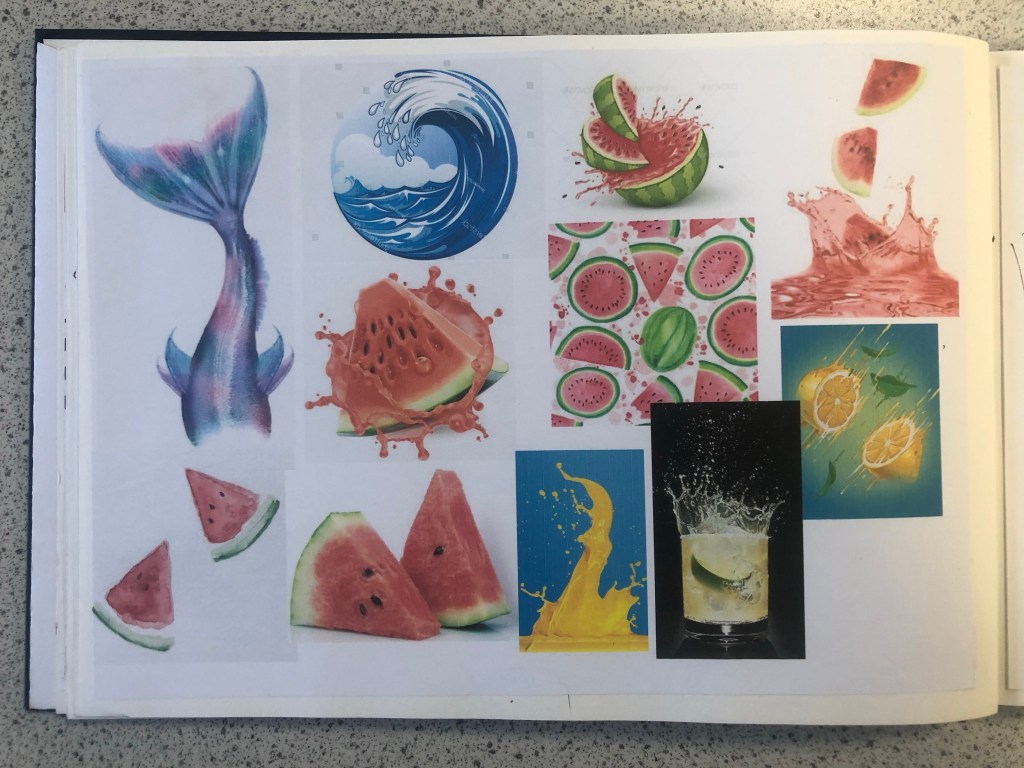
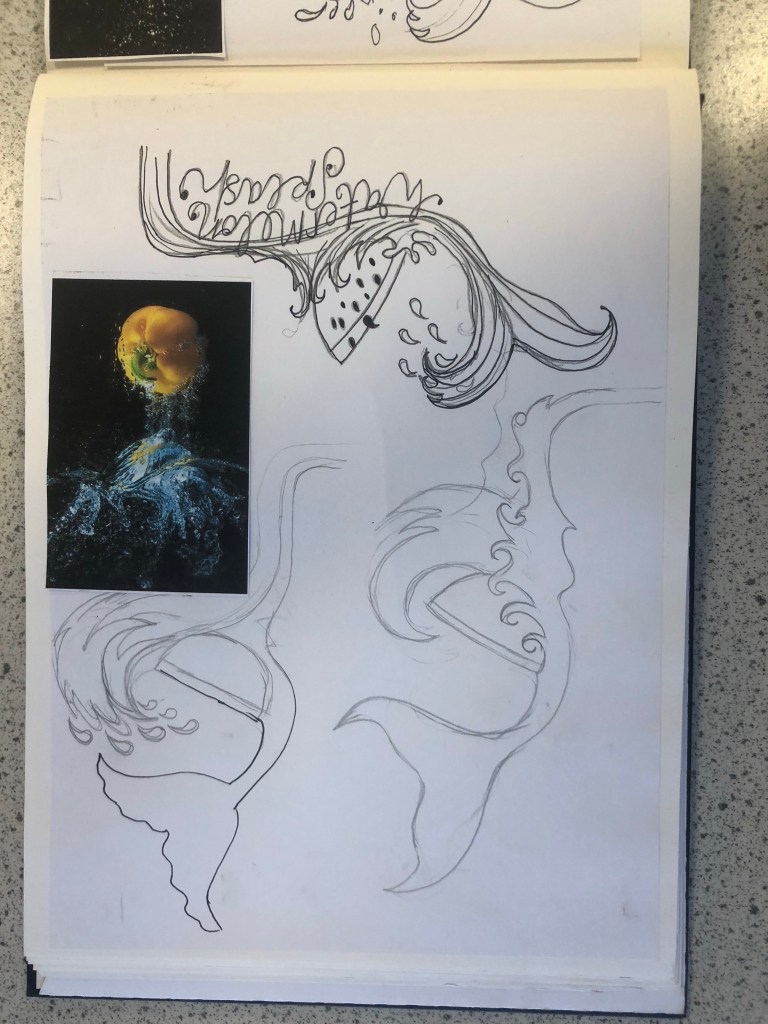
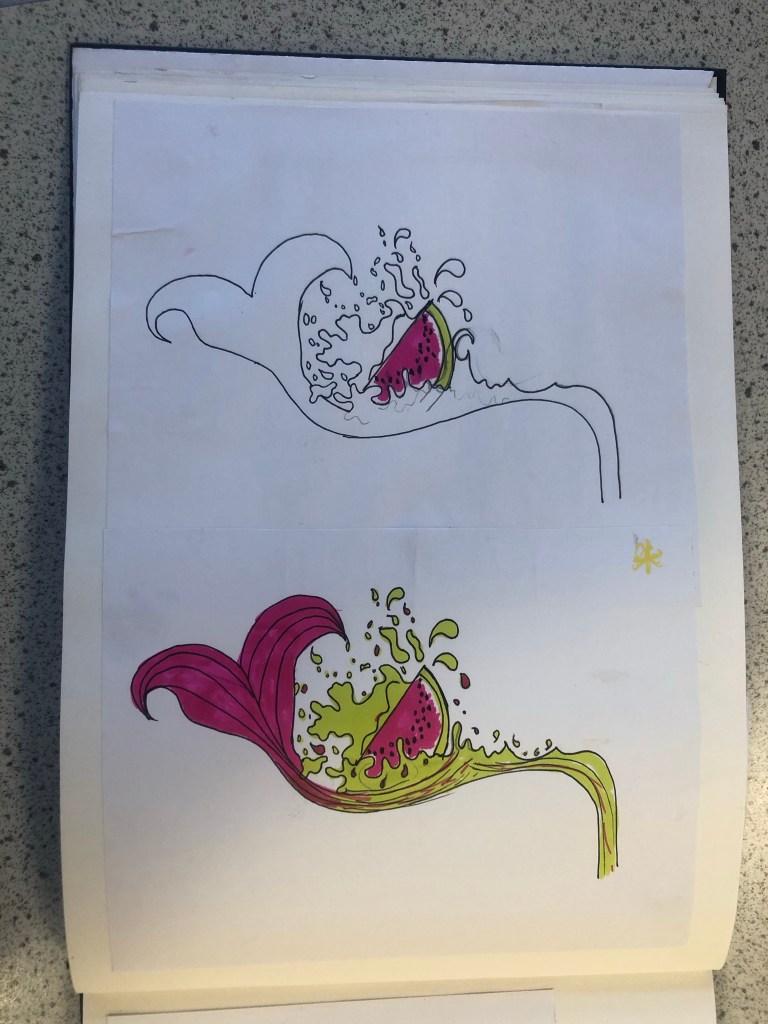
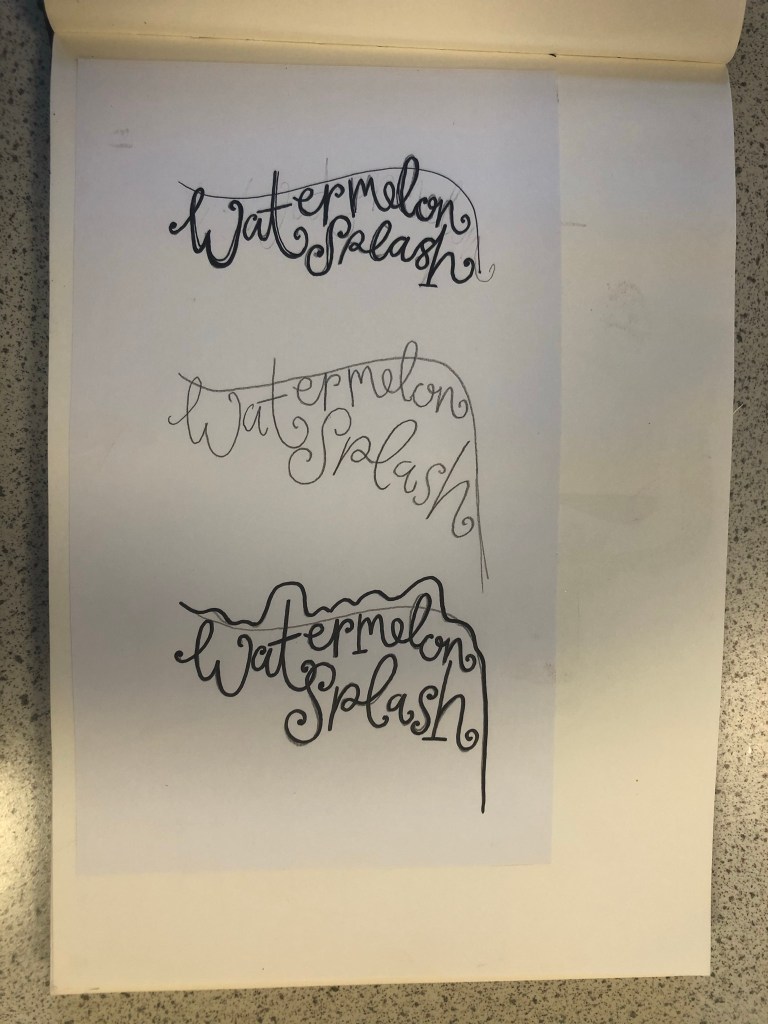
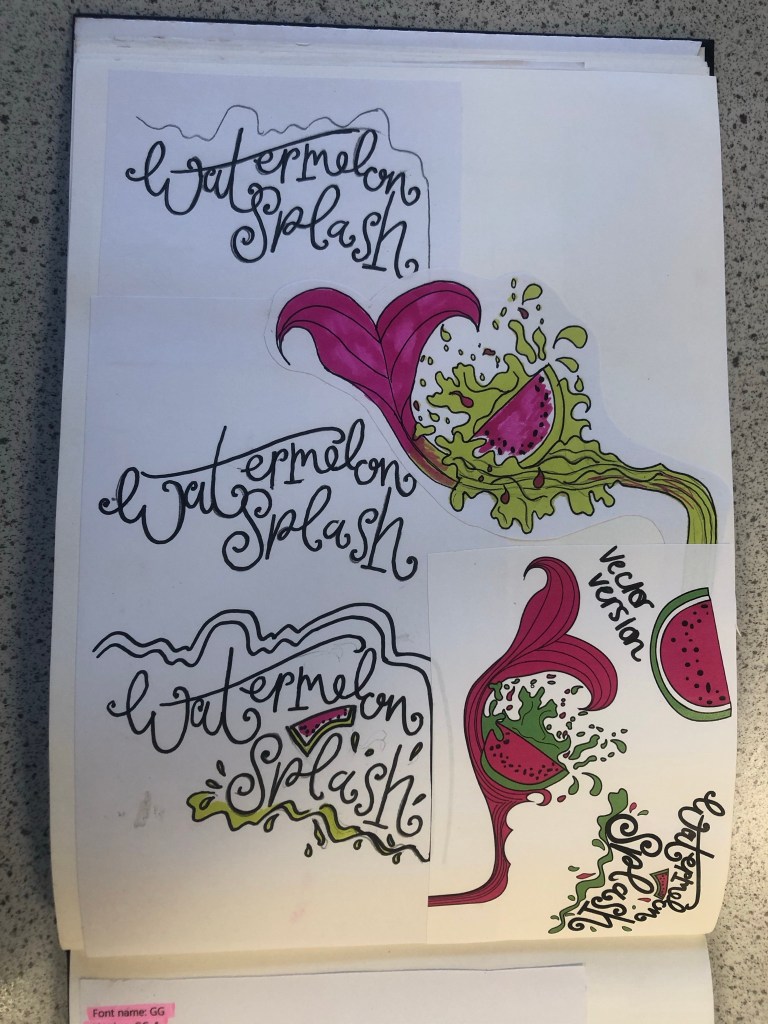
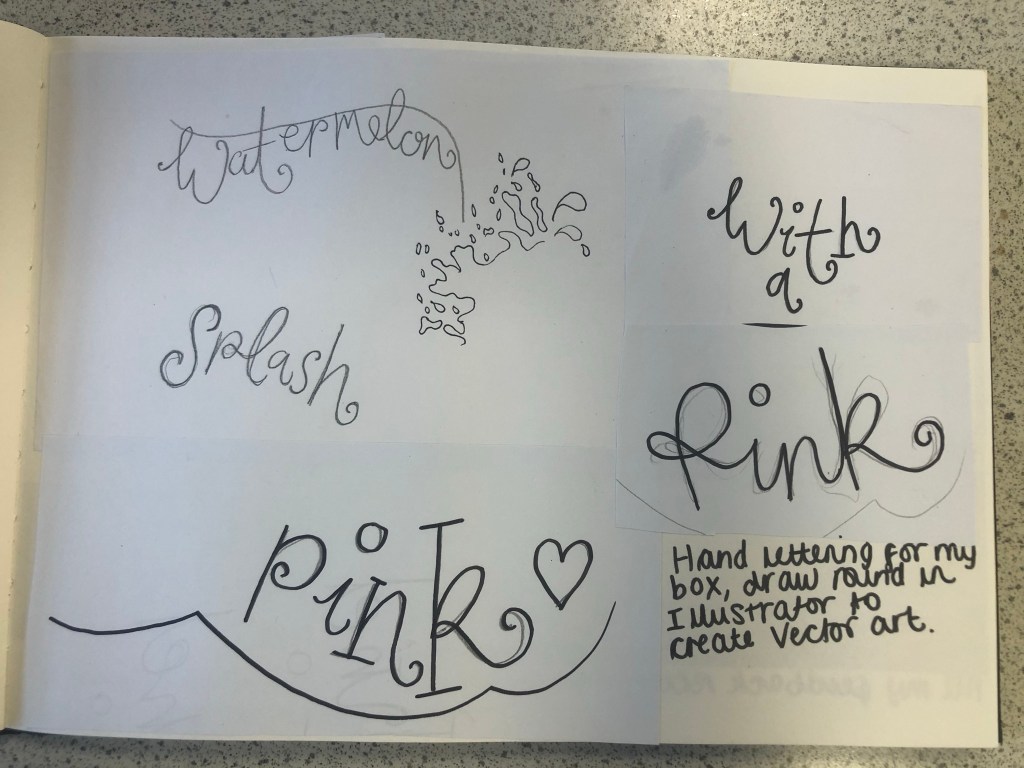
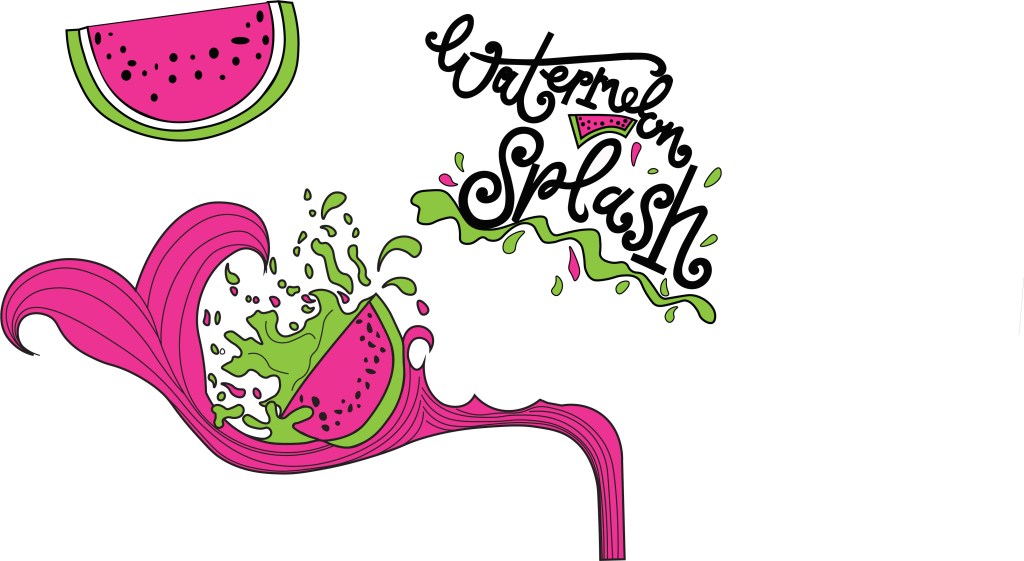
I then started to develop ideas around Watermelon Splash. I made another mood board filled with watermelons of all shapes and sizes, mermaid tails and splashes of water to see how I could represent the “splash”. I then started to draw up ideas based around this. I knew I wanted to include my hand lettering in this assignment as I like to turn my own writing into vector art whenever I can, so I started to sketch up “Watermelon Splash” in a style of writing that might be appropriate for the design. I came up with a strong design that I really liked and then decided to develop it further by drawing several versions of it with different splashes, different shaped watermelons and different positioning of the text.

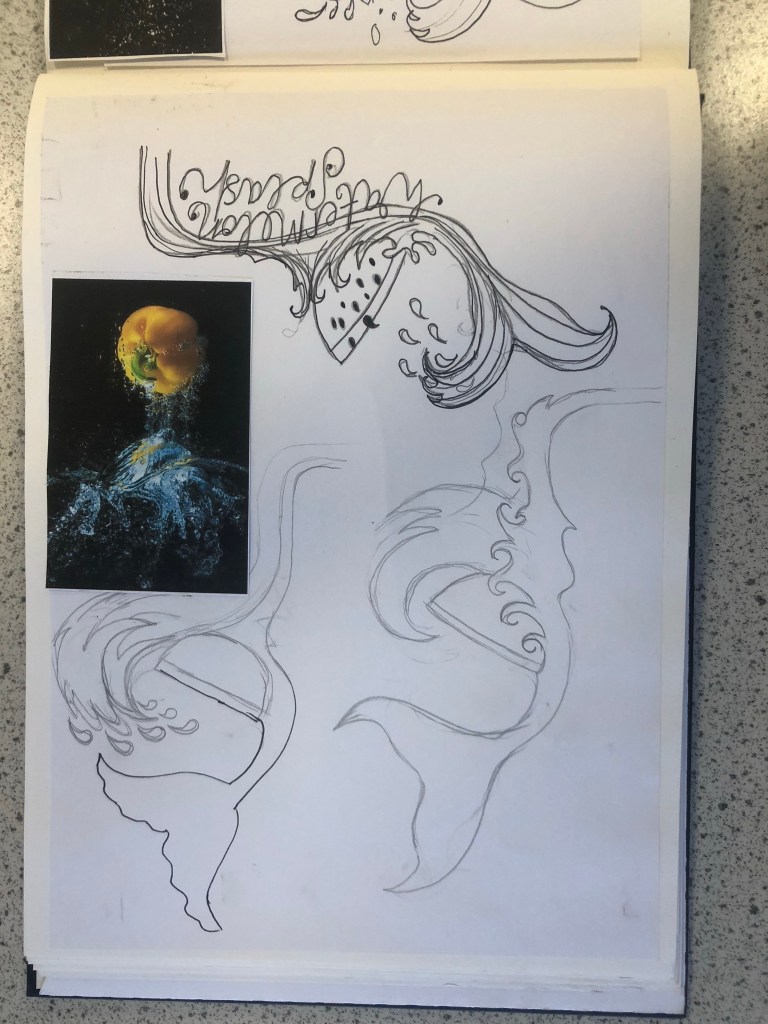
My final drawing for “Watermelon Splash” I was very pleased with. I scanned it into my laptop and drew around it all in Illustrator. I was left with my final vector art which I could edit to my hearts content around my final design.
Which Typeface?

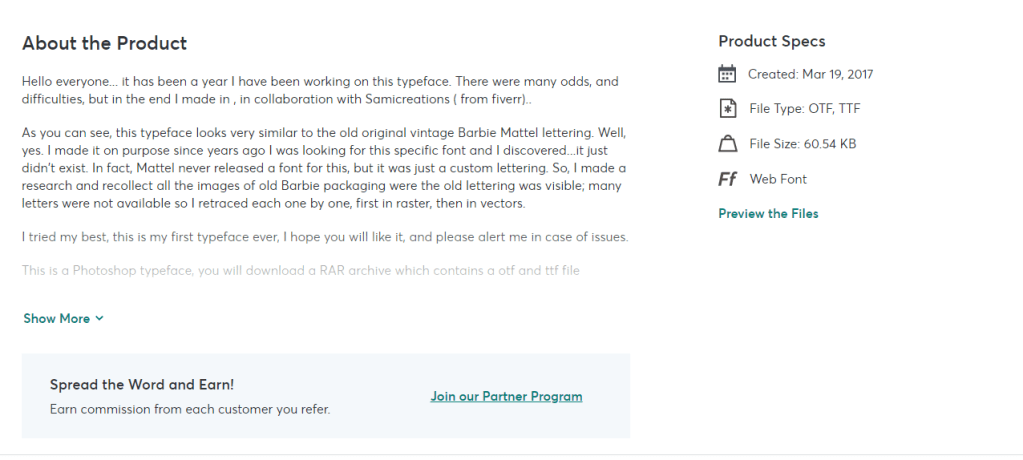
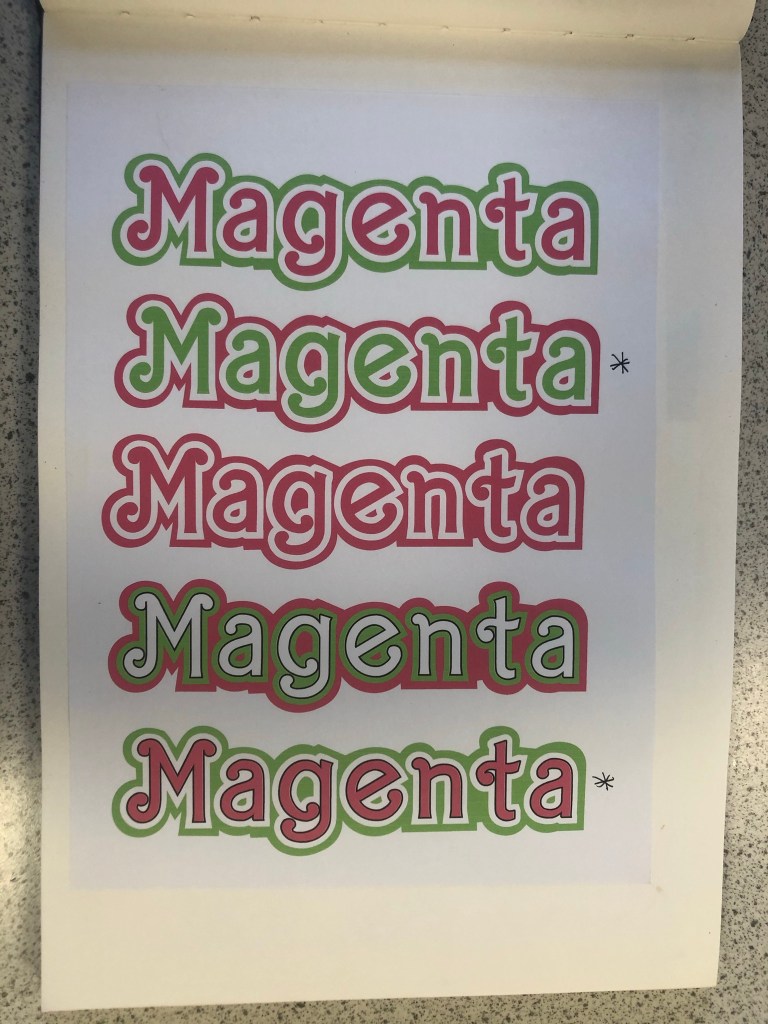
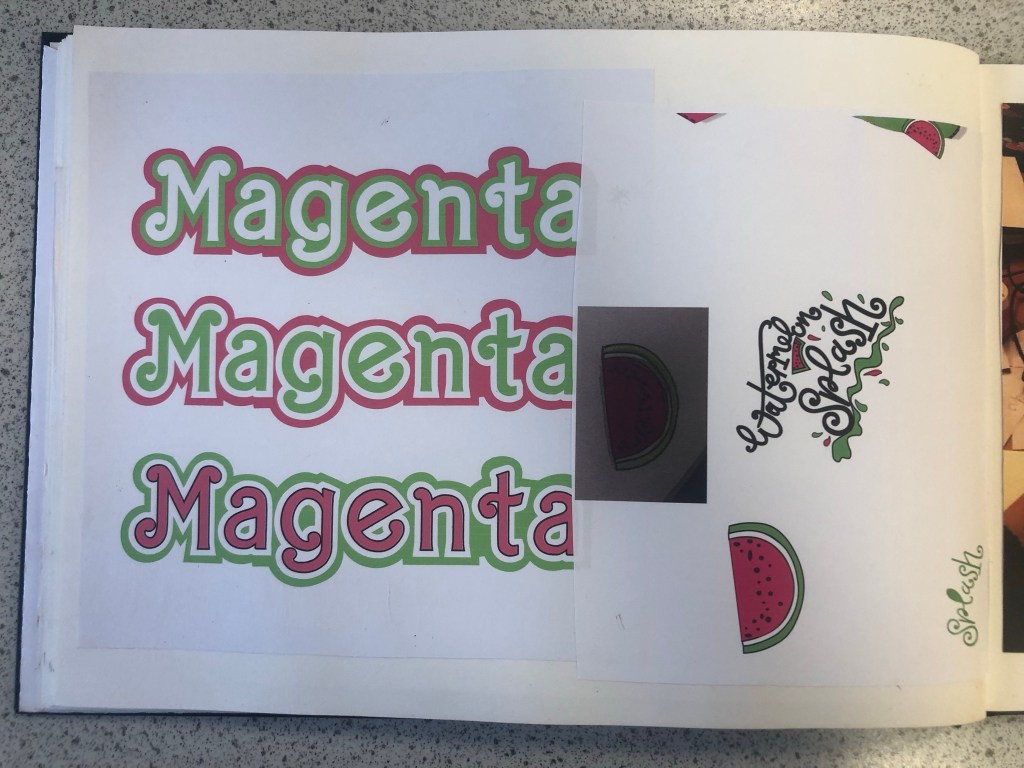
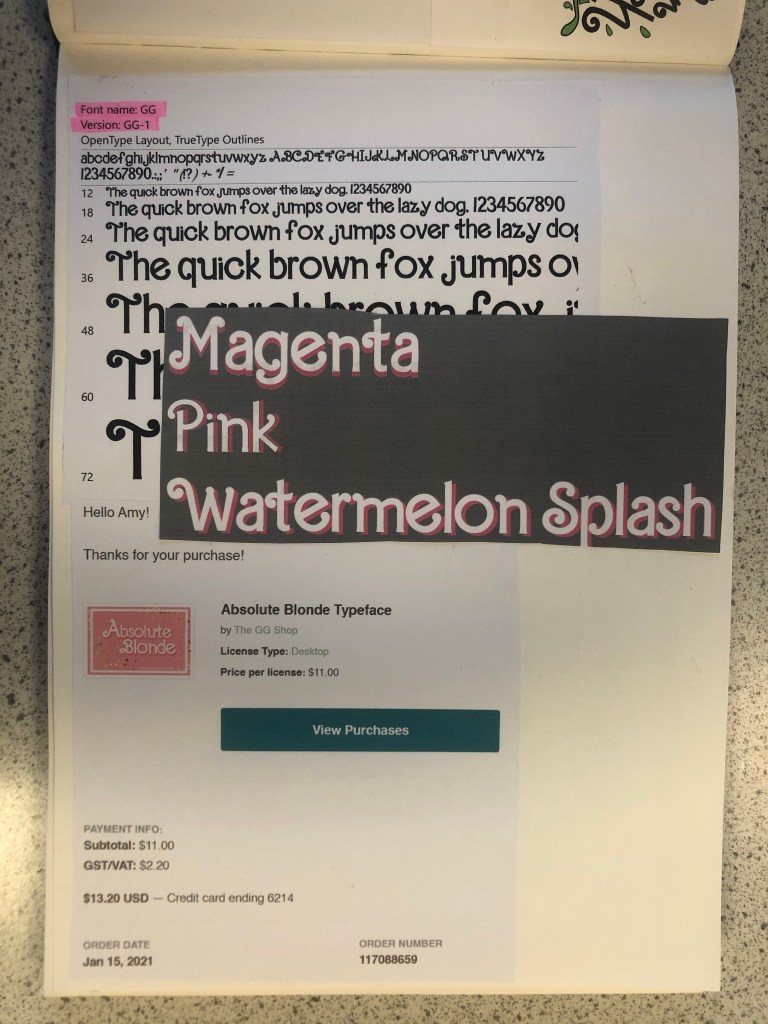
The next stage in my design process was to find a suitable font for “Magenta”. I wanted to use a similar typeface in my design to the “Barbie” font so I started to sketch with the idea that I would use my hand lettering to turn into vector art in Illustrator, however it seemed like such a long process that I decided to have a look online and search for any similar that I could download and use. I found one on Creative Market website that I had to purchase for $11. The typeface appears as GG when I install it onto my computer but it is called “Absolute Blonde”. The owner of the typeface created it when she was trying to desperately search everywhere for a “Barbie like” font to use in some invitations. This appealed to me! I could type what I need and then convert the type into editable shapes to turn into vector art!

I created my vector art from the font and then messed around with various colour schemes for Magenta. I wanted it to stand out against the Magenta background that I had planned for my design. I was conscious also that I needed to make sure that there was contrast and visual dynamics with the type and design.
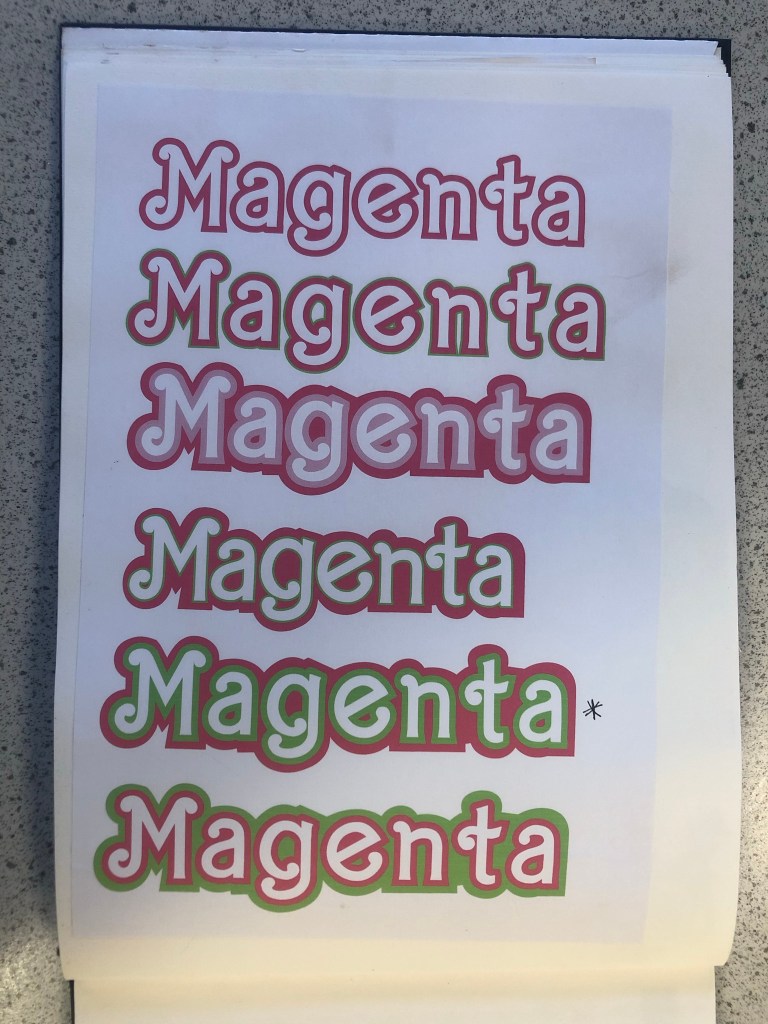
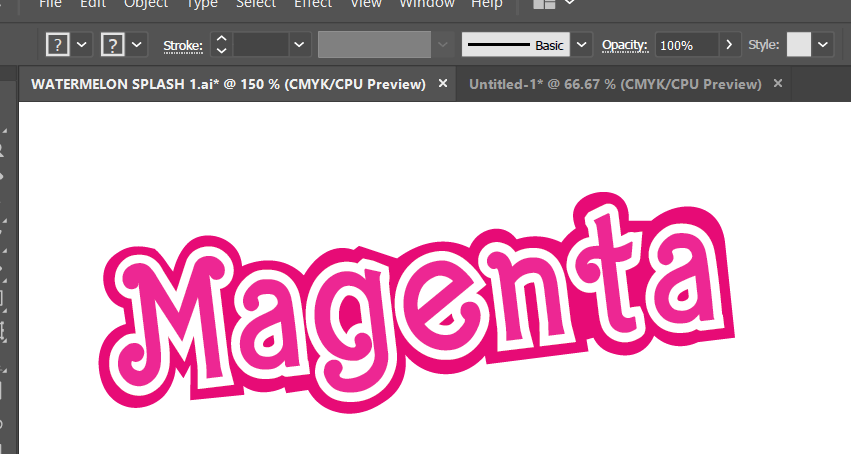
This is the version that I eventually decided on for my design:
Designing the packaging

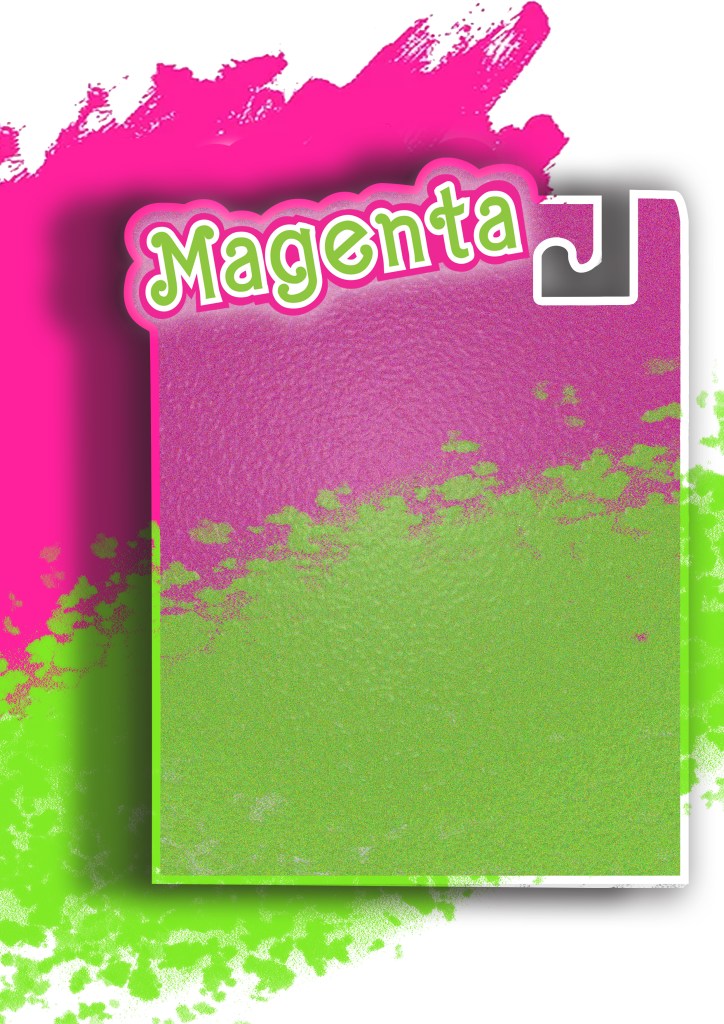
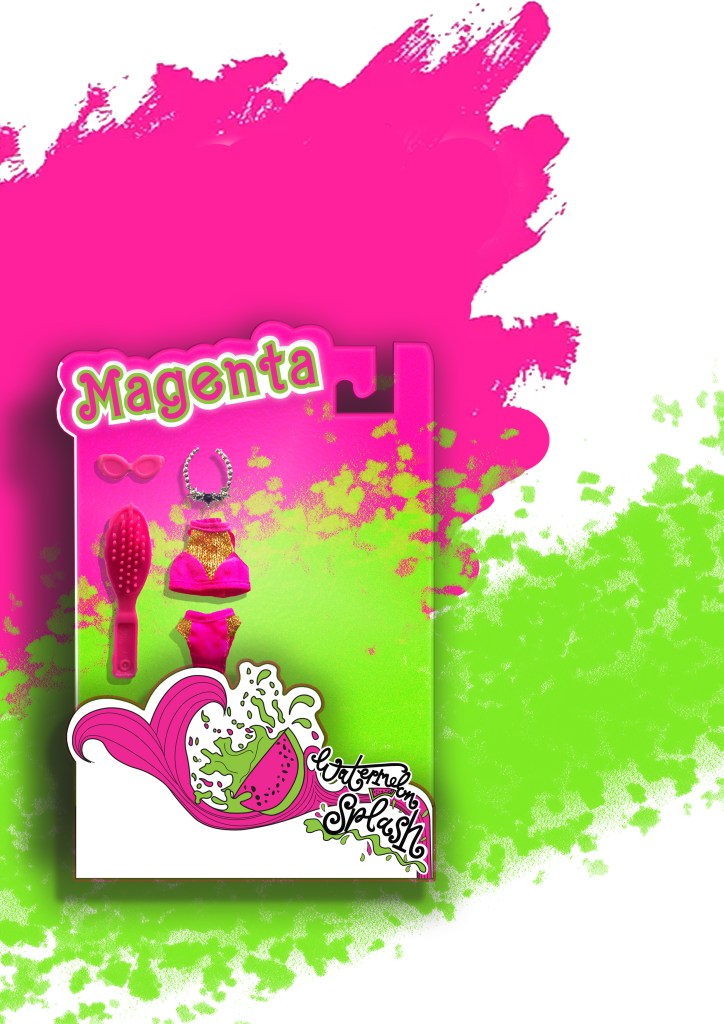
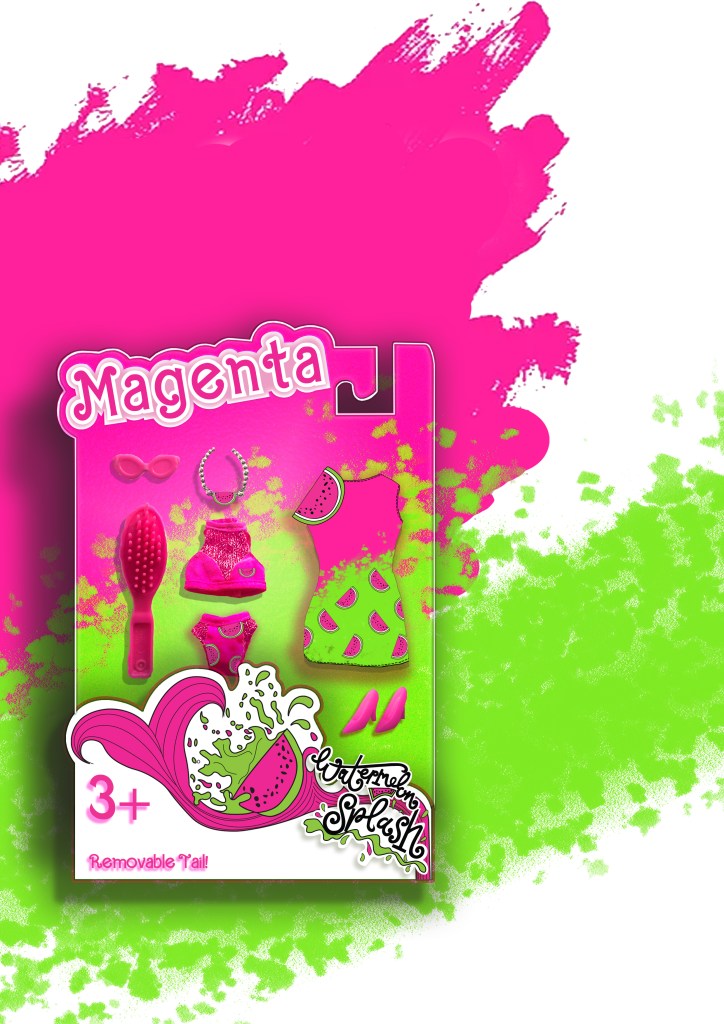
There is an image on one of my mood boards which shows doll figurine packaging with a hook at the top of the box to hang off pegs in the shop. I decided originally to go down this route of designing similar packaging. My idea was to have Watermelon inspired clothing and accessories in the packaging and then have the painted doll outside of the packaging covered in pink to match the rest of the poster.
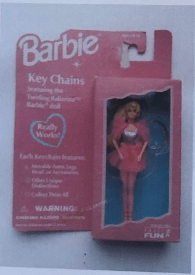
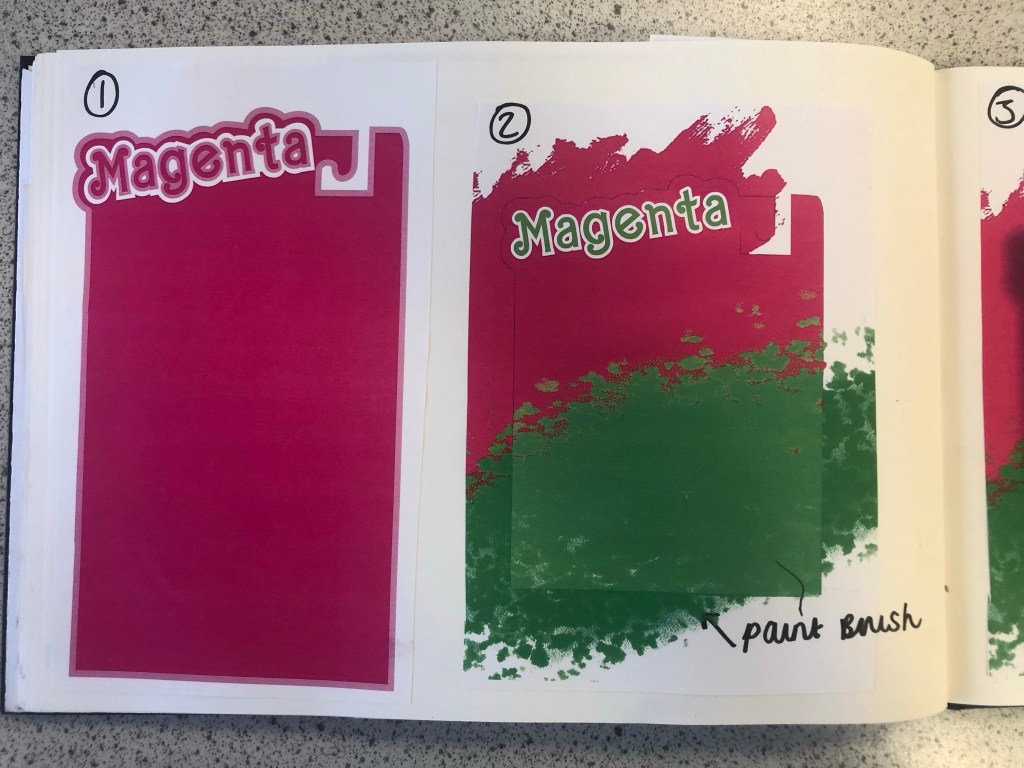
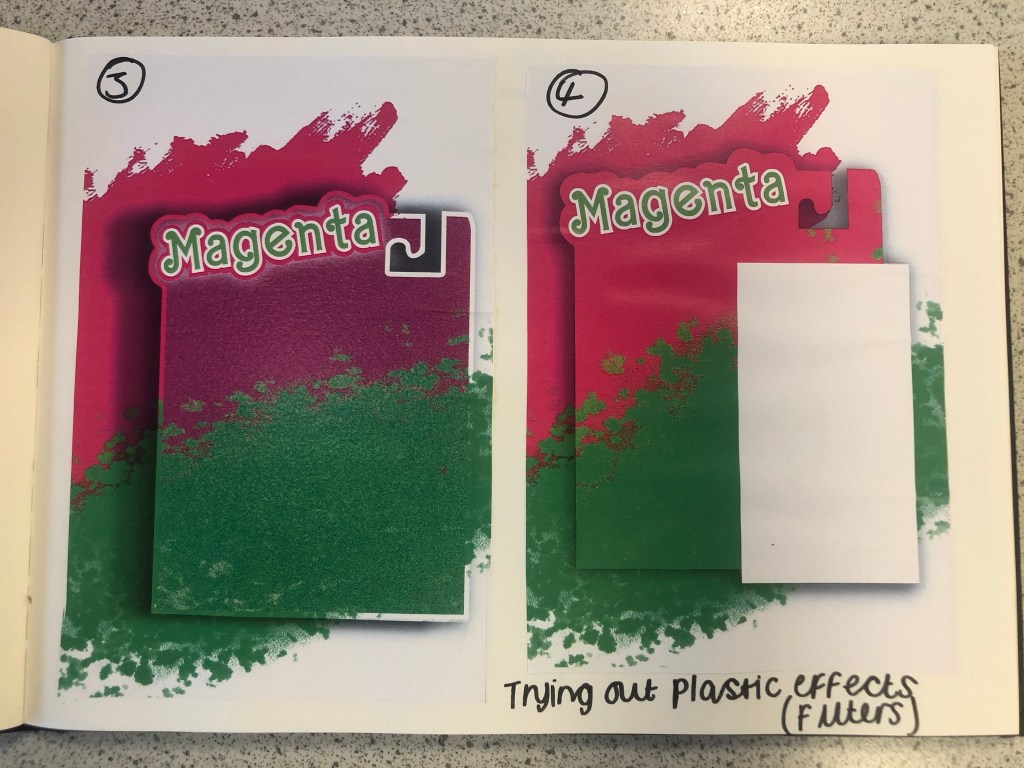
I am still an amateur at Photoshop so I struggled a bit at the start to try and learn how to try and do different things that I wanted to do. My main struggle was how to make the packaging look realistic and plastic-shiny. I drew out my packaging in Illustrator and then imported it over to Photoshop to edit further with filters and effects. It took several attempts for me to try and make the packaging look half realistic with drop shadows and the plastic film filter effect and even after all these attempts it still looked rubbish! I imported plastic film photographs over and lowered the opacity and laid it over the top of my design to see even if that would work but it still looked bad! The Magenta and Lime brush strokes in the background were taken as inspiration from one of my mood boards. I created this by using the brush tool in Photoshop.
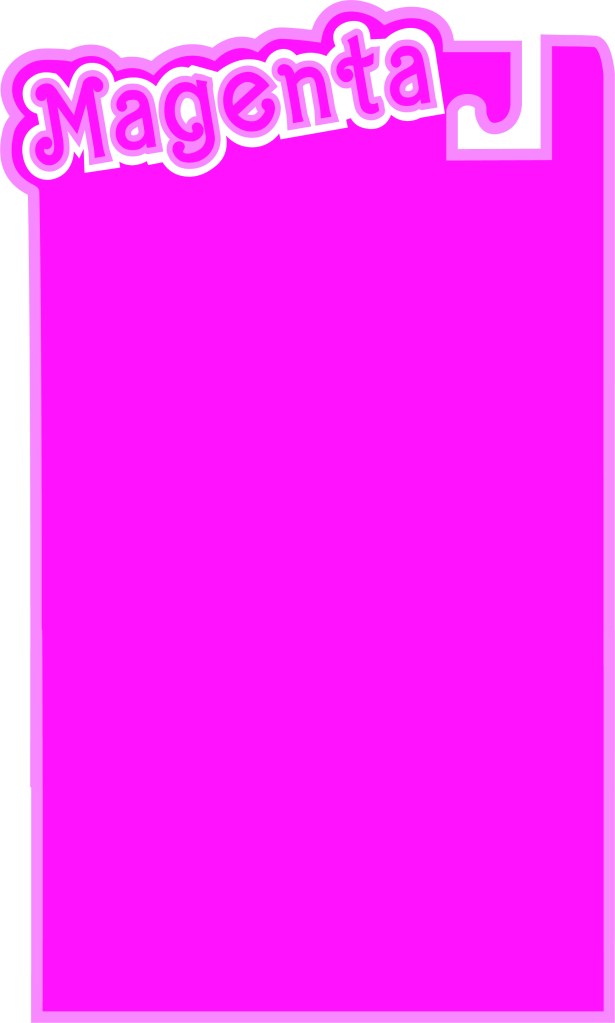
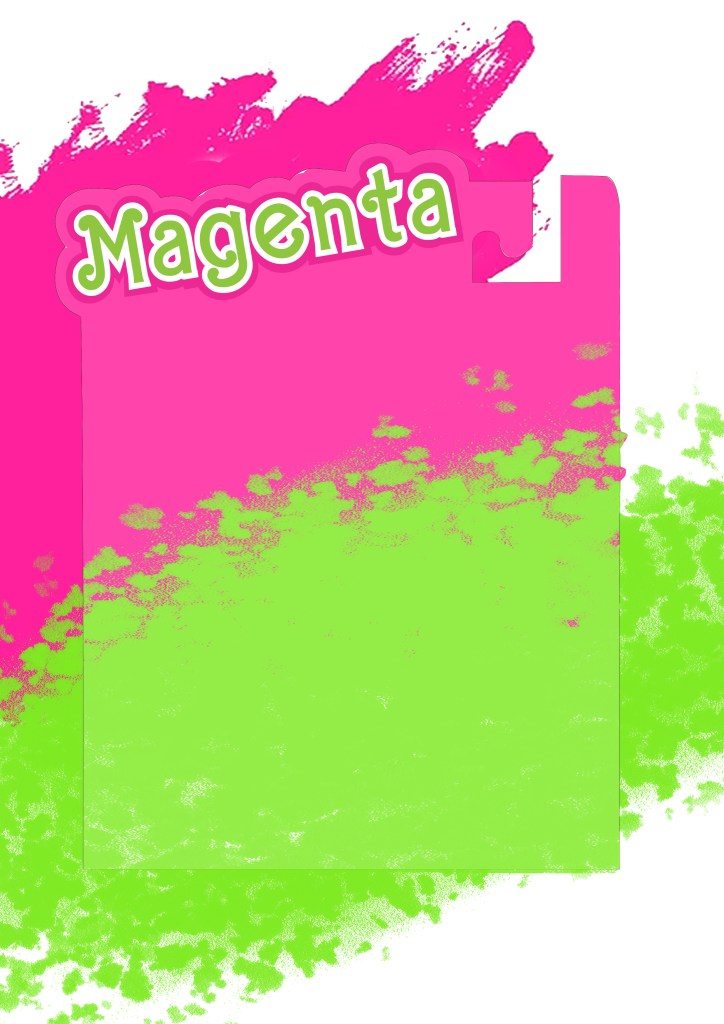
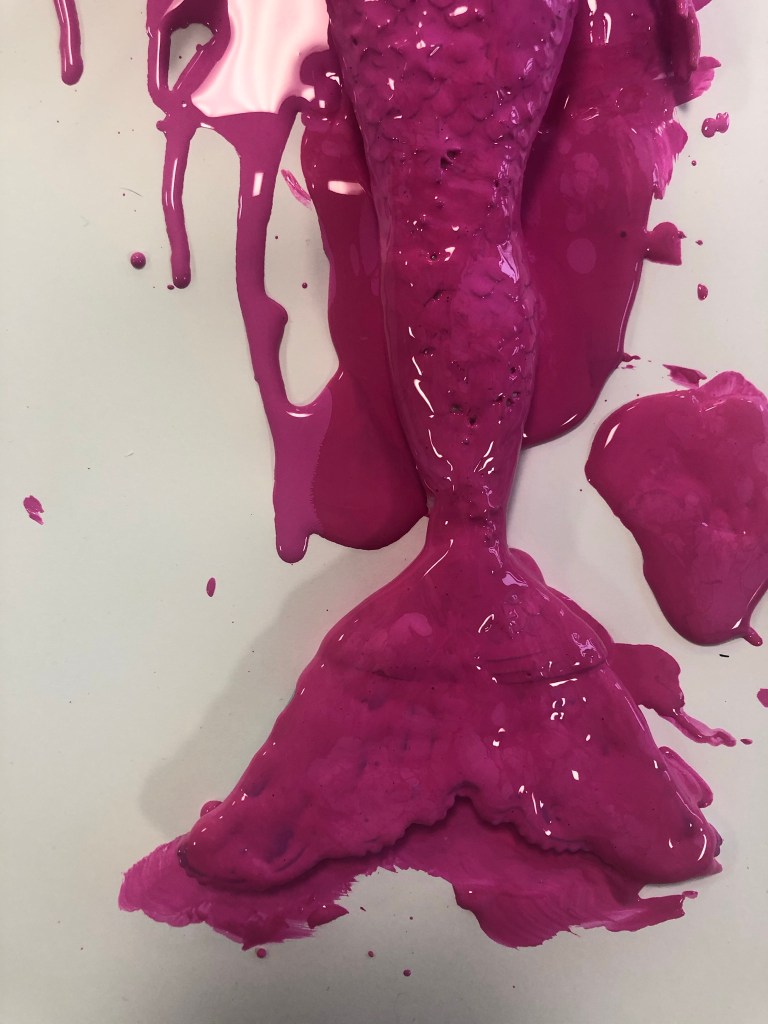
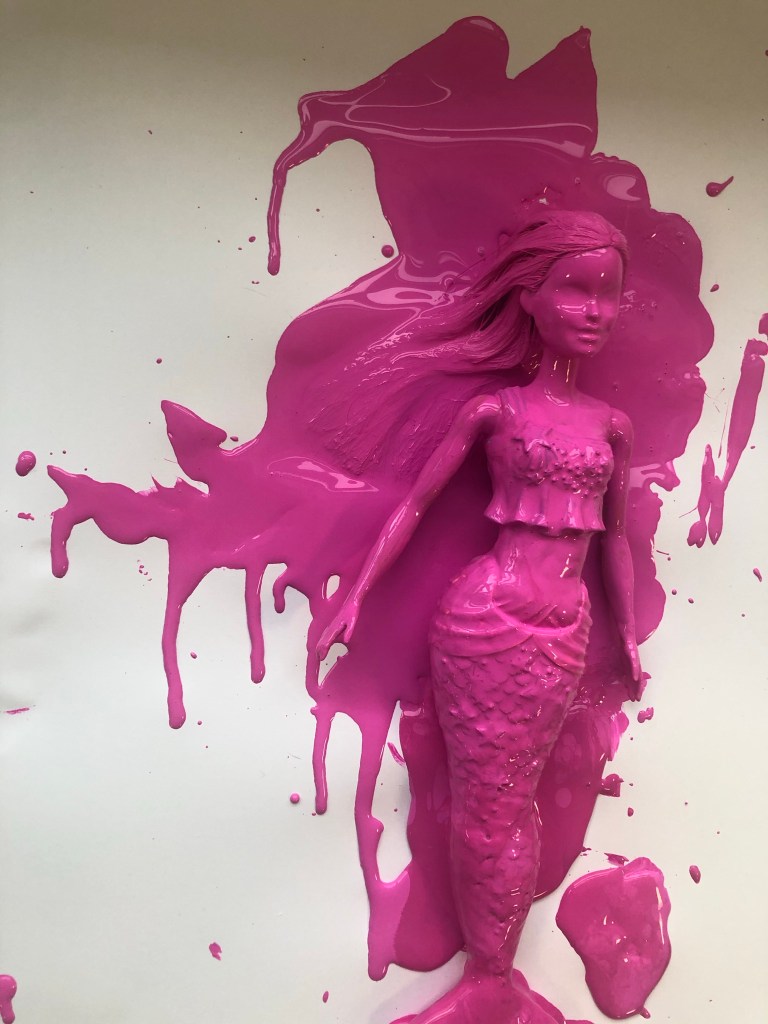
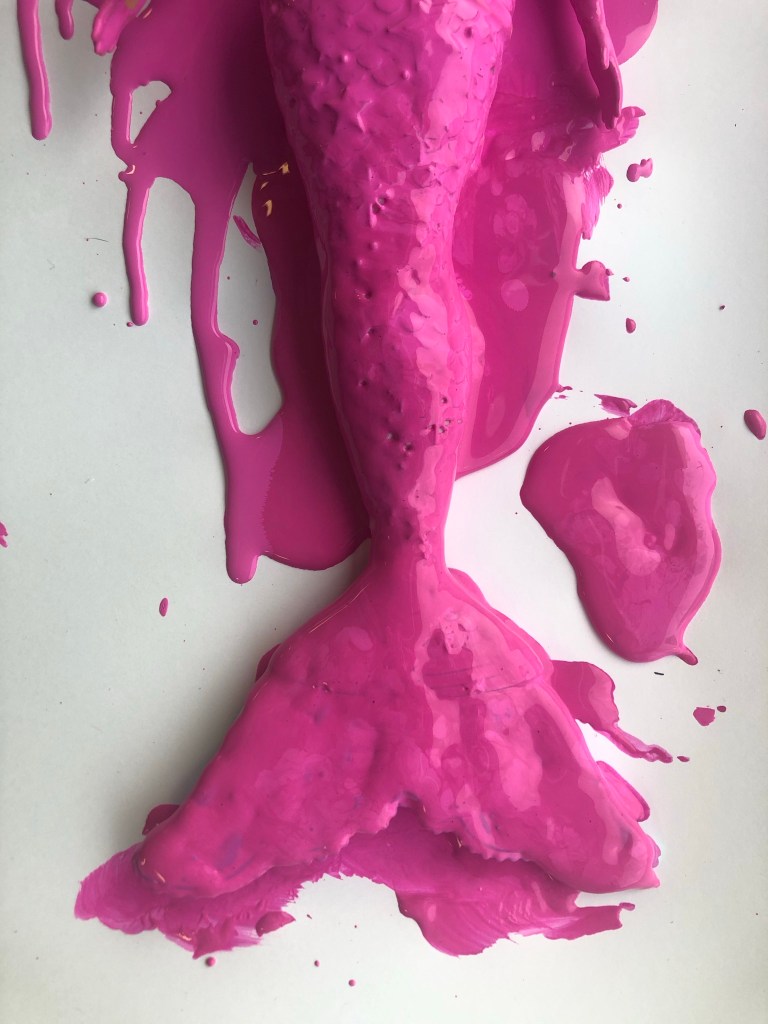
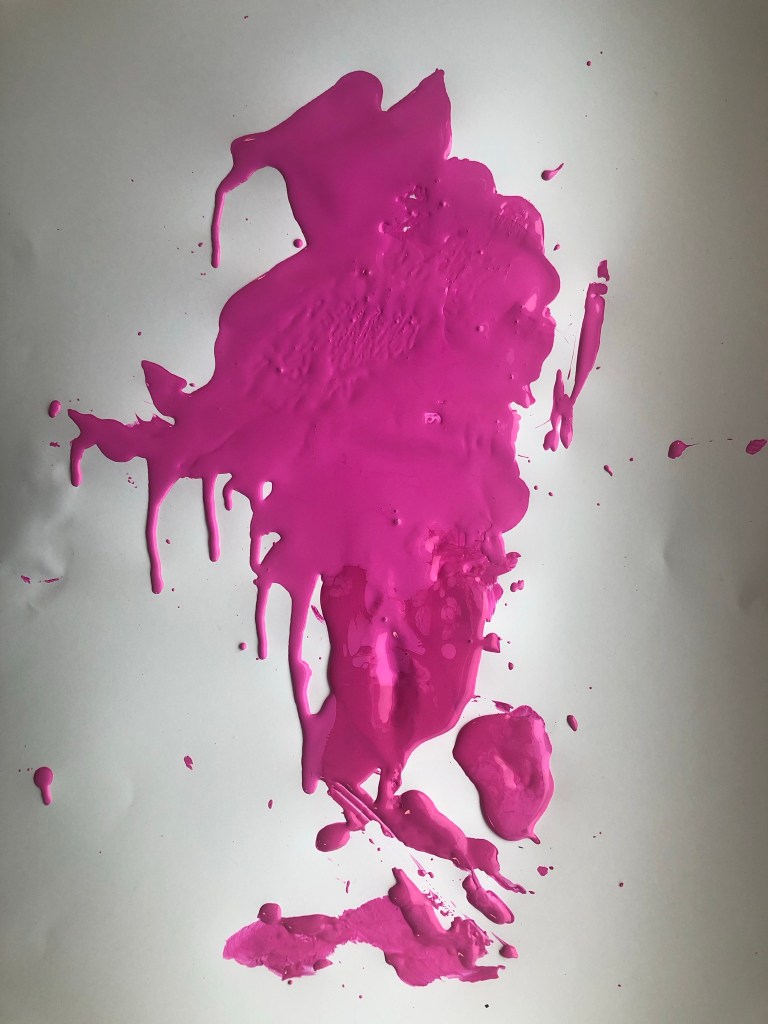
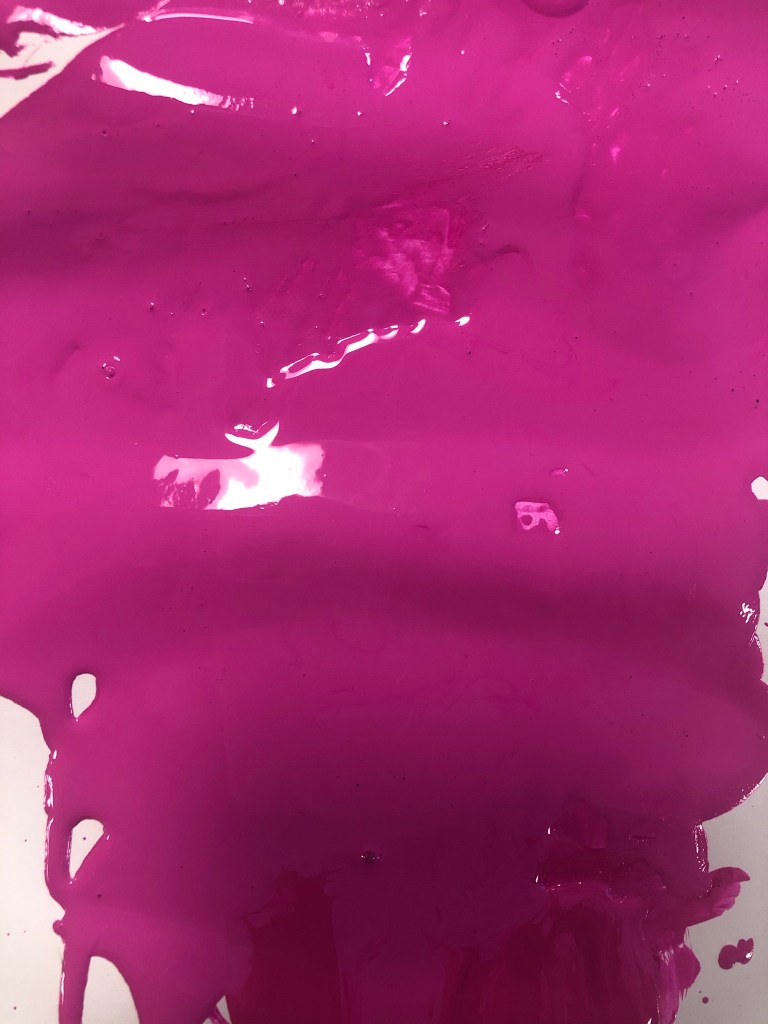
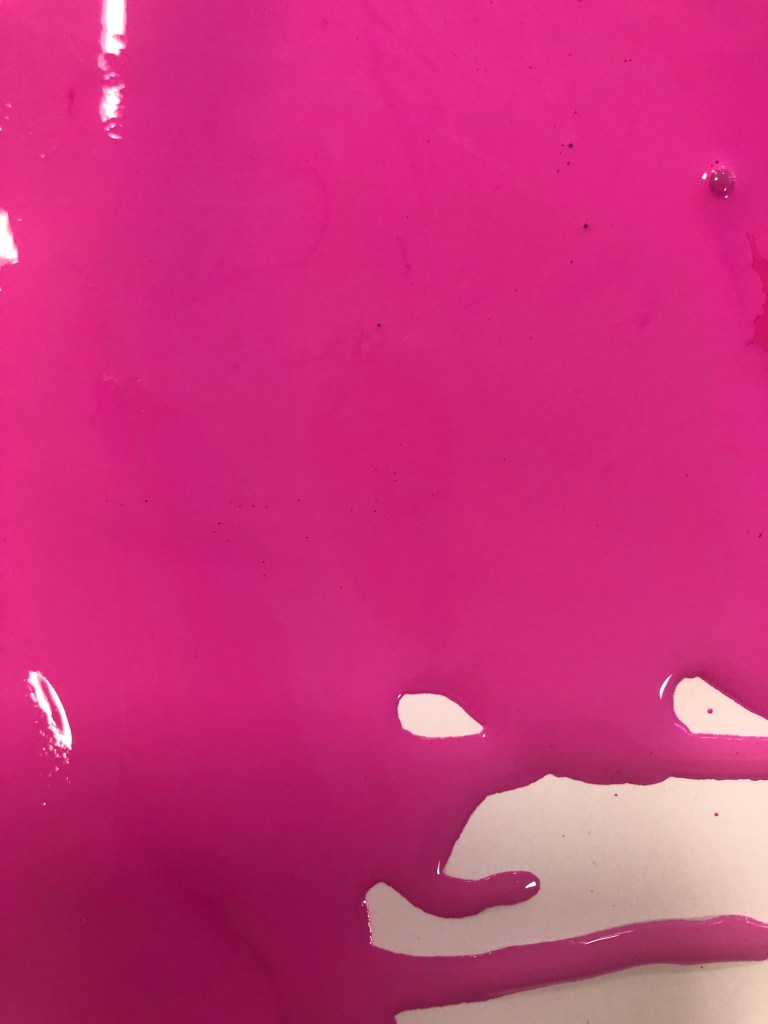
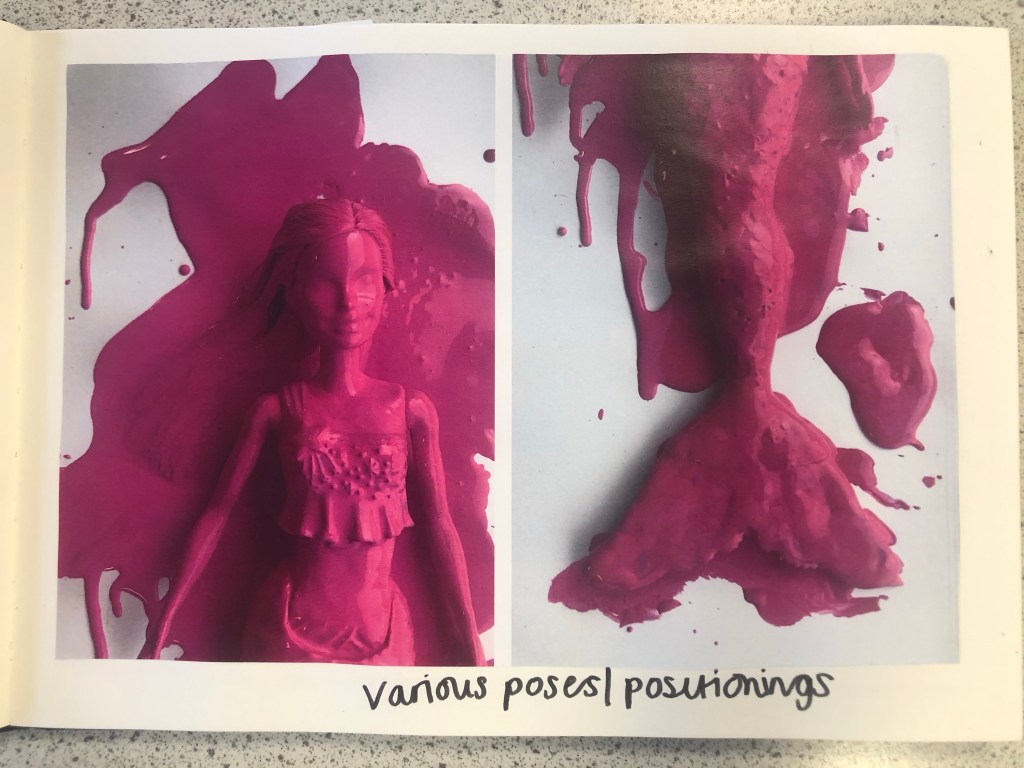
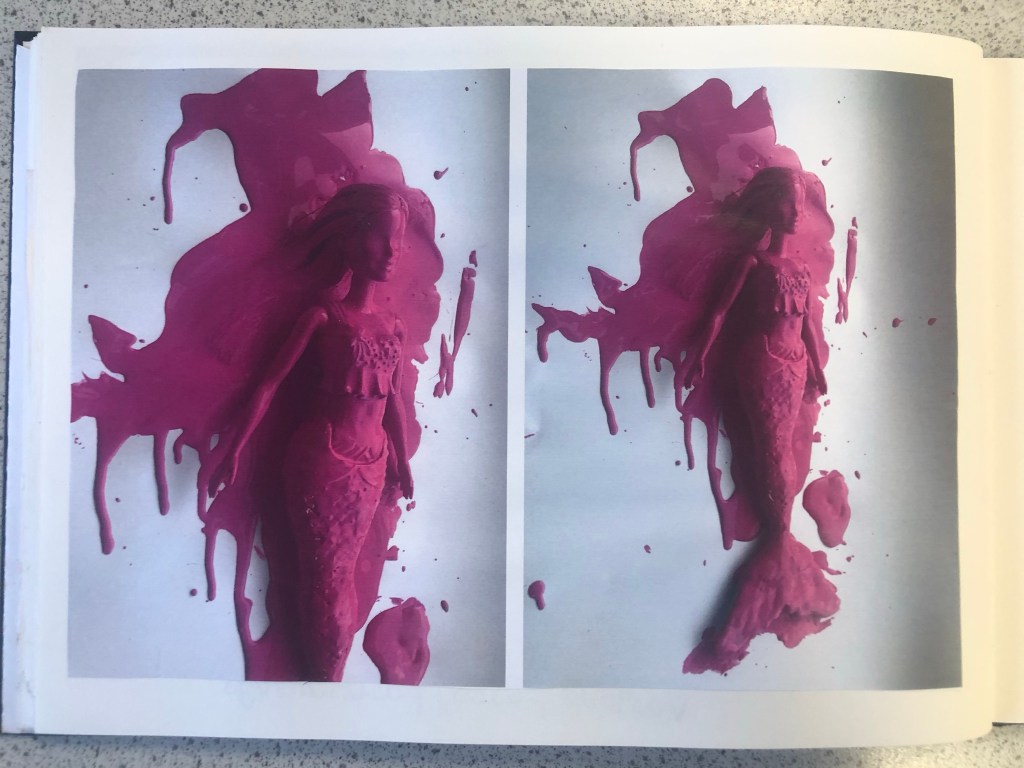
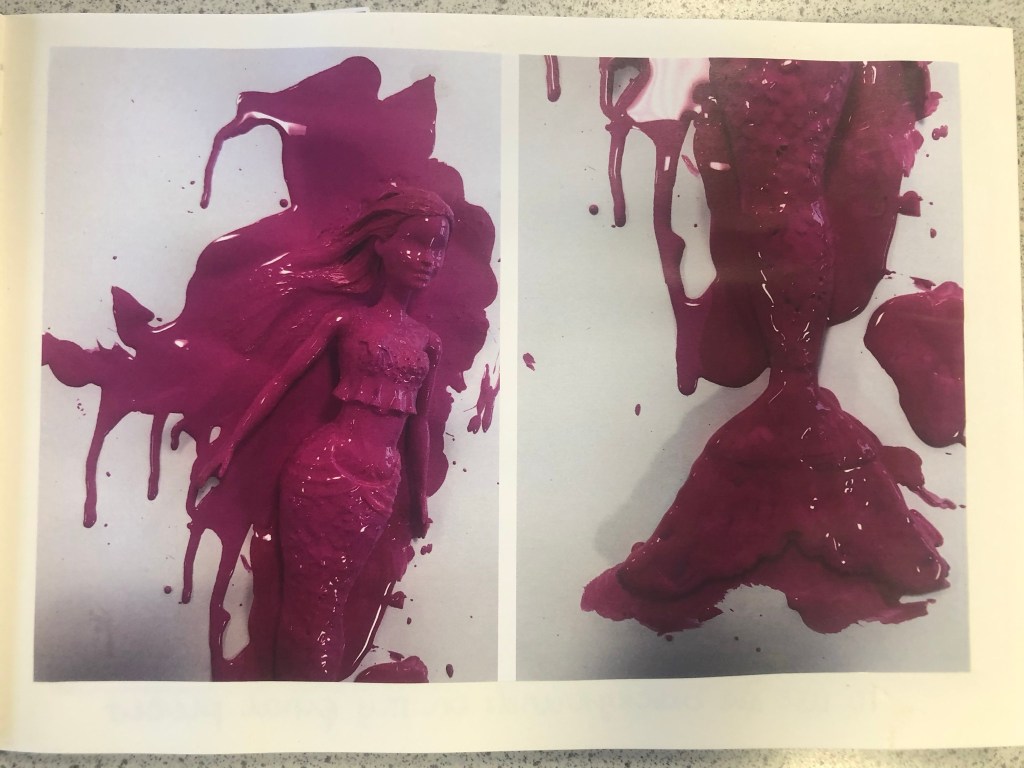
The next step before I continued trying to make my packaging look realistic was to take the doll and pour the paint over it to take photographs to see if any could be used as part of my design.
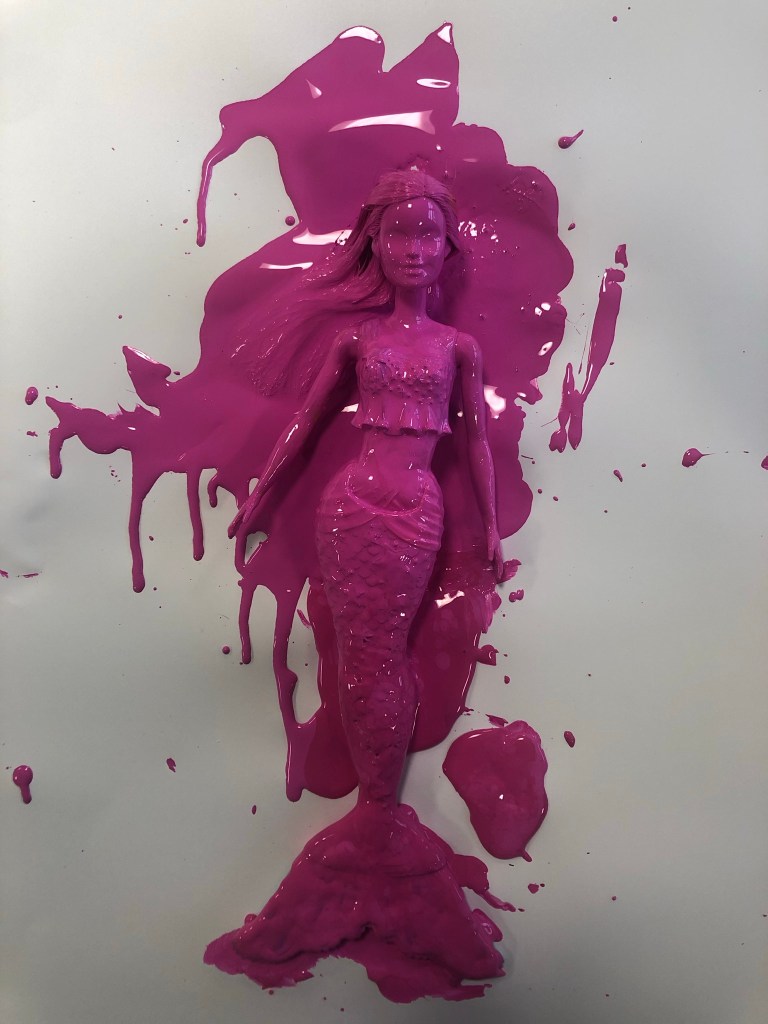
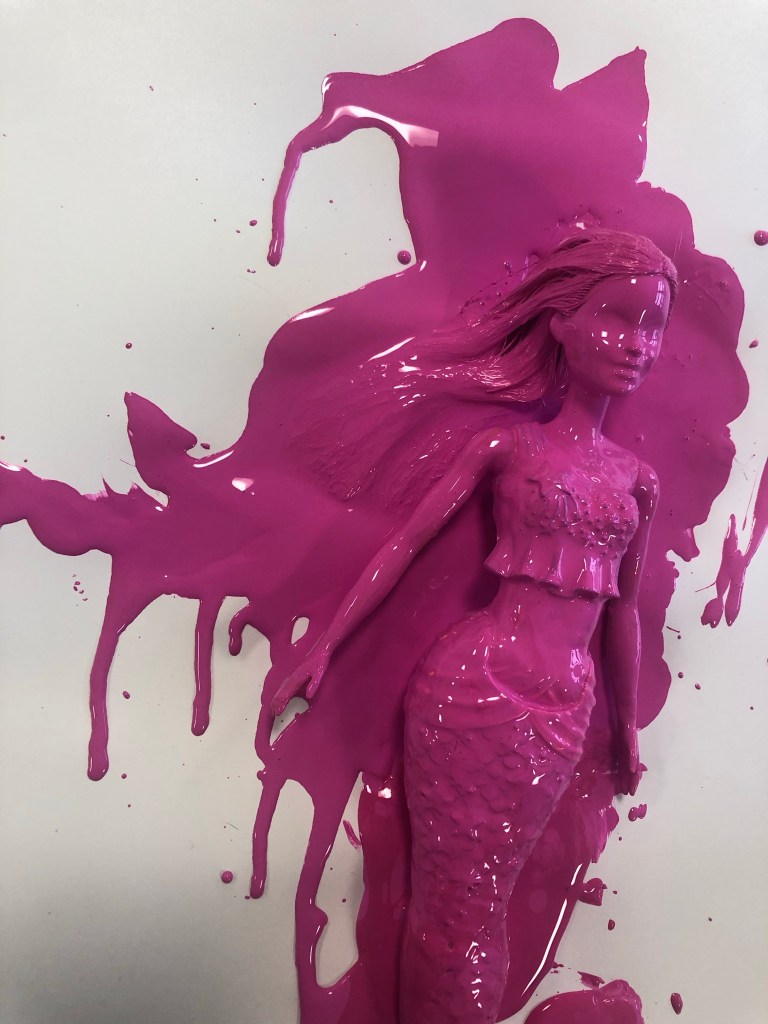
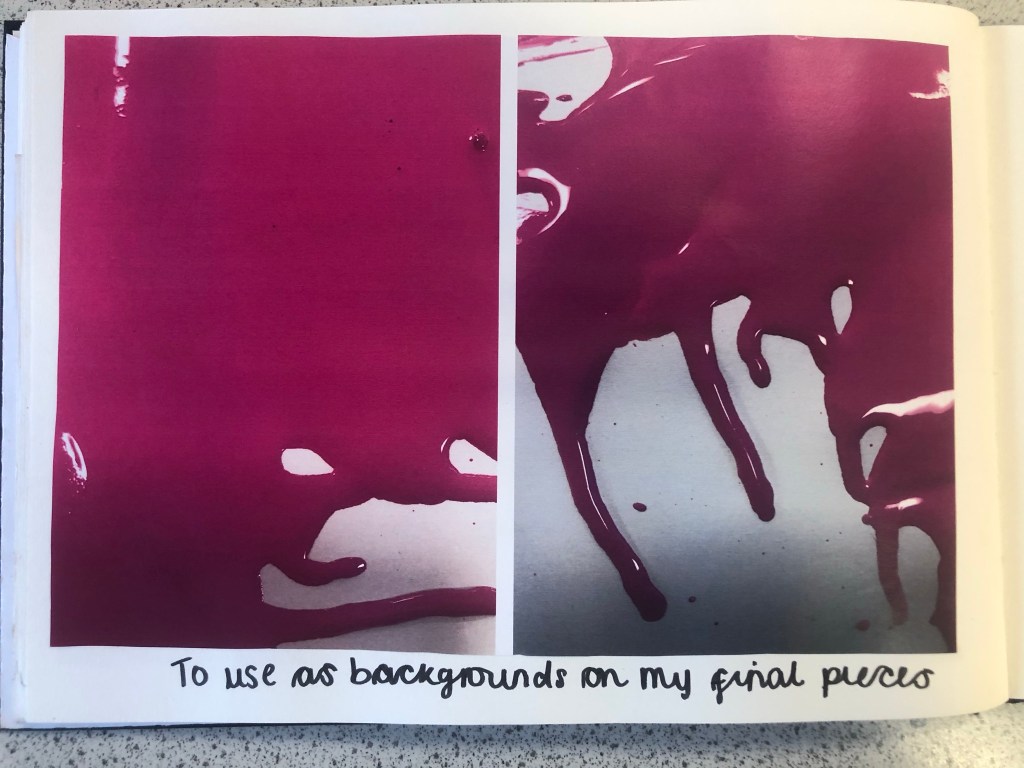
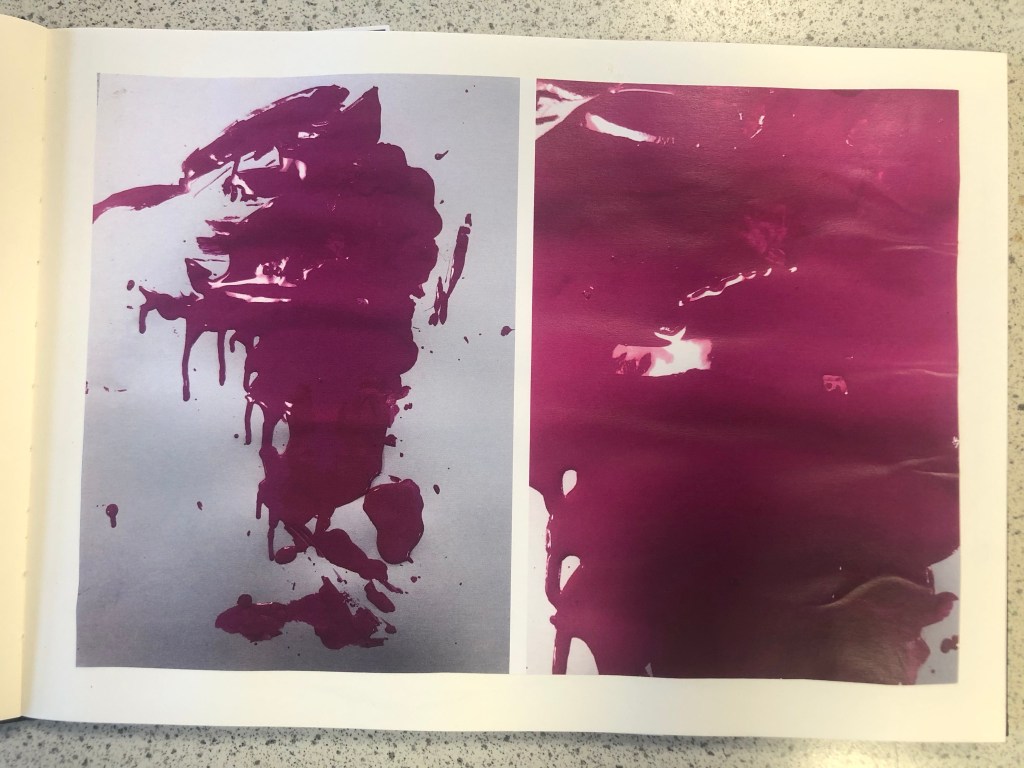
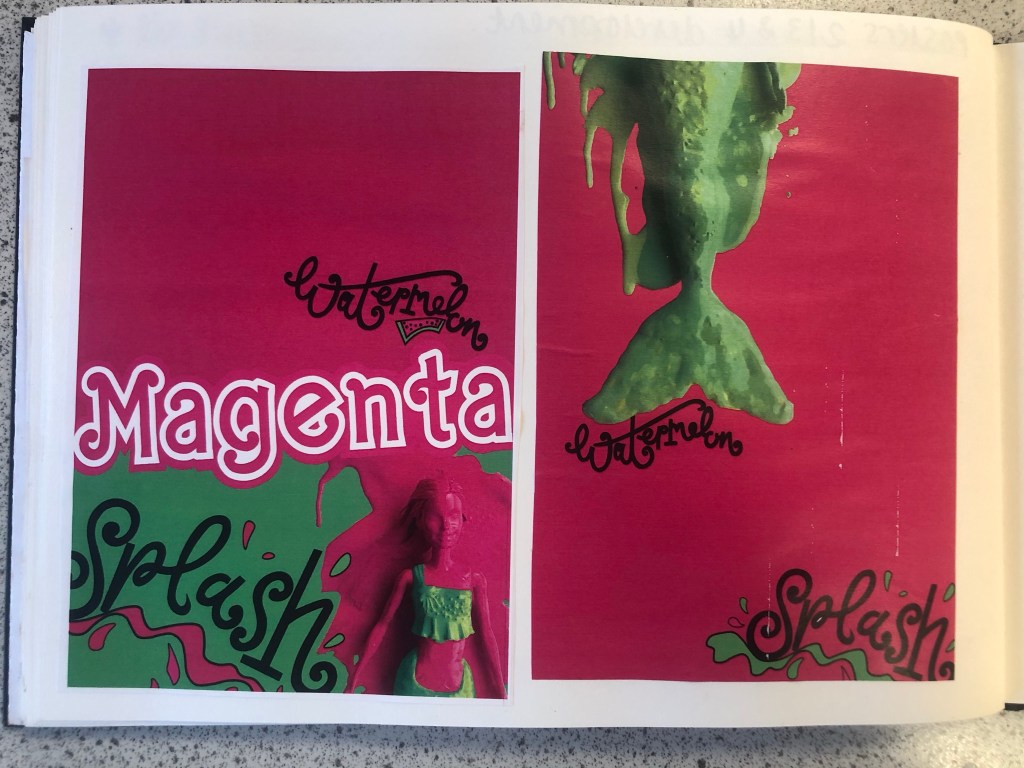
These were the photographs that I took at different angles. I then took my chosen photograph into Photoshop and adjusted it, gave it a Magenta background and took away the background noise.
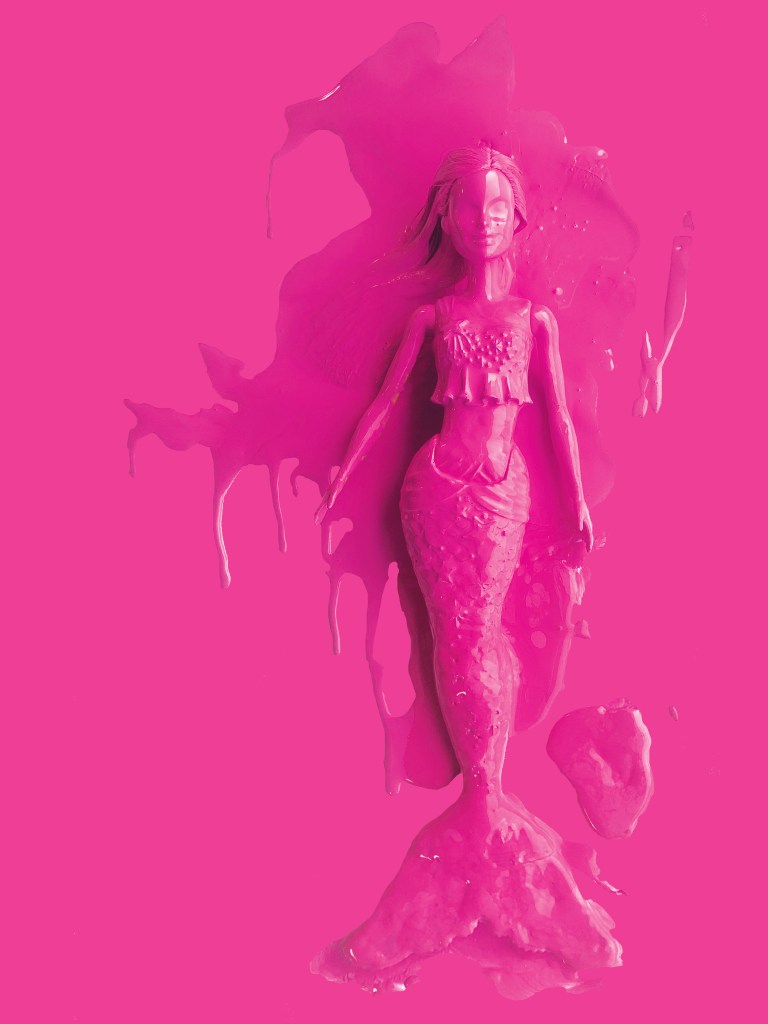
It was then time to work on the packaging some more!

I still have a collection of Barbies and Barbie accessories in a storage container, so one day I decided to go through them and see if I could find any accessories that might be relevant to my design which I could alter to represent Watermelon Splash. I found a few which would:

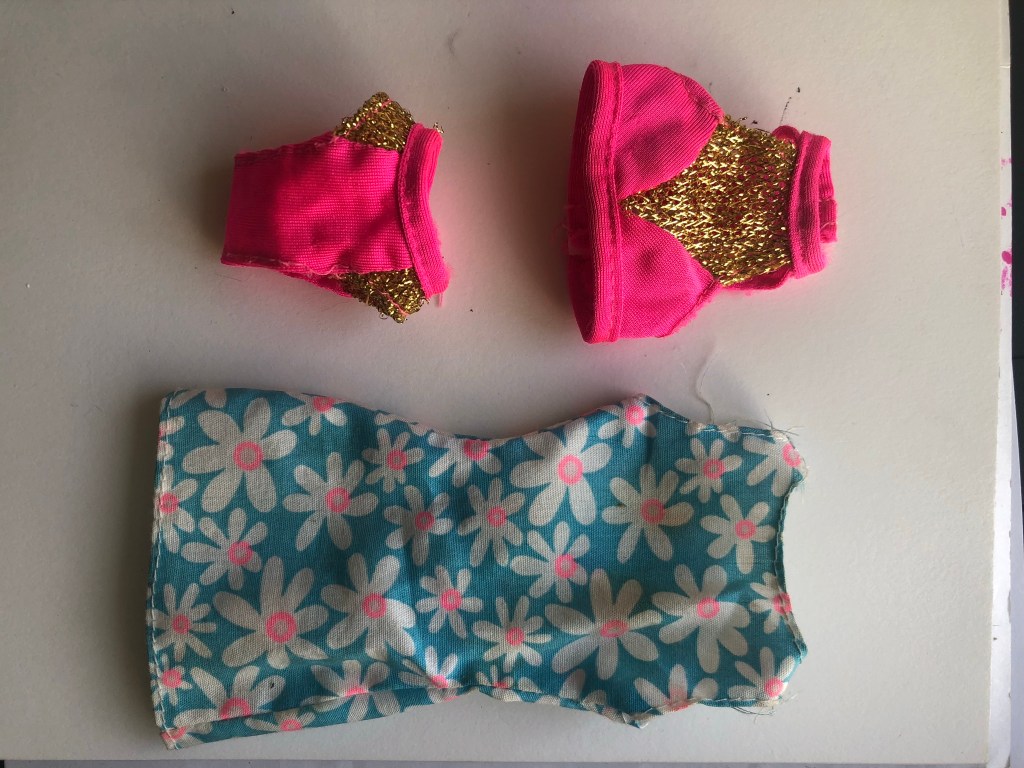
I then altered them in Photoshop to make them match my Watermelon Splash theme and to place onto the packaging.
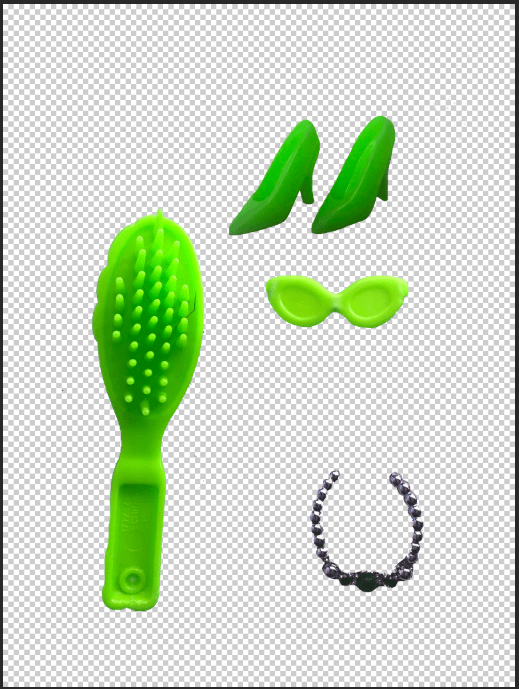
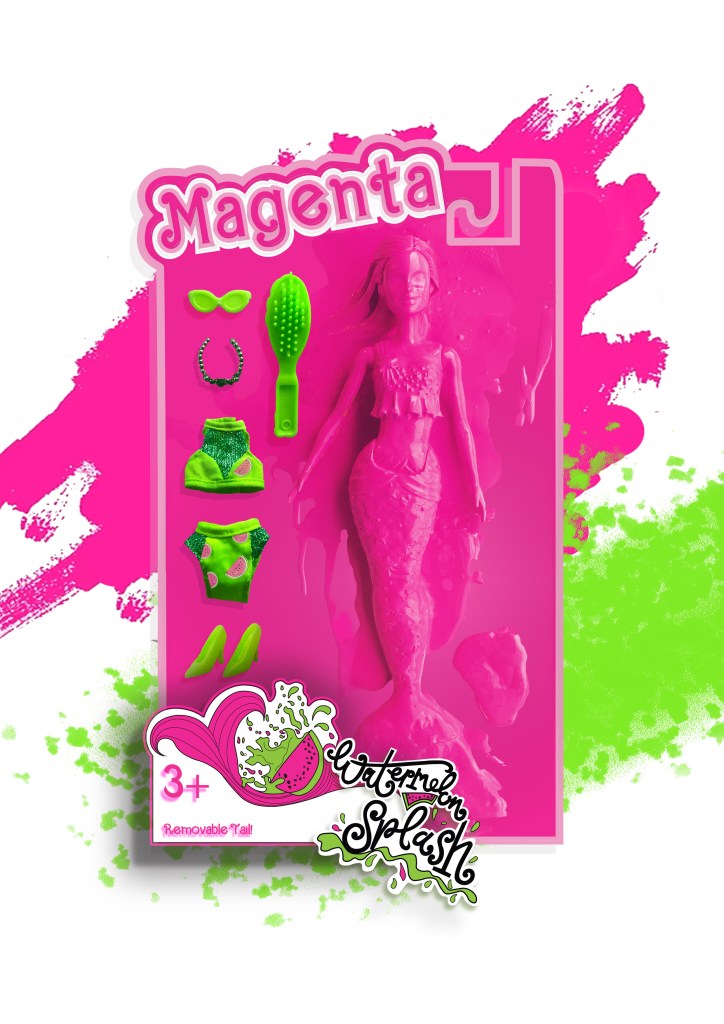
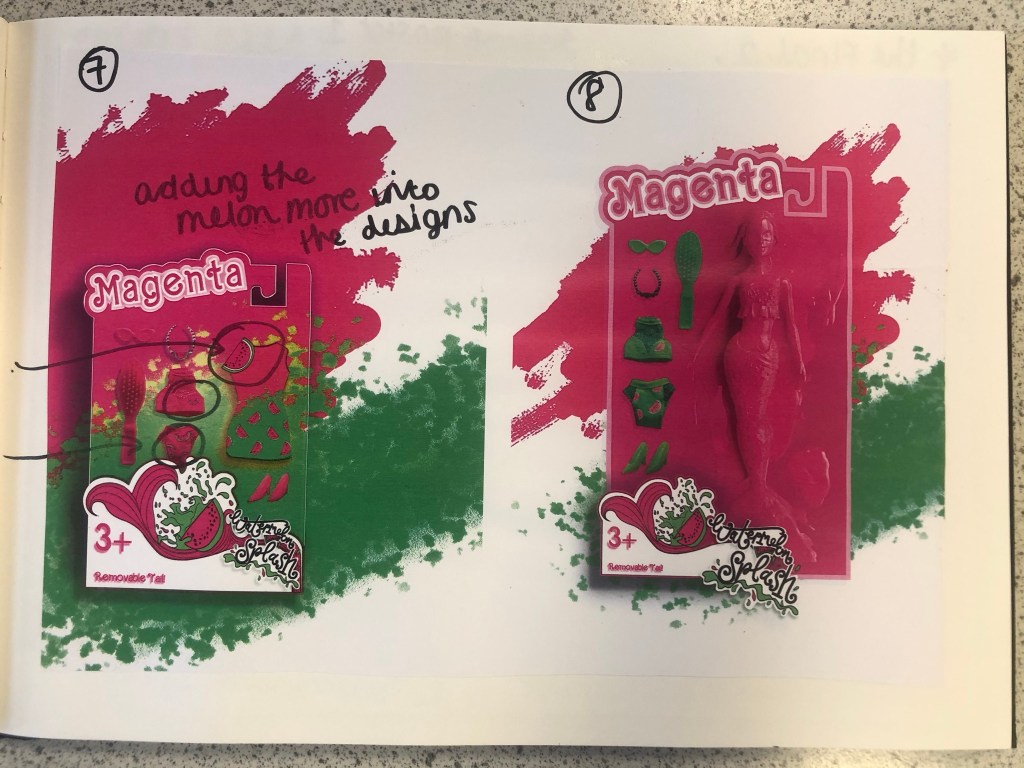
I started to like more and more of what I was creating. It was only when I had finished the 3rd development image below that I realised I needed to change the packaging again.. I included the doll into the packaging for this last development image but it still had the hook at the top of the box to hang it off a peg in the shop, realistically a heavy full sized doll would not be placed on a peg hook. I went back to Illustrator to create another packaging design. The colours however on these designs were working for me. I made Magenta the doll completely Magenta and then the Watermelon Splash around her was the bright, vivid Lime Green clothing and accessories.
Final Artwork

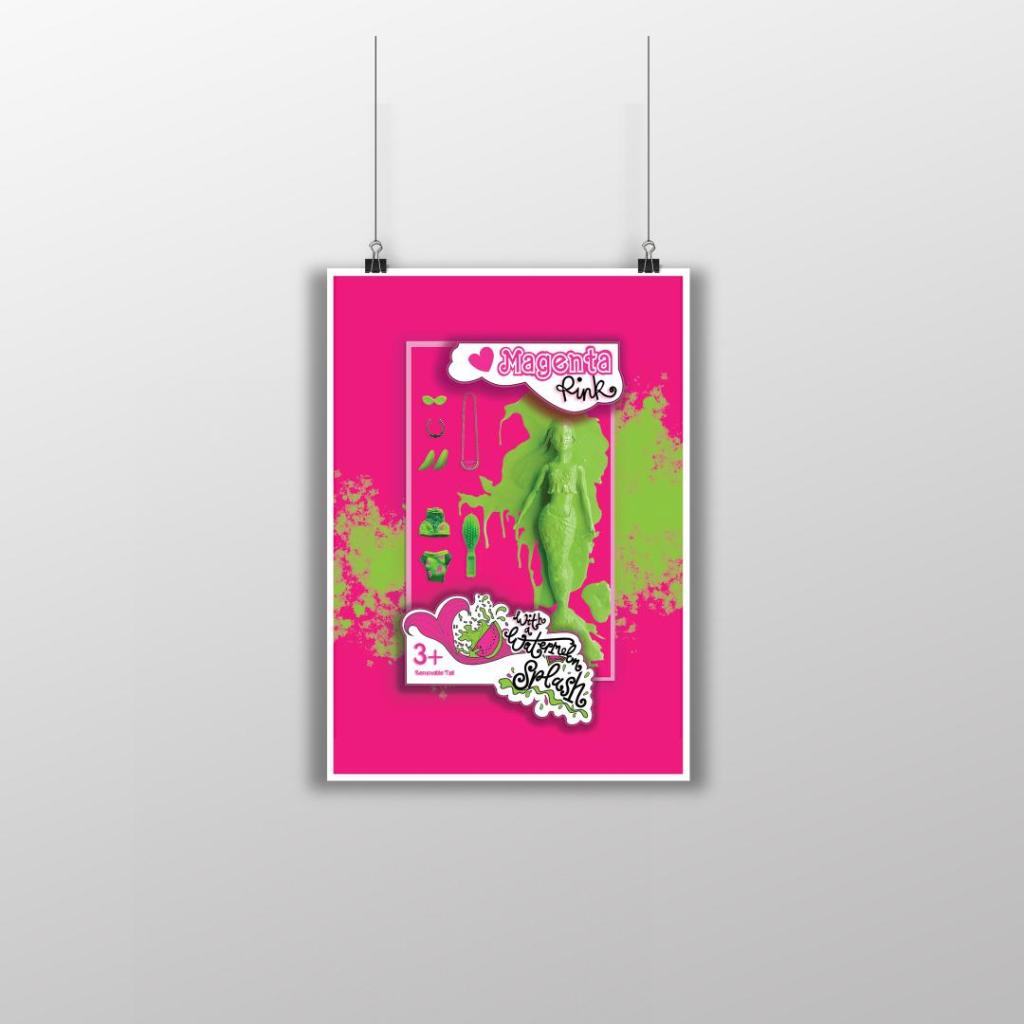
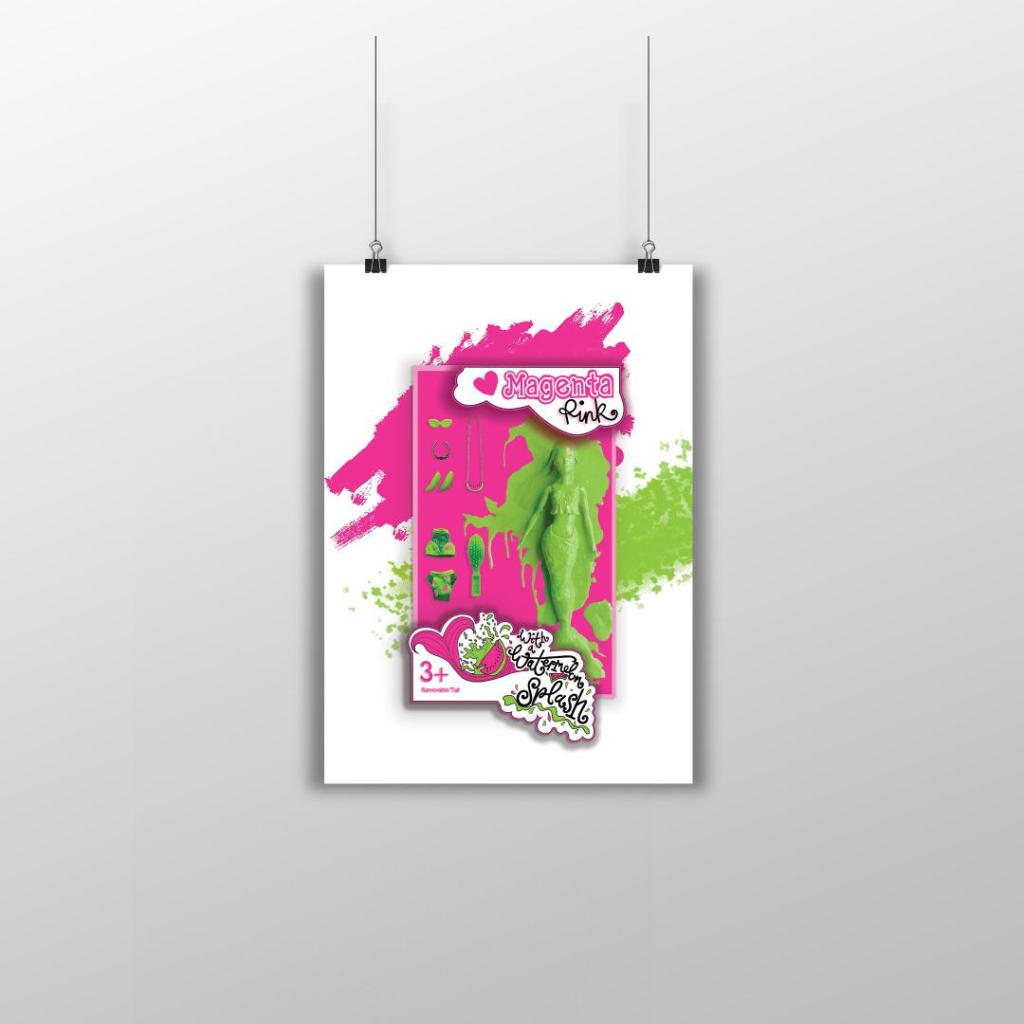
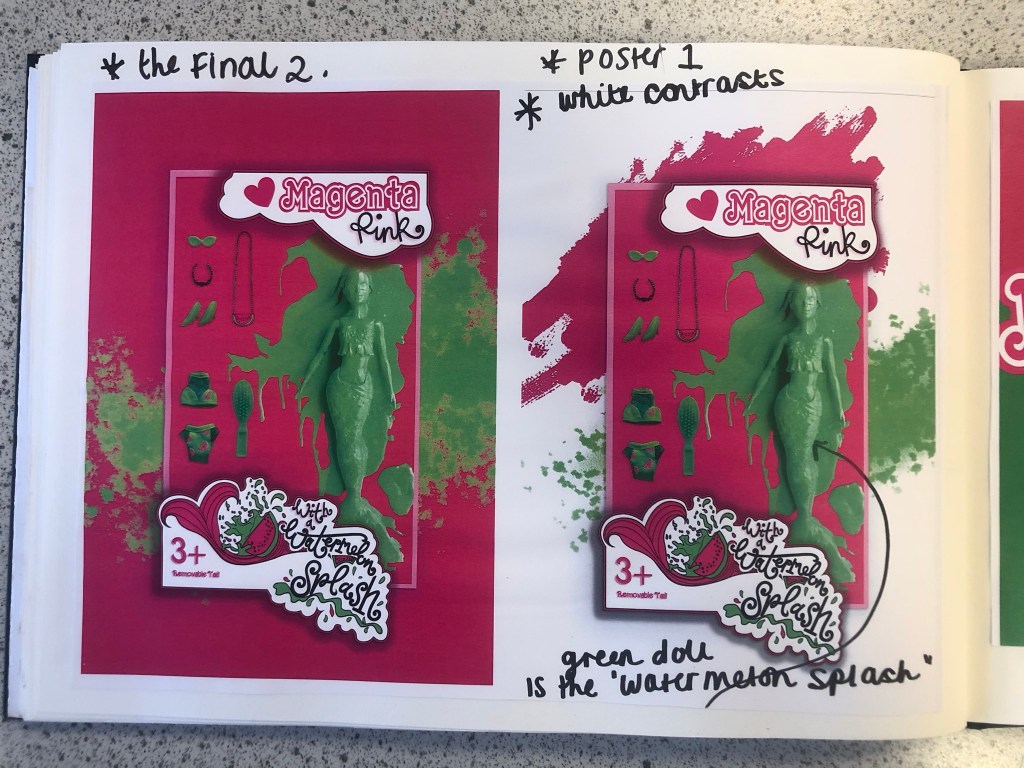
I then relooked at designing the box packaging to get rid of the hook at the top and make it look like an actual box. I ended up with 2 outcomes which I really struggled to choose the final artwork from:
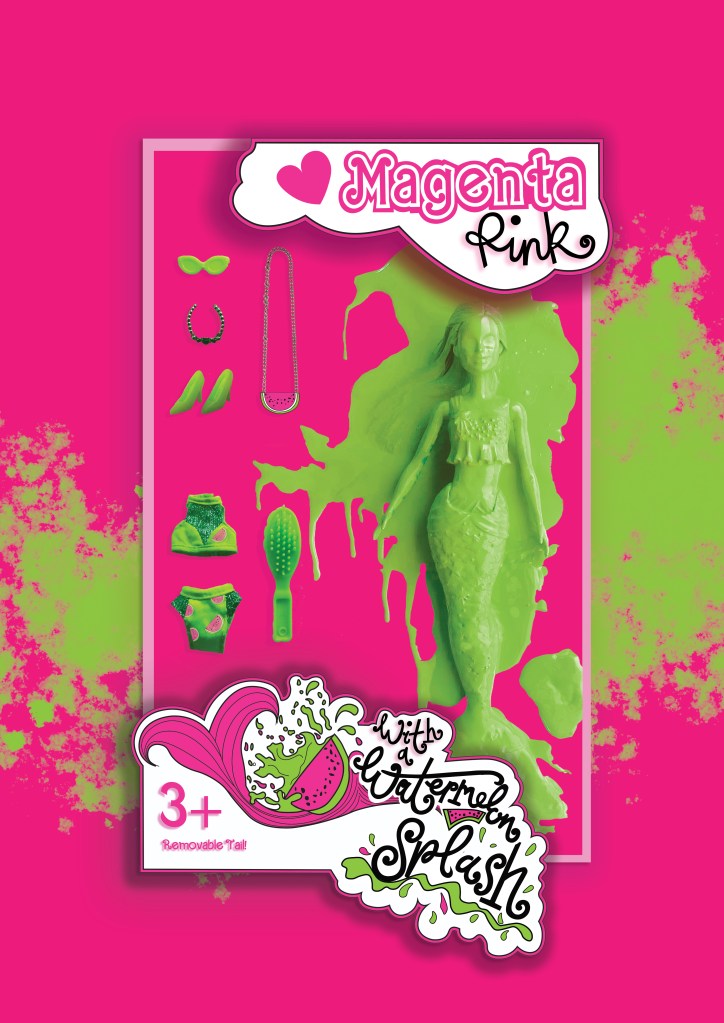
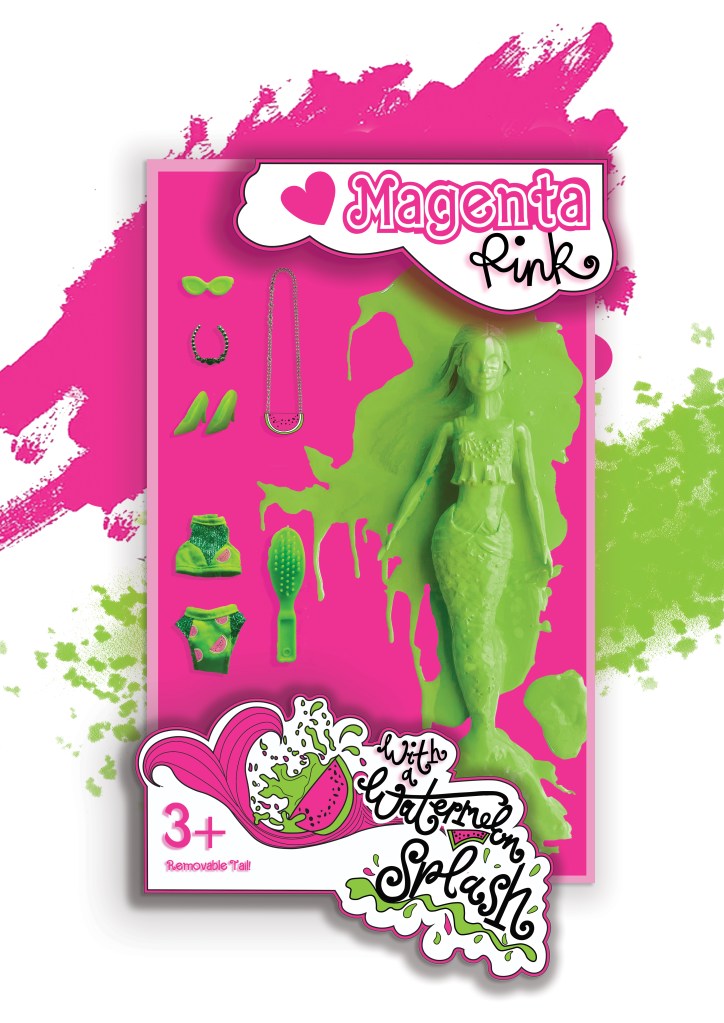
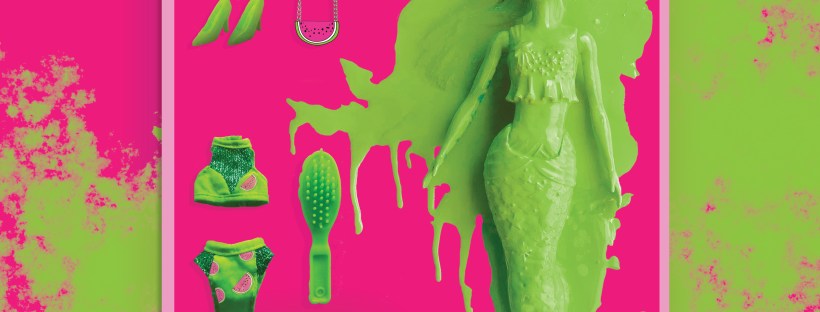
I changed the colour of the Magenta doll on these final versions; I just felt there was more of a contrast making her green, also I wanted this to represent the Watermelon Splash! I then really debated which background to have – did I want the poster mostly filled with Magenta Pink or did I want the white background with the colour popping out? I decided to go with the all Pink version, the reasons behind this are so it is definitely understood which colour I am designing for. The Magenta is the dominant colour and the Lime green contrasts and accents the pink. I think I have created a different approach to designing and celebrating a colour, I have created a quirky outcome. I think I have met the brief of celebrating a colour and what it means to myself and others. I did extensive research to see how others felt about the colour and then I designed based around the answers for this final design. I think it is obvious that the colour I am celebrating and designing for is Magenta Pink and the contrasting complementary colour is Lime Green. How I have brought the 2 colours together with the doll packaging and the limited edition Watermelon Splash idea is quirky in its approach. I am pleased with how it has turned out.
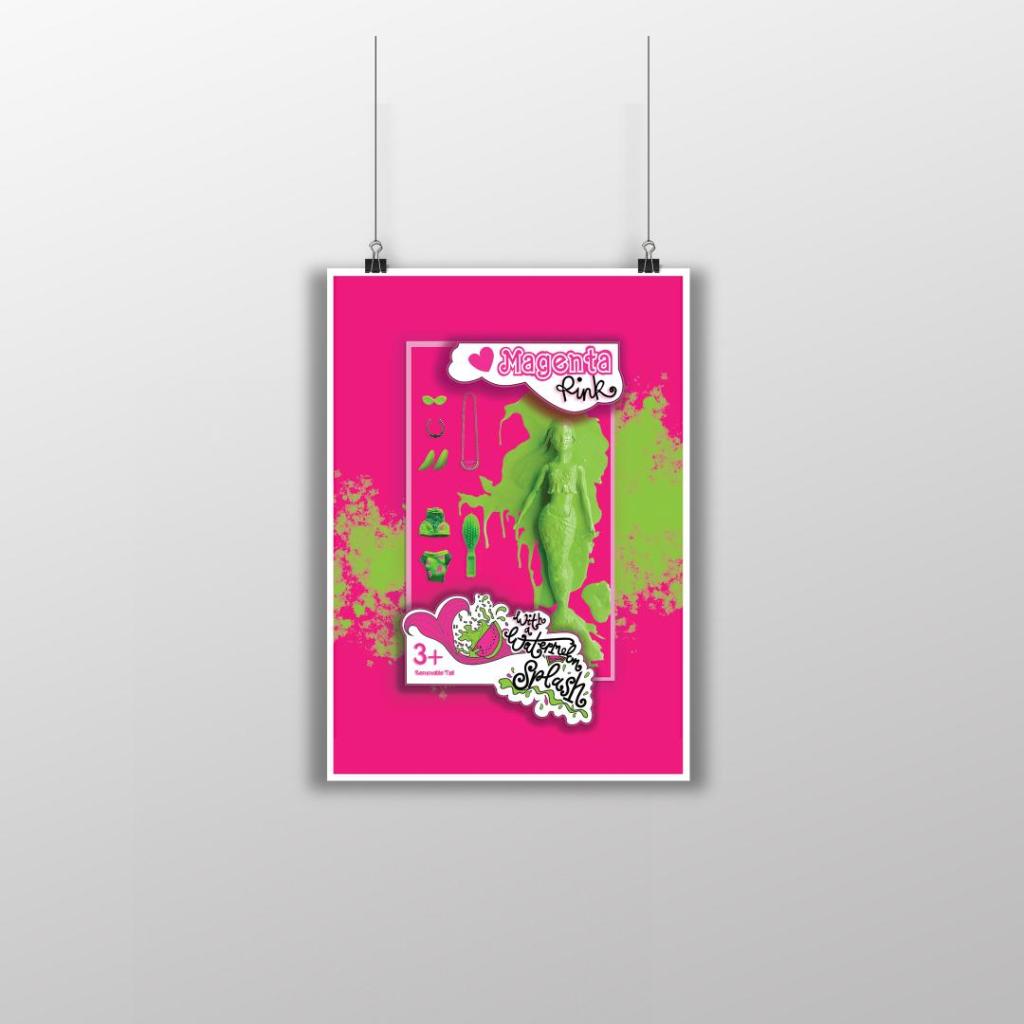
My final artwork

Poster 2

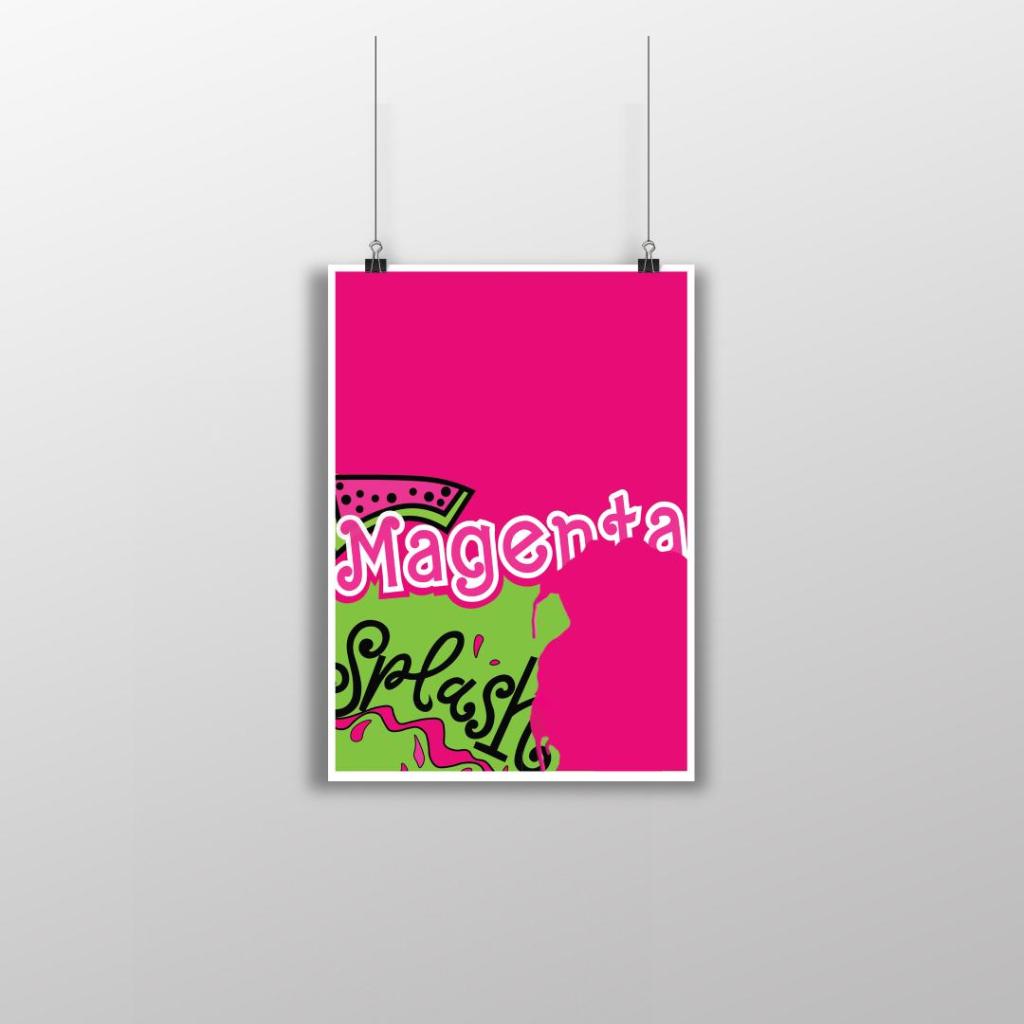
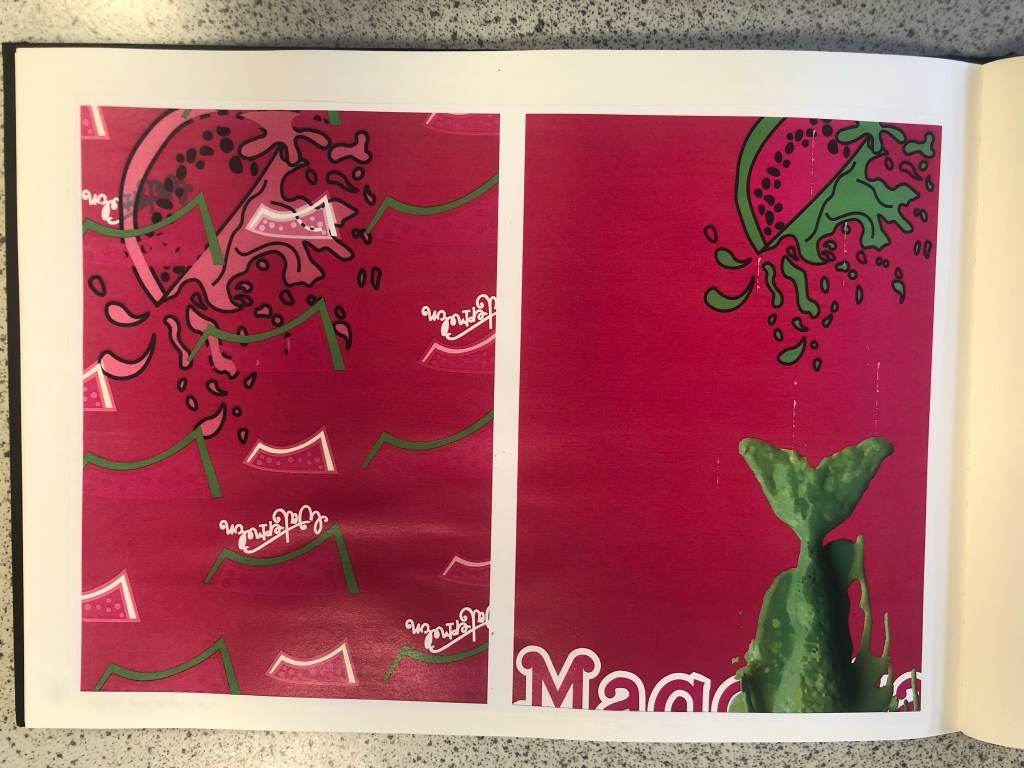
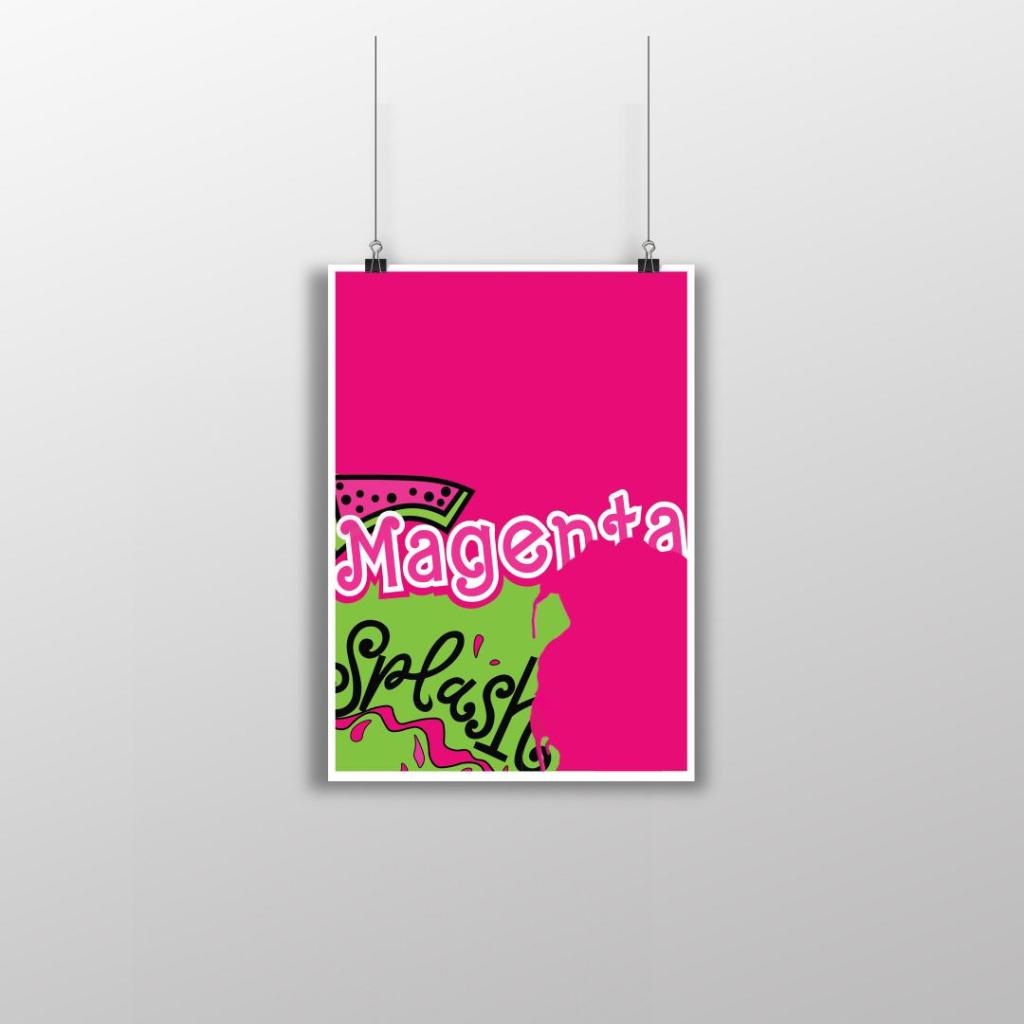
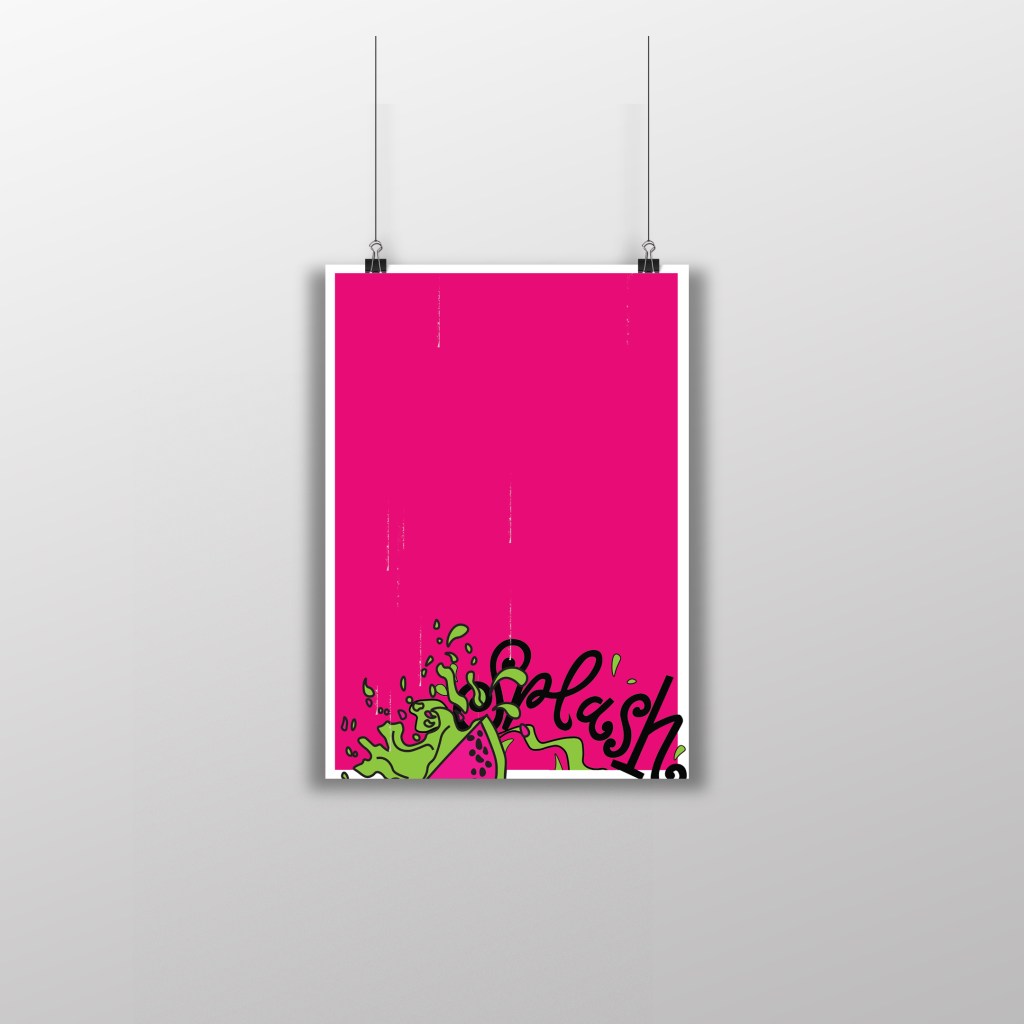
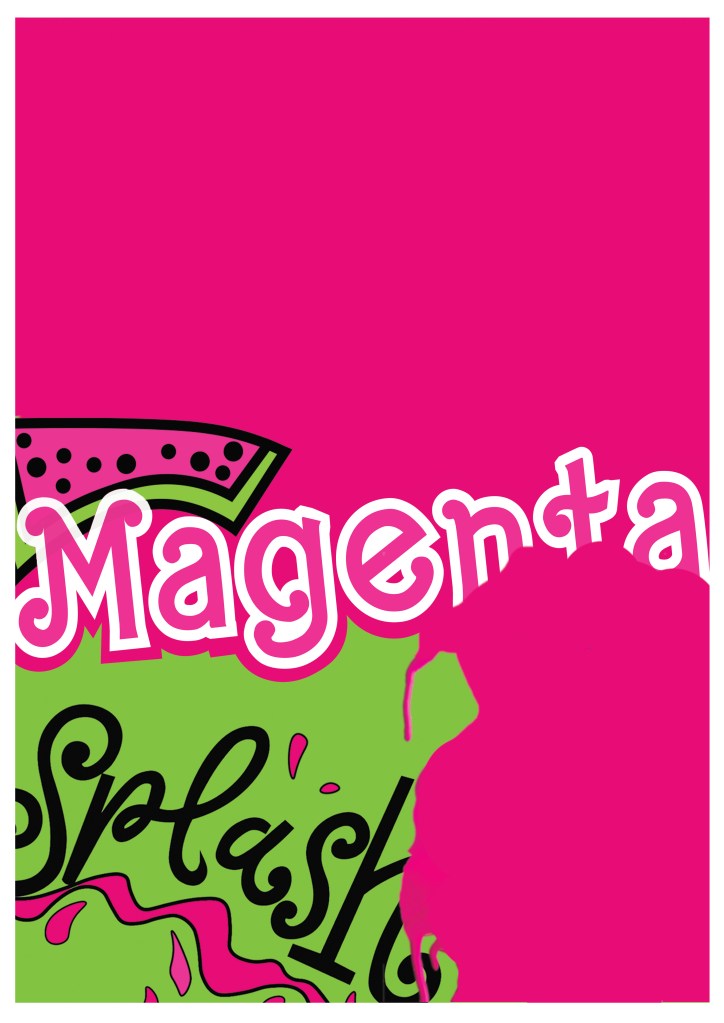
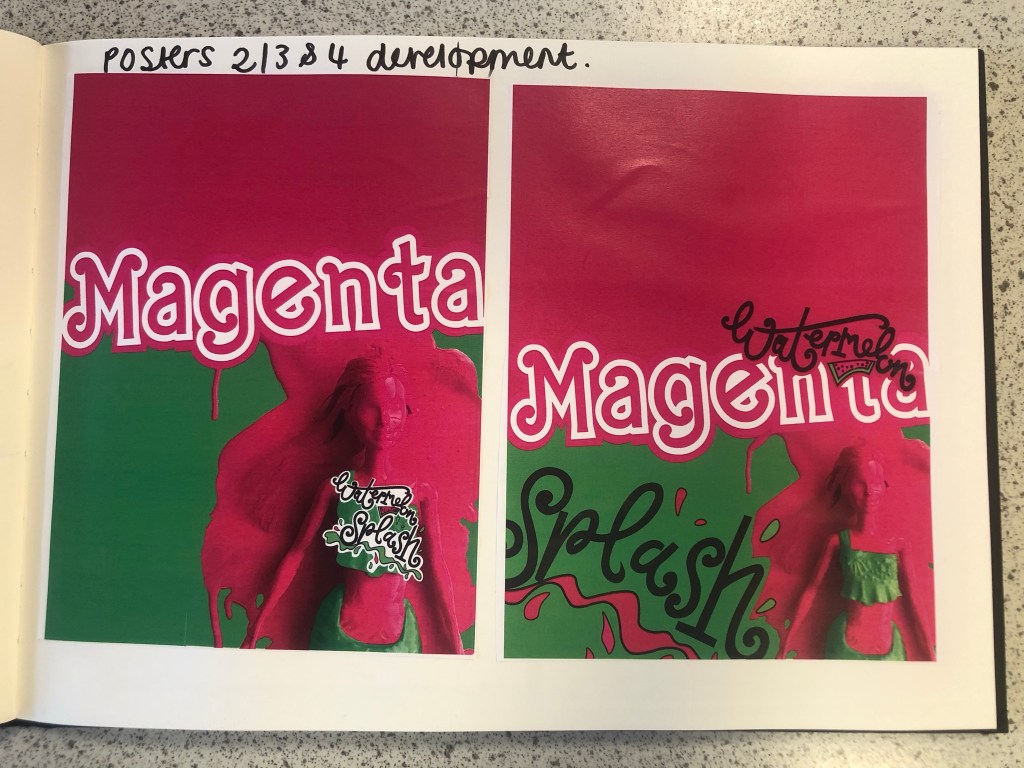
This is my final design for poster 2, (one of the variations of my final posters). I like how strong this design looks, the colours really work well together and makes everything pop! I created a white border around the design as this adds contrast against the Pink, it helps to break the colours up and make it more interesting. I took elements from my final artwork and used them to create this version. I wanted all of the posters to work well as a series and to make sure that they clearly represented Magenta as the celebrated colour so I filled the whole space with Magenta Pink. I wanted to make sure that negative space was a massive part of the design so I split the design into thirds and kept the top completely empty. I used the paint splash from when I painted the Barbie in this design. The paint covers part of the “Magenta” text. I like how this has done that, it looks like a chunk has been bitten out of it – more or less like how you would eat a Watermelon! I have used part of my Watermelon Splash vector art too and that works well with the paint splat. I used an illustration of the Watermelon rather than using the wording itself. It brings together images and type to convey a message.
Poster 3
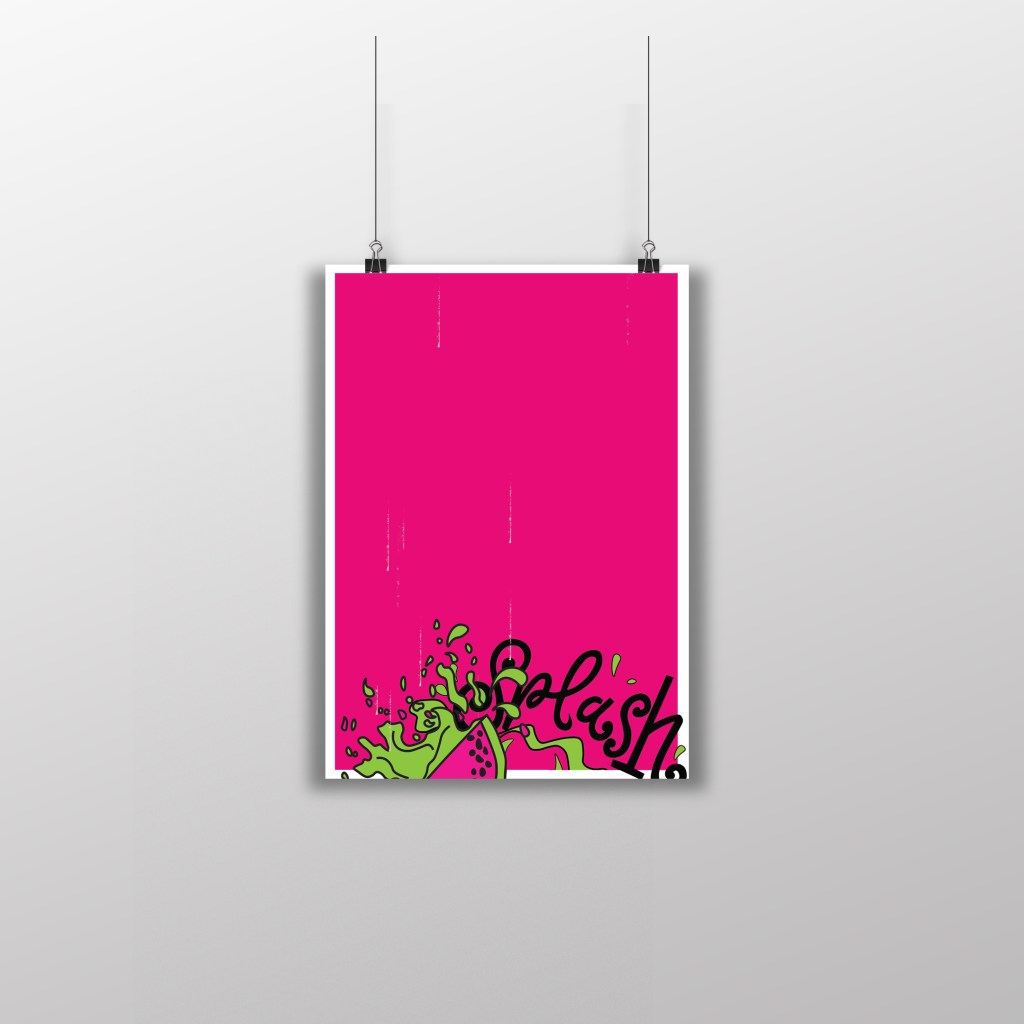
This is my final design for Poster 3, another variation of my final artwork. I have kept this one very similar to poster 3. I have made negative space a massive part of the design by keeping the top part of the poster completely free. To keep it in keeping with the other designs, I once again placed the white border all the way around it to again break the pink up and let it contrast against the white. There are tiny scratches of white on the left hand side and centre of the poster; these were completely accidental from where I imported the vectors over from Illustrator to Photoshop and accidentally left some of the noise on the jpegs. I moved these “scratchings” in Photoshop and made them drop down the page to look like refreshing water droplets. Again, with this design I took elements from the final artwork – on this one I took part of the Watermelon Splash vector design and placed it at the bottom of the design like it is falling into water to create that “splash”. I like how this design is quite simple but effective. The poster really stands out with the colours and once again I think it is clear what colours are being celebrated.
Poster 4
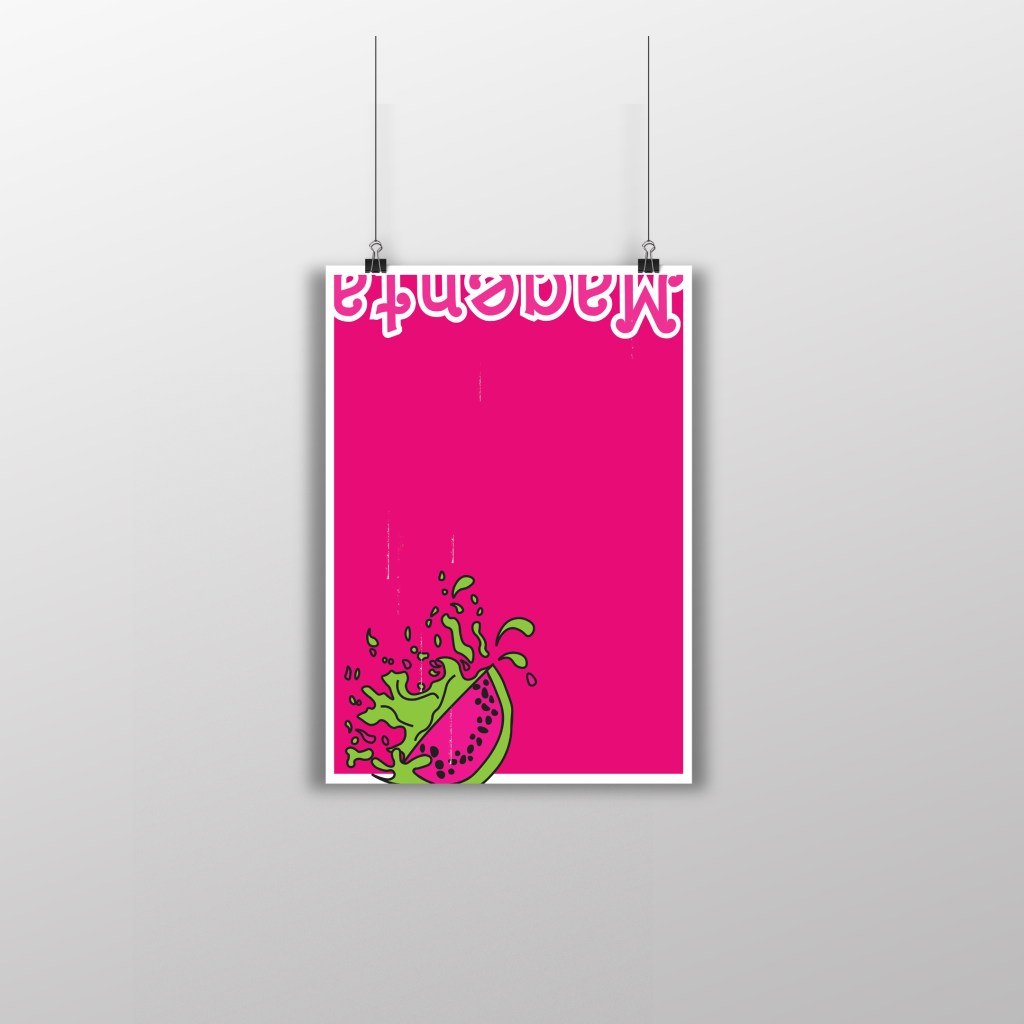
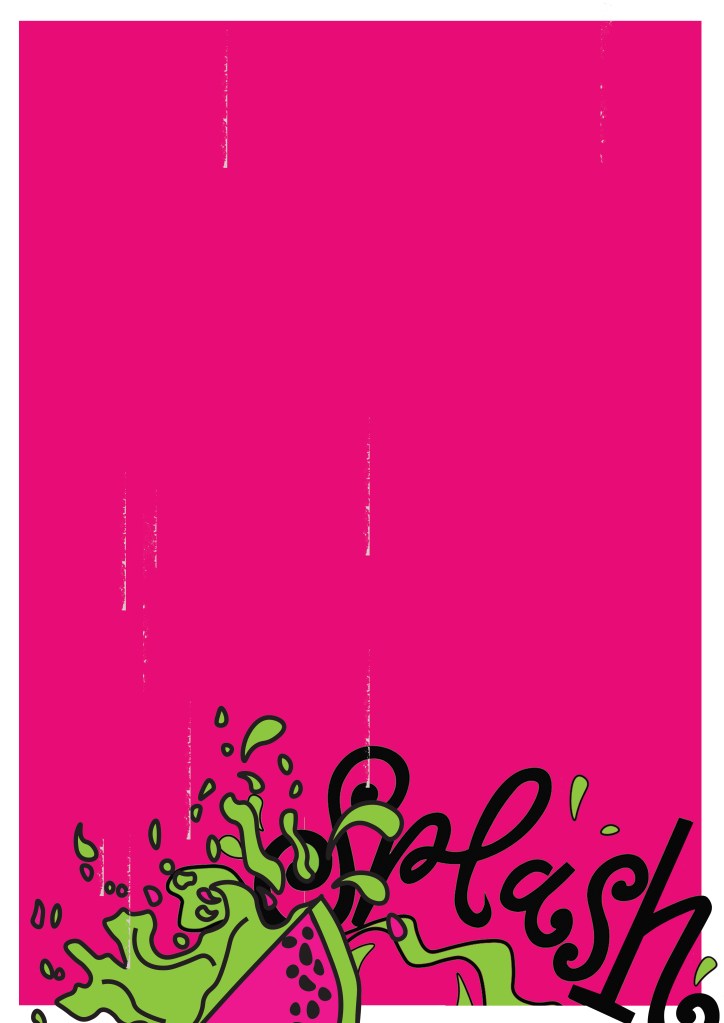
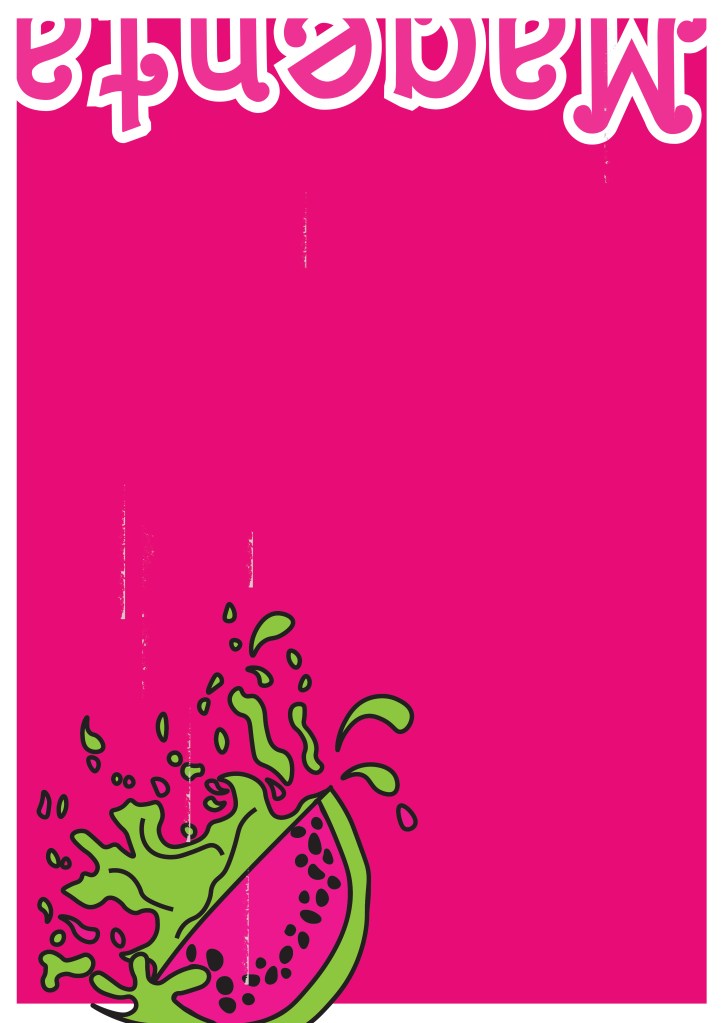
This is my final design for poster 4 (another variation to my final artwork). I really debated this design; I debated the type at the top of the poster and the fact that it is cut in half, upside down and not very legible. There was just something about how this poster looks though that made me change my mind and keep it! I kept the poster in keeping with the others again with the white border, negative space and making Magenta the main colour throughout the whole piece. I think that if you place all of the posters together it is obvious that they all belong together, they celebrate Magenta and that they are all variations of each other.
Sketchbook pages

Poster mock ups

Design 10/10: Mumbai

Hello and thank you for joining me on the last of my 10 city guidebook designs! 10 of 10 – Mumbai!

This is it! The end of the infamously difficult Abstract Cities exercise! I won’t lie to you and say I am not happy to see the back of this exercise! BUT! moving on to the write up of my last design!

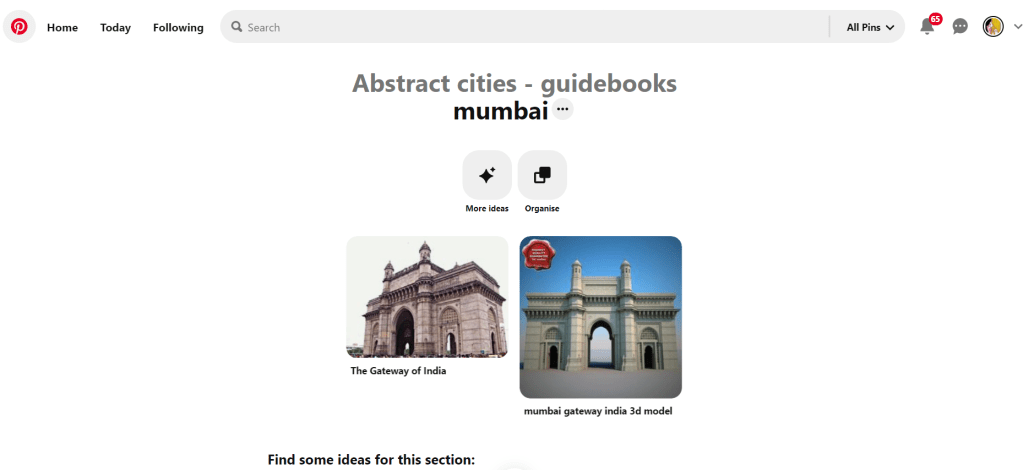
Again, my lack of geographical skills led me to question whether Mumbai was in Africa or India… India! (*eyeroll!) so I felt it best to do the normal and to search Pinterest for inspiration and ideas!

The most popular image that appeared was The Gateway to India. It reminded me a lot of the design that I had done for Marrakech, in my head I was conscious that I had to try and make this design look different.

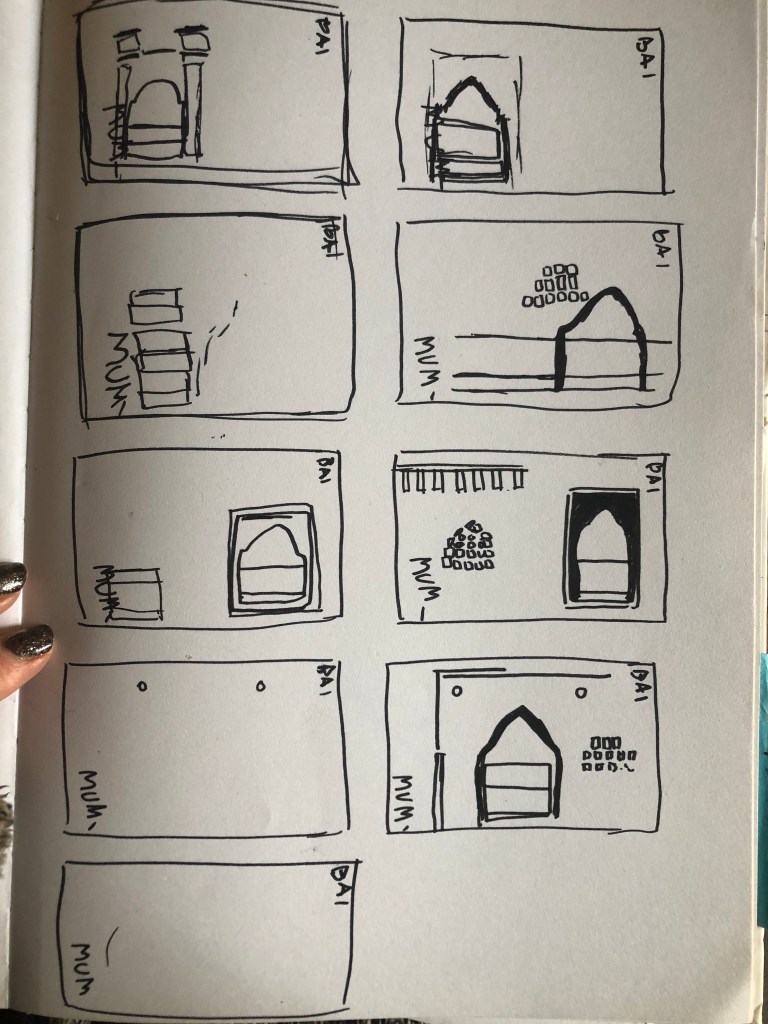
Again, I tried to pick out important features from the building which I could include in an abstract way on my design. I didn’t want to draw the building as it is on the cover because that would not be portraying it in an abstract light. If I picked out key features and then simplified the design I could place key elements of the building on my cover.
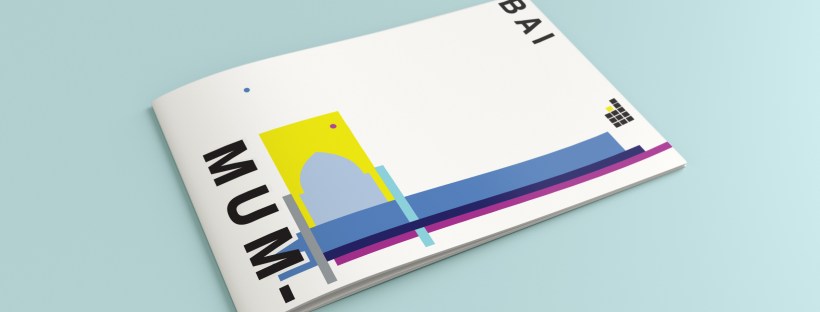
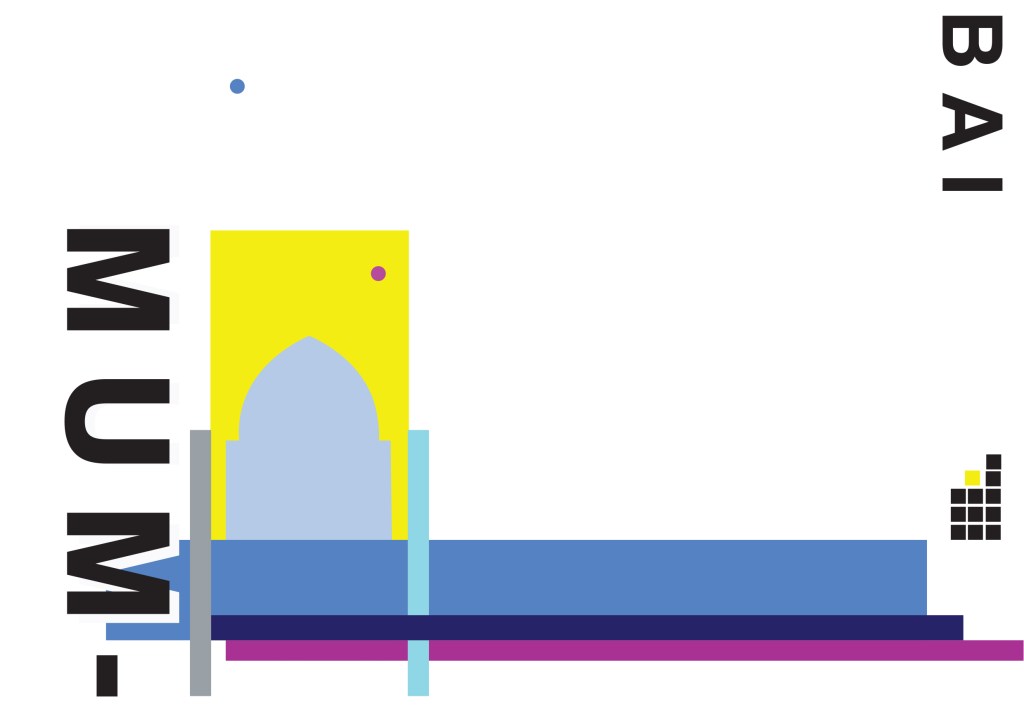
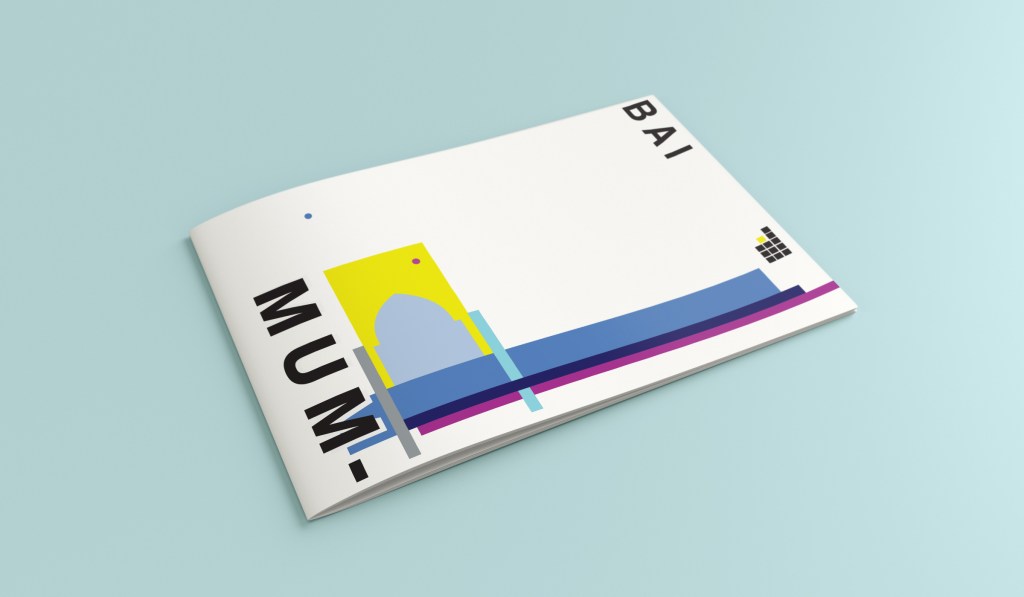
The colours of Mumbai are very similar to that of Marrakech, India is very rich in colour. Purple is the best colour to represent wealth, richness and luxury. On the photo of The Gateway of India that I found on Pinterest, it showed water in the background inside the gateway. I had a look on an aerial photograph of this and it showed that the gateway is almost on water. I included this on the design going through the gateway as it appears on the photo but then travelling it across the cover to take the eye on a journey across the design. The yellow block represents the warm sun but also acts as the actual door or gateway. The 2 circles in my design appear on the photograph in the doorway, they are decorative on the actual gateway. I have taken them and split them up over the design to keep the eye interested in all areas of the design. There is a lot of negative space in this design which I like. The design is not constrained to the edges and it has plenty of room to breathe. The black squares which bleed out over the right hand side edge are windows that appear in one of the arched windows on the photograph. I have used them to add contrast and to give a level of interest to the design. The blue is the dominant colour in this design with the yellow following closely behind as a subordinate. The accent colour is the rich purple. The layout is the same as the other 9 designs I have done in this series. They are all in keeping with each other, the repetition is there.
This is the final mock up of Mumbai!

Design 9/10: Montreal

Welcome to guidebook design 9 of 10 – Montreal!

When I think of Montreal I think of Canada and Canadian moose’s, Mounty’s and all things stereotypical!

Brushing my naive knowledge of Canada to one side I decided to do the usual search on Pinterest to get ideas and inspiration for this one!

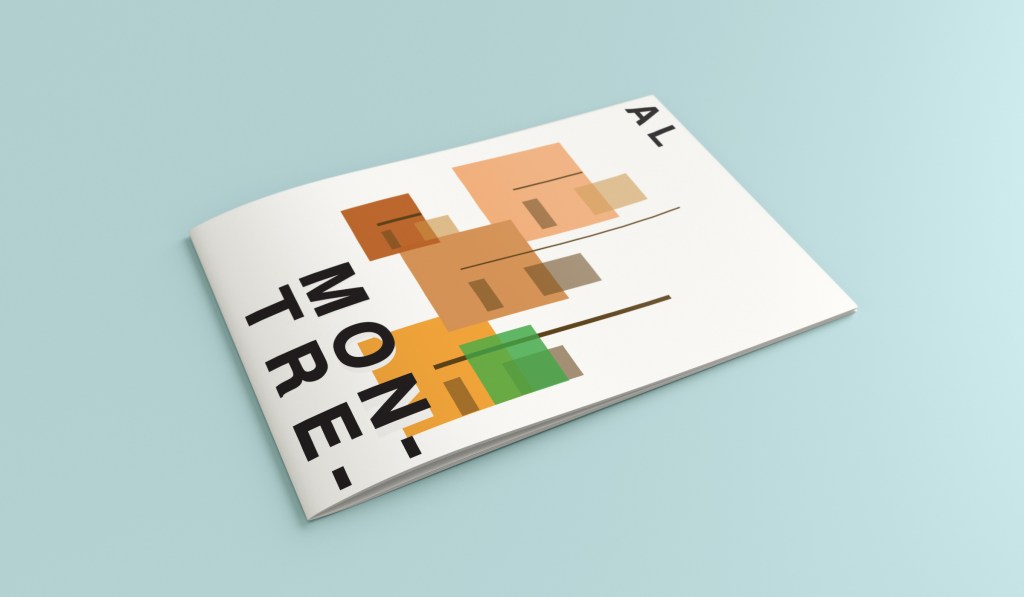
What appeared and grabbed my attention more than most was the Habitat 67 development. This housing complex is abstract in itself! It met the brief and it seemed like the perfect choice to feature on my cover!

In March 2012, Habitat 67 won an online Lego Architecture poll and is a candidate to be added to the list of famous buildings that inspire a special replica Lego set. Lego bricks were actually used in the initial planning. Initial models of the project were built using Lego bricks and subsequent iterations were also built with Lego bricks.

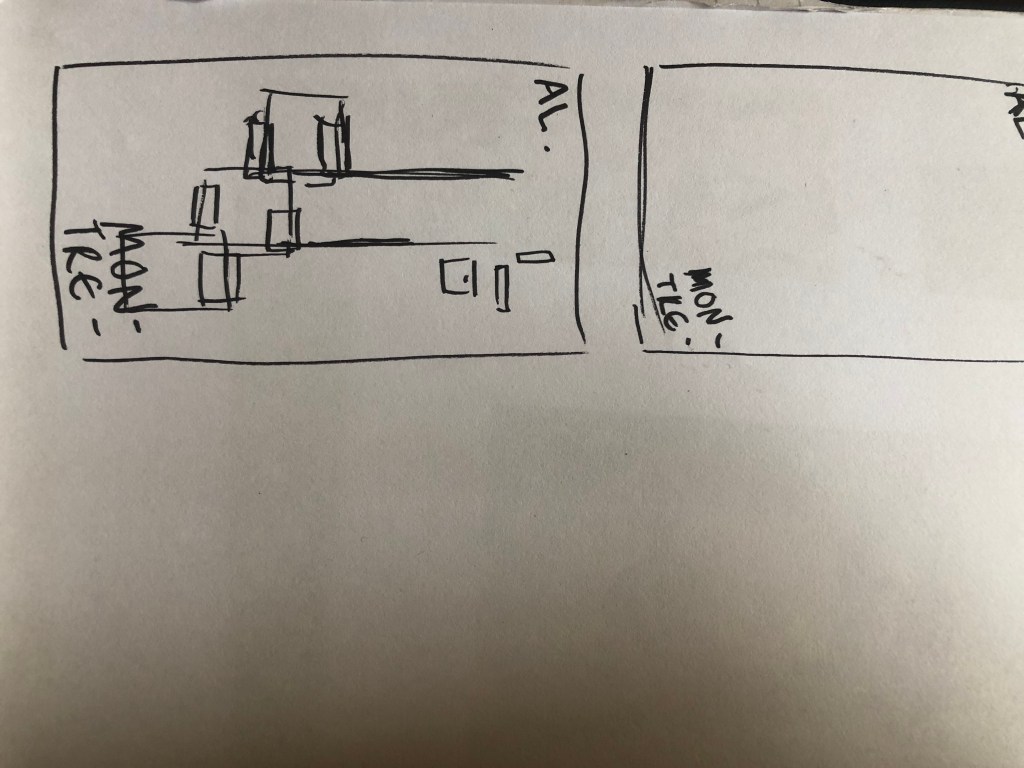
I didn’t actually do a lot of sketching for this one because I knew I just wanted it to be comprised of blocks of colour to represent Habitat 67. I knew that I could develop it as I went along in Illustrator.

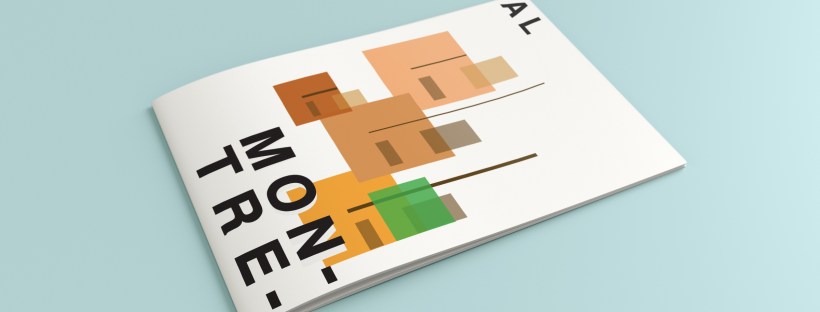
I started from the bottom of the design and added a pop of green for the accent colour which represents the tree at the bottom of the complex. I then wanted to work my way from the bottom left to the top right so that the eye flows naturally ad comfortably up and across the design. I wanted negative space so kept the bottom right free for this. I created several blocks of squares and rectangles with overlapping colours to best represent Habitat 67. I think this is the most abstract design in the 10 that I have done, it works put quite nicely because this is the city in my eyes with the most abstract landscape. I used different weights in the blocks and line to create a contrast. There is repetition in my design, I tried to replicate the appearance of each apartment of Habitat 67 as they appear in reality.
This is the final mock up!

Design 8/10: Melbourne

Hello and thanks for meeting me here at city guidebook number 8 of 10- Melbourne!

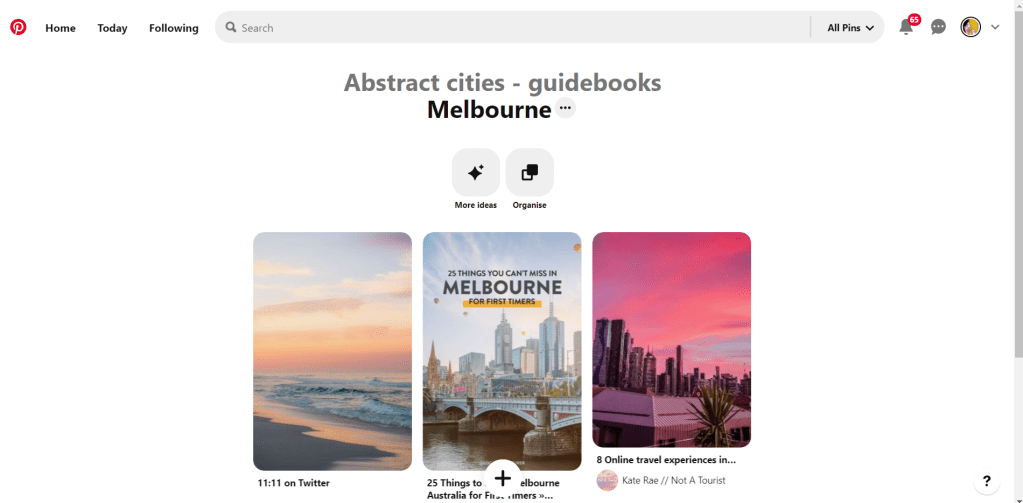
When you imagine Melbourne you see sun, sea and surf! I found myself getting confused between Sydney and Melbourne though! :s Again, I did a search on Pinterest for ideas and inspiration.

What I noticed was a lot of photos with Pink hue skies. Pink is a colour I know I haven’t used much in my designs so far, so I decided to use Pink and make it a dominant colour in this design. Pink is modern, confident and warm so it would make it an ideal colour for this popular city. An iconic structure in Melbourne is the Princes bridge, it appeared in a lot of the photos on my search. Melbourne is a coastal city with a lot of landscape and structures but there is also a lot of green around the city. This is something else I would include!

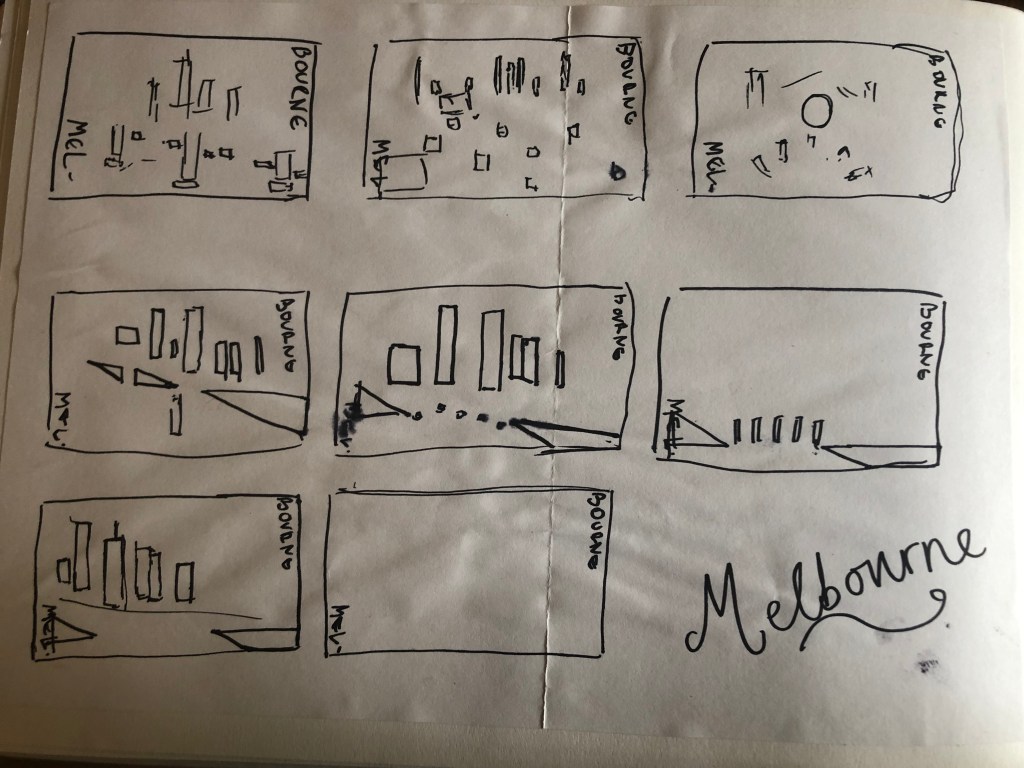
Similar to my design that I did for Manchester, I didn’t want to draw the bridge looking exactly like a bridge.. I wanted to leave it open to interpretation and make sure that the abstract was present with it. I took a photo of the bridge and sketched it out above using only its simplest form. The bridge uses triangles as part of the design so I used this as the main frame for it.

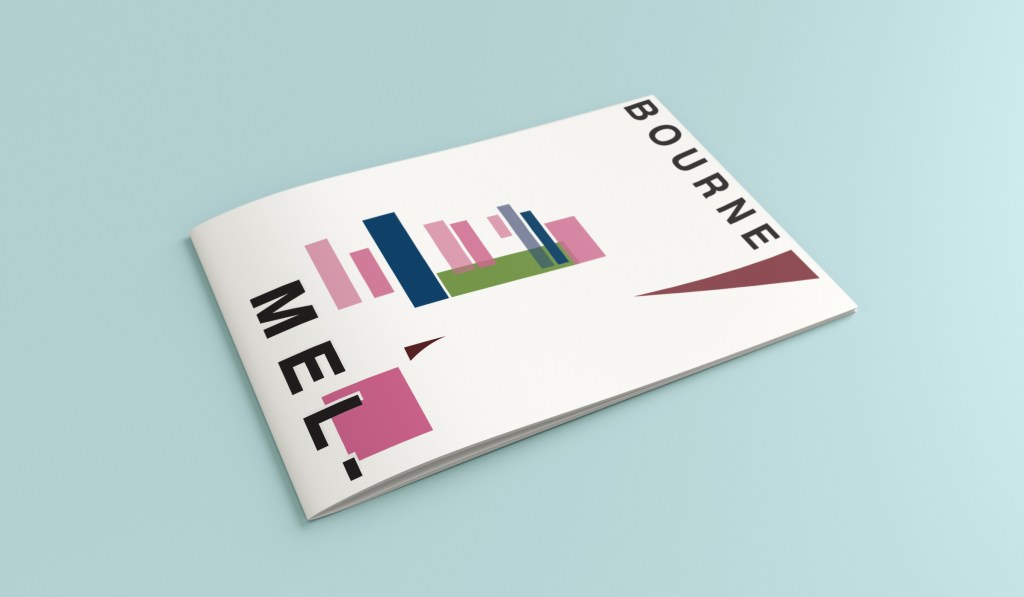
This is the final mock up. I feel like this design is very balanced. The design has a centre point where everything comes together and then there is a lot of negative space and room for the design to breathe. This design allows the eye to travel from the bottom left to the top right. It flows naturally ad comfortably. As I said, I wanted to use Pink as the dominant colour. It is bright and modern and confidently portrays the atmosphere of Melbourne. To break the pink up I used a cool blue, this brings contrast between the 2 colours. A pop of green was used to represent the natural environment which does appear within the city itself. This I feel fights with the blue for attention but it is definitely the attention seeking accent colour of the design. The bridge itself is built from the triangles which appear on the real thing. It is seen to appear in the distance and then come closer to finish at the forefront of the design. It is the bridge in this design which perfectly balances this design. The eye flows comfortably across the design.

Design 7/10: Marseilles

Welcome along to city guidebook number 7! – Marseilles or Marseille ?……..

Marseilles or Marseille was the first question that I asked myself! I pondered at the fact that there might b a typo in the Core Concepts design book because everywhere I looked online it was saying “Marseille” however there is a French and an English version! Marseilles it is!

In my head Marseilles is one of them luxuriously warm places that celebs and people likewise might go and sunbathe their perfectly tanned and toned bodies on the front of a yacht! CORRECT! 😀 but in all seriousness I pictured a lot of blue skies and blue sea, yellow sunshine and boats and yachts everywhere. As usual I started looking for ideas and inspiration on Pinterest.

A lot of blue! The other thing I noticed was the port with the church on the hill in the background. I felt I could incorporate this into my design somewhere along the way.

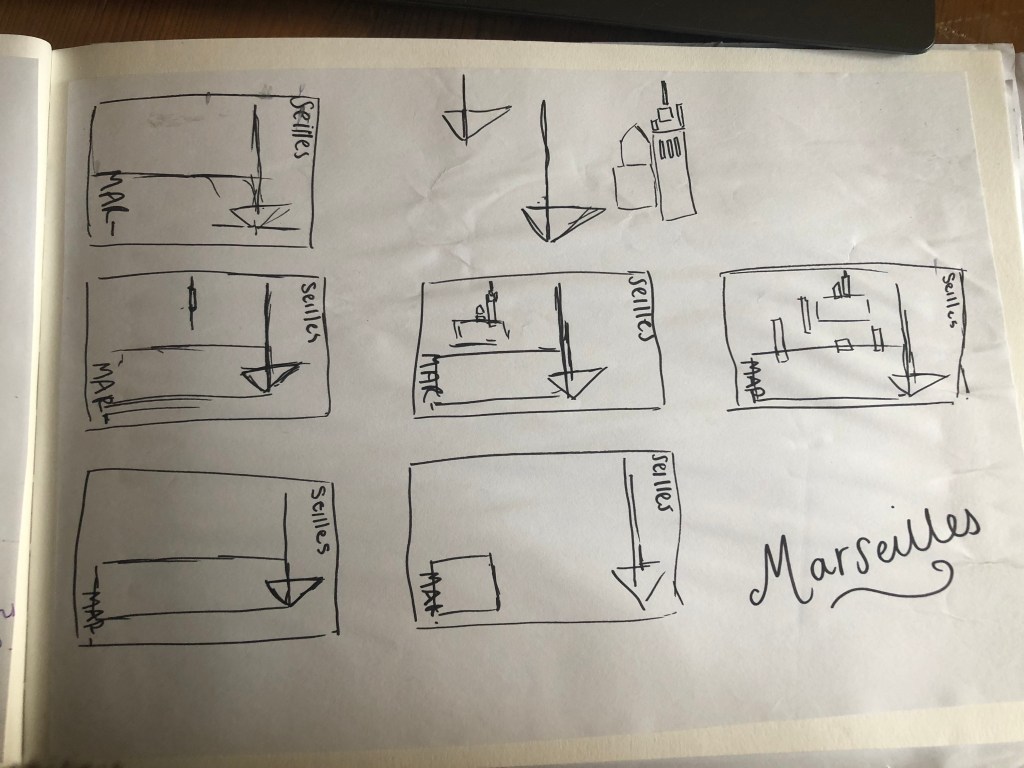
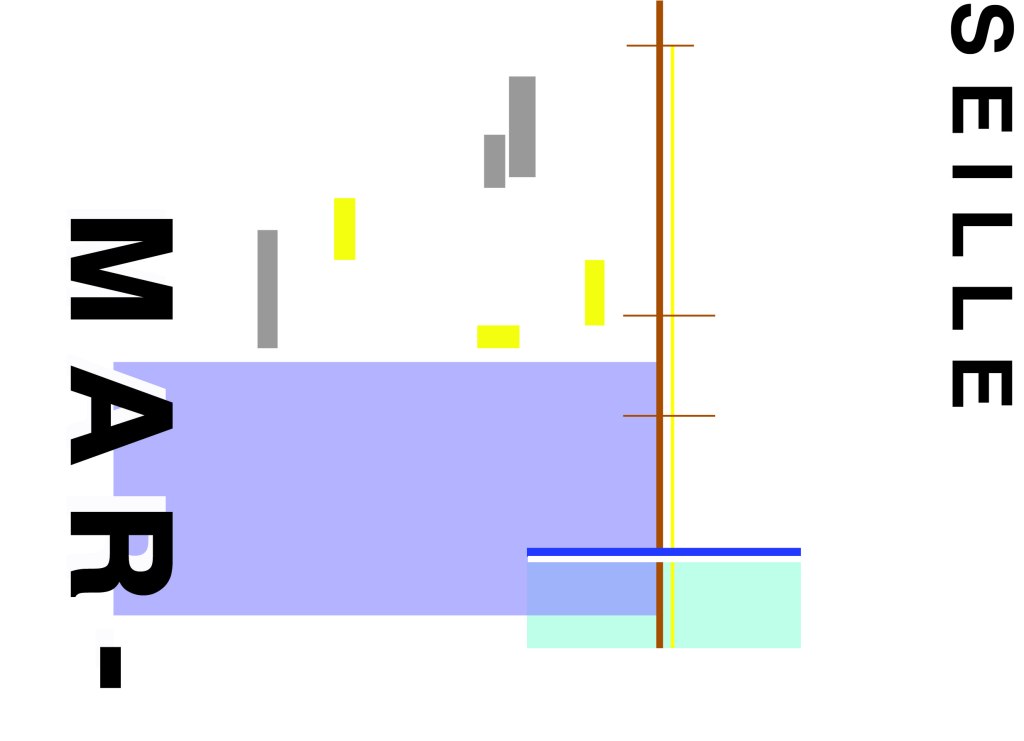
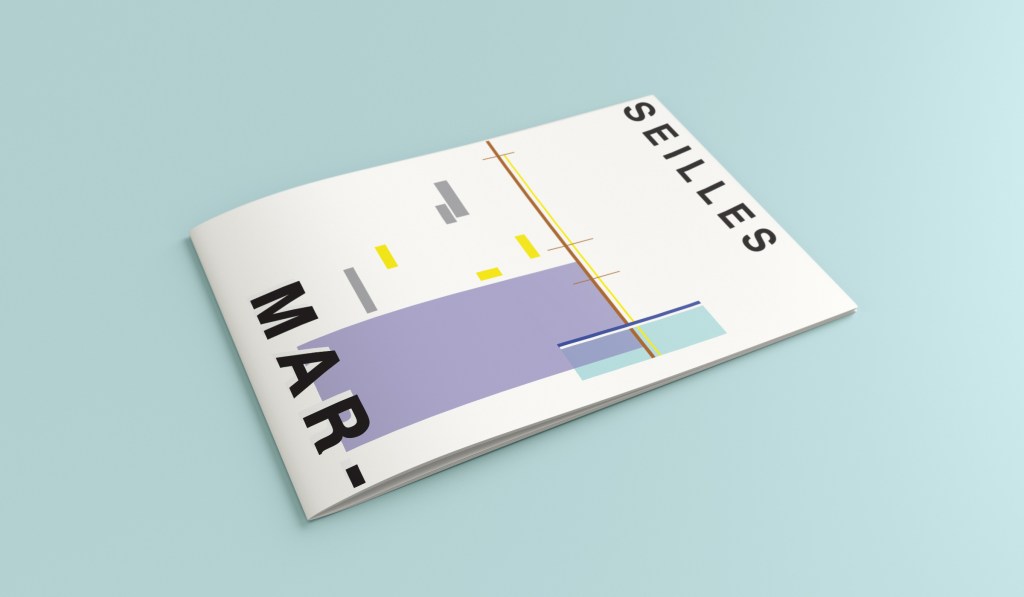
When I look at my design I feel a warm and happy feeling which is perfect for the weather and general feel of Marseilles. The blue represents the blue sky and sea. I have used a block of blue on the bottom left again as with all the other design guidebooks. It makes sure it is in keeping with the rest of the series but it also represents the sea. The rectangular blocks which work their way up to the top of the left hand side represent the hill and the buildings leading up to the 2 grey rectangular blocks at the top which is the church on the hill. On the right side of the design is the yacht or sailing boat with the sail mast. I have used yellow as a warm colour to contrast against the blues and greys. Blue is the dominant colour closely followed by thee subordinates which I believe to be the greys and turquoise. The accent colours in this piece which contrast against the rest of the design is the yellow and the brown of the sail mast.

You might notice the typos between the 2! My confusion with Marseille vs Marseilles! This is the final mock up for Marseilles! I am pleased with how it has turned out – It has kept the abstract brief, is open to interpretation but I think portrays what Marseilles is all about! The colours are accurate and there are contrasting accent colours thrown in there to make the design interesting. The layout is the same as the rest of the guidebooks to keep it as part of a series.

Design 6/10: Marrakech

Hello and thank you for joining me here at guidebook design 6 of 10: Marrakech!

When I think of Marrakech I think of warm sunshine, a lot of warm colours – oranges, reds, yellows, terracotta… I think of souk markets and rich spices and rich, bright colours; purples, pinks..

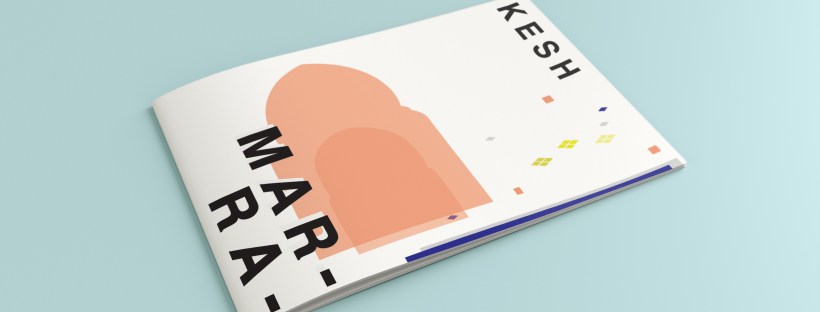
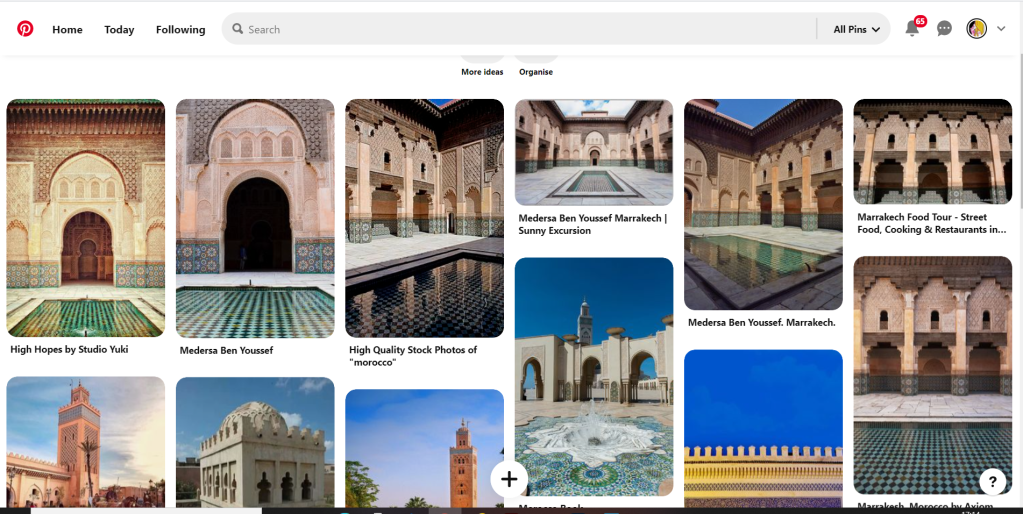
I started off the same as usual by searching Pinterest for some inspiration. What I found matched the idea I had in my head. The colours were very warm. A lot of terracotta orange appears on the stonework of the buildings. The buildings all look like temples with the arched shapes doors and windows and the intricate patterned tiles and designs that feature on the buildings. I knew I wanted to include the arch designs and some of the intricate tile patterns. The buildings all look luxurious and rich. The ideal colour to represent this is purple.

The building that appeared the most was the above: Medersa Ben Youssef. This was a college but now acts as a historical site. I liked the symmetrical design, the arches and the intricately detailed tiles that appear on the walls. I knew that I would try and replicate this in an abstract style for my cover. I had the idea to include the arch into the design, a diamond pattern to represent the tiles and maybe some blocks to represent the water at the front of the building.

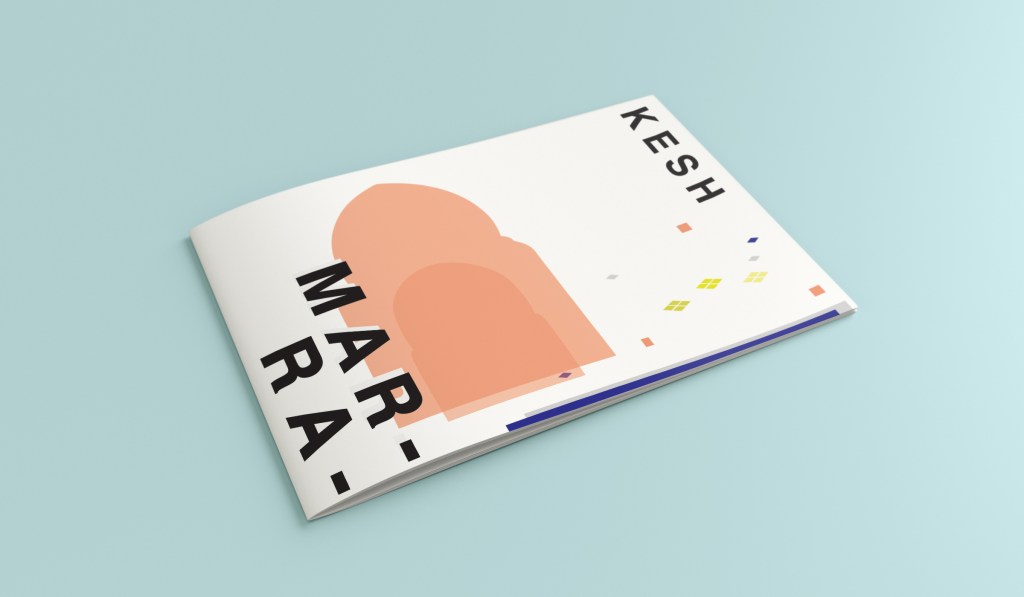
I overlapped 2 arch shapes with a different tint of terracotta. I chose a terracotta colour for the building to match what I found in my research findings. The arch designs also overlap the type on the left side which matches the rest of the designs for the other guidebooks I have done so far. Following the rule of 3 or thirds, I tried to split my cover into 3 again to get different design elements in each third. The 2 lines at the bottom represent the water at the front of the building and they also add some contrast against the warm colours. The diamond tile pattern I drew and split up across the negative space on the right side. I did not want to overwhelm the design and wanted to maintain as much negative space as I could. I have used purple to highlight wealth and luxury and a bright accent of yellow to again bring contrast but to also represent the bright colours that might appear on the buildings, the tiles, in the souk markets or in the spices. I think the eye flows naturally throughout this design with the diamond shapes adding a level of interest and also bringing the design to a close.

This is the final mock up for Marrakech. I am happy with it! It has kept the same layout as all the other guidebook designs I have done so far, it is keeping with the others and looks a part of the series. I have kept the abstract approach but again, it is open to interpretation but is obvious what it is portraying. The colours match what you would find in Marrakech but also contrast and work well together for the purpose of this brief. The terracotta is the dominant, the blue is the subordinate and the yellow adds a contrasting accent colour trying to fight with the blue for attention.

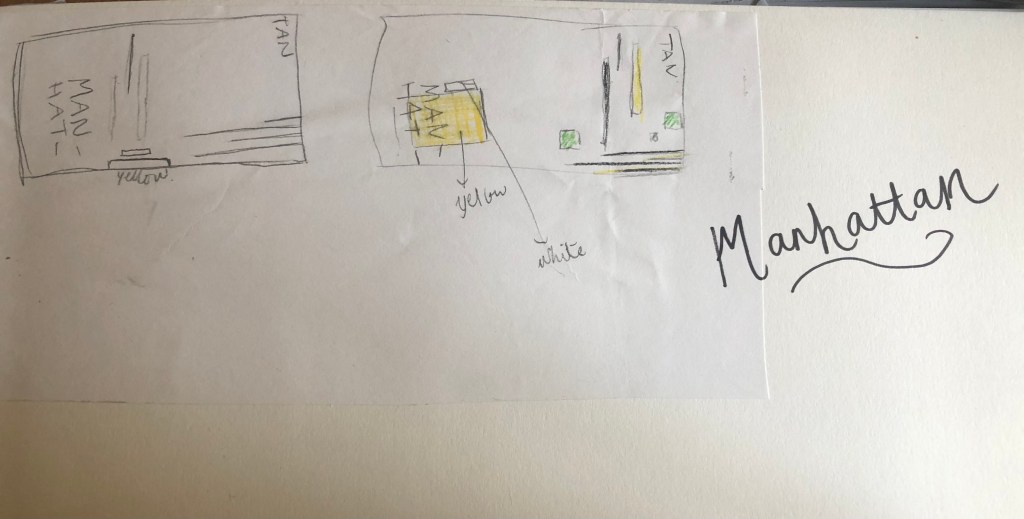
Design 5/10: Manhattan

Welcome to the concrete jungle! – Design 5 of 10 – Manhattan!

Manhattan was one of the easiest cities to think of and find ideas for. It is a place full of buildings and architecture so tying this one in with the rest of the designs was easy. I began thinking of famous and iconic buildings in Manhattan; the Empire State Building being one of them. I then went to Pinterest to see what other images came up. There was a lot of images of the hustle and bustle of the city… skyscrapers, shops, people, yellow taxis, cars and pedestrian crossings.

I knew I wanted to play with the idea of the Empire state building and the fact that Manhattan and New York is like a concrete jungle. Central park played a part in my thoughts and ideas; I wanted to include a bit of nature in my design – this also allows the opportunity to bring some green into my design which would be a great contrast against the skyline of Manhattan.

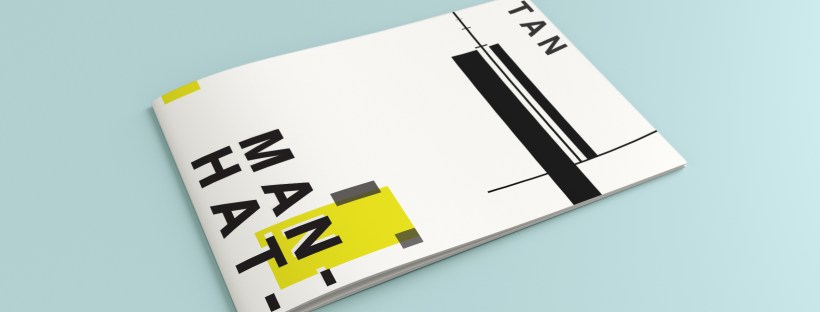
I used a block of yellow on the bottom left, once again this ties in with the rest of my designs so far. This yellow block represents a yellow New York taxi. The grey blocks that feature on it are the wheels and the top of the taxi. I placed a tiny block of colour at the top left also to add some interest and to draw the eye up to the top to work its way around the design. Yellow and black contrast each other brilliantly and they also represent the yellow cabs and the pedestrian crossings. The Empire state building I portrayed on the right side of the cover. I used blocks of black rectangles to represent this. It is abstract and can be portrayed in any way you want to; it could be the black lines on a pedestrian crossing or it could be the towers of the Empire State building.

In this design I feel the black and yellow equally fight with each other for attention, they are both very dominant in the design. The grey adds a little accent of colour to break it up.

This is the final mock up for Manhattan. I am pleased with this design, the colours work and contrast each other fantastic! It is modern and stands out and it maintains an abstract approach but it is still obvious as to what is being portrayed. The layout stays in keeping with the rest of the designs.

Design 4/10: Manchester

Hello again for design 4/10 of my abstract city guidebooks!- Manchester!

I love visiting Manchester whenever I can so I wanted to do this one a little justice! Manchester was the heart of the Industrial Revolution in England and is still known for its community spirit and hard work ethic.

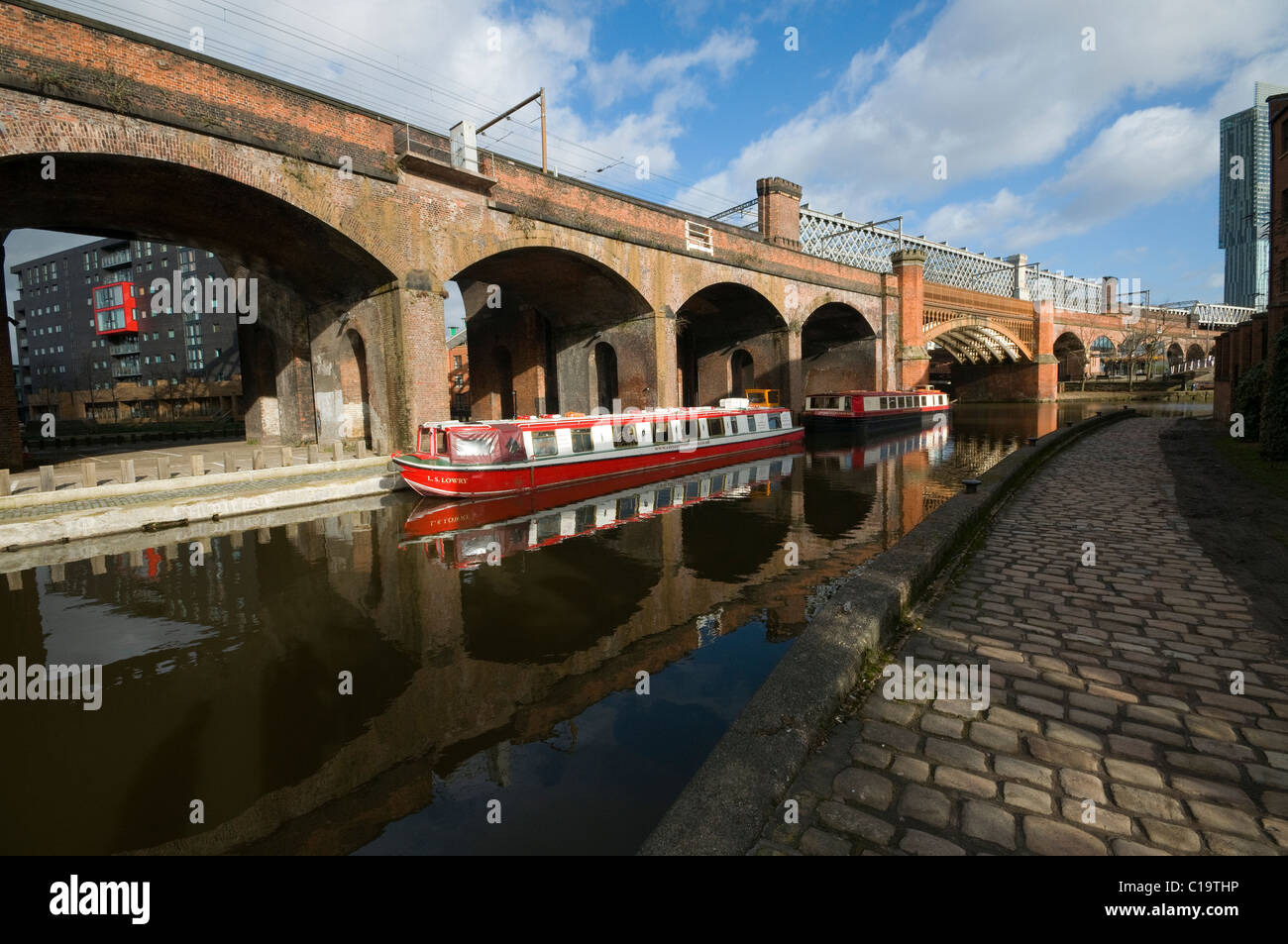
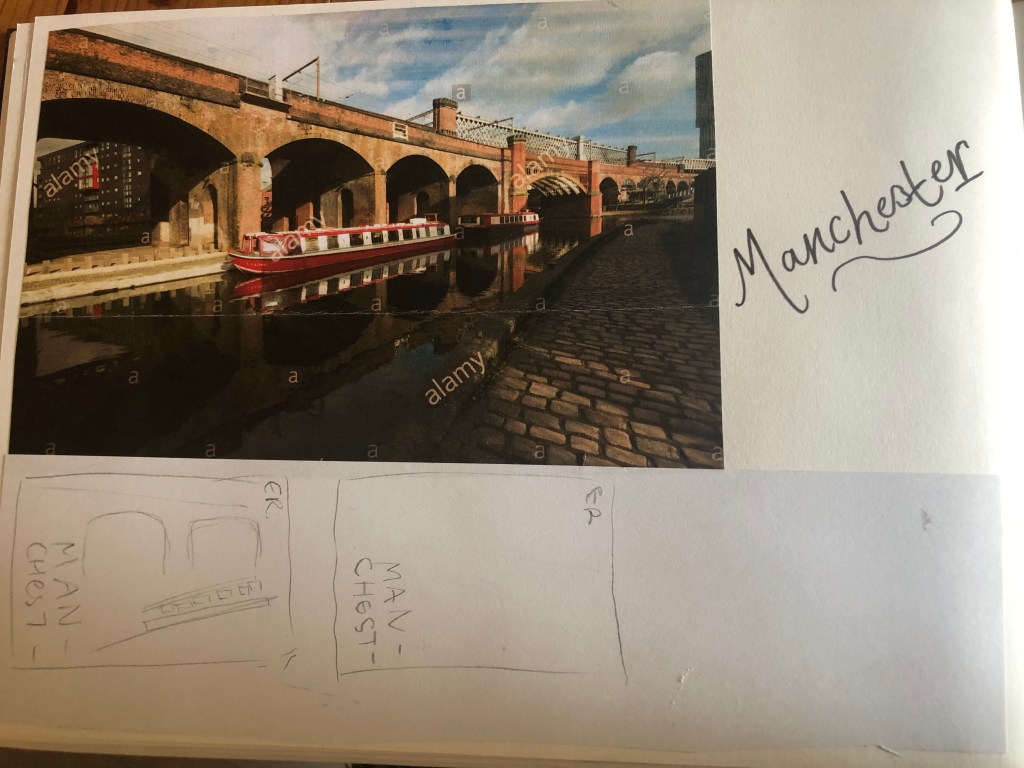
For all of the designs so far I have been quite modern in approach by designing for iconic buildings that are quite modern and new.. I knew that this would not be the case for Manchester. Manchester is renowned for its red brick buildings, the stonework, factories, chimneys, railways, railways viaducts, canals and the cotton industry. The colour scheme for Manchester would be reds, greys, stone and browns. With all this mind I went to Pinterest again for some inspiration, my initial thoughts were to go with the chimney idea but then when I found an image of a canal and a viaduct bridge I knew that this was the route I wanted to go down. When I drive to Manchester I drive under loads of them viaduct bridges; that is how you know you are getting closer to Manchester! In my head this seemed the right choice to choose.

This is the photograph I found:

I started doing the same as I had done for all the others; printed a copy of this out and then started to sketch the from it, simplifying it each time I drew it.

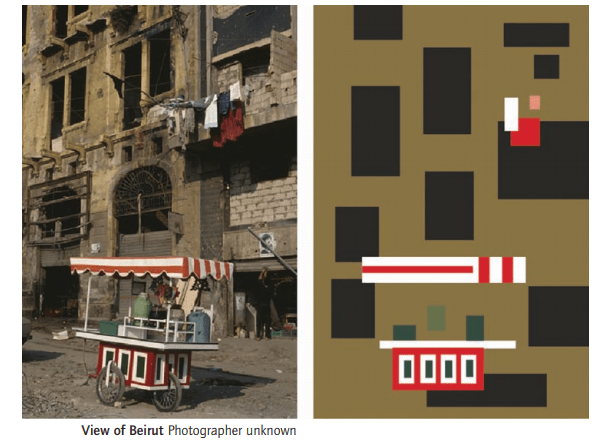
This photograph reminded me of the image the OCA used in our Core Concepts unit book to explain to us this brief:

The canal boat on the Manchester viaduct photograph is very similar to this image. I realised I could replicate the canal boat in a similar way.

I did do a lot more sketches for this guidebook, however I did them when I was in my full time job at a time when I had a 5 minute window in-between jobs.. for whatever reason they got mislaid!

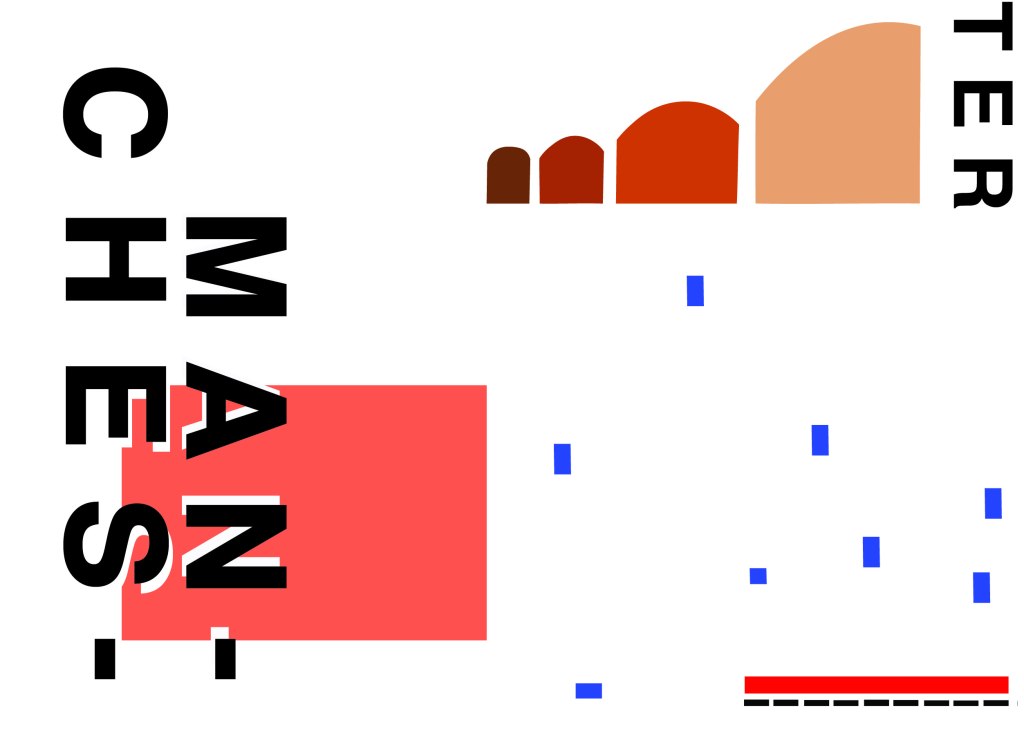
However, I developed a few ideas in Illustrator and eventually arrived at this one!

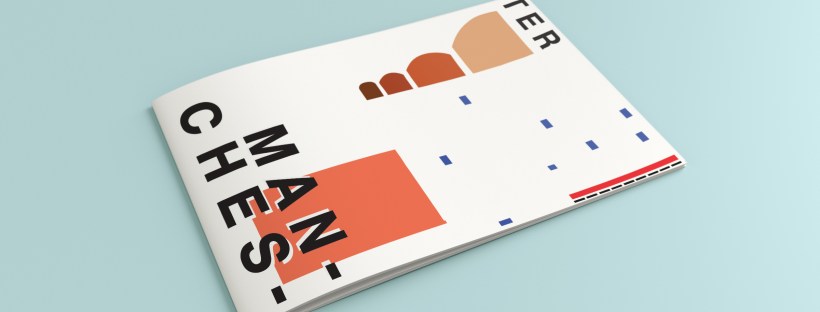
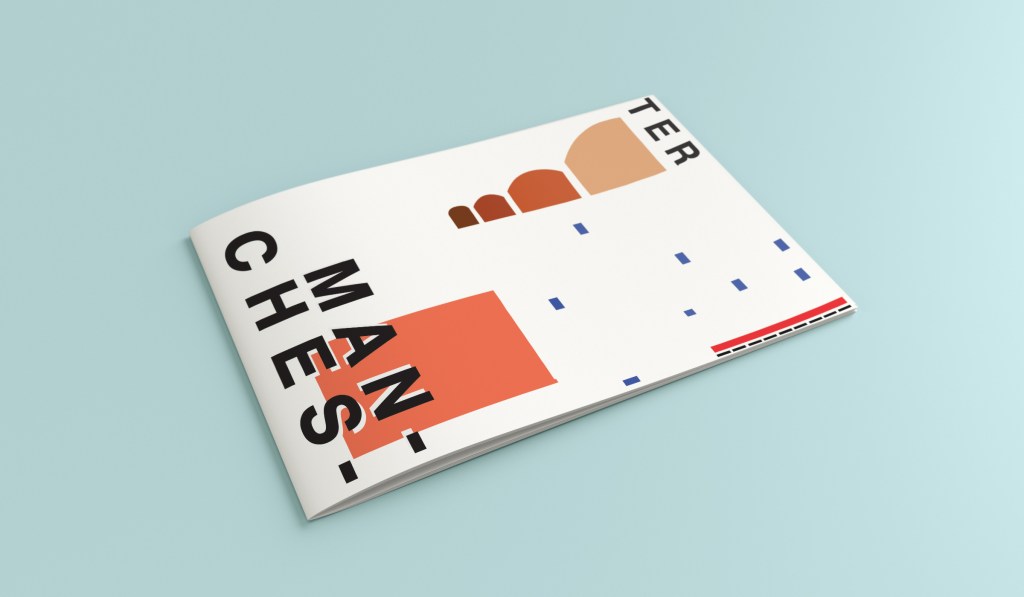
I have kept the same layout again as all of the others to keep them as part of a series. Again, breaking Manchester up into its syllables and using Helvetica. The idea of this was to use a main block of red on the bottom left, again in keeping with the other designs so far. This red block represents the infamous red brick in Manchester. Instead of drawing the viaduct bridge to look like a bridge I have in an abstract form used only the arches of the bridge to create the illusion of it. I have used different hues of brown from dark to light to represent the dark brick and industrial stonework. The blue squares add contrast and also help draw your eye across the whole piece. These blue squares represent the water; they represent when the sun sparkles on water and creates sparkling ripples. I have used different sized blocks again for contrast, to represent abstract and to add interest to the design. I wanted the eye to travel from left to right to the bottom with this design; that is why I have placed the abstract block canal boat along the bottom right. The red is the paintwork and the top of the boat with the black blocks being the windows. I was conscious again of placing objects along the edges of the design; the design needed to be able to breathe and to not be constrained to a box. In this design the red is definitely the dominant colour with the browns following as subordinate colours. They are warm so needed a cool colour to contrast against them. The blue is the accent colour, it is fighting for attention with the dominant.

This is the final mock up for Manchester. I am pleased with how it has turned out, I think it is abstract and open to interpretation as to what is being showed but still obvious what is trying to be portrayed.

Design 3/10: Managua

Hello! and thanks for dropping by to look at design 3/10 of my abstract city guidebooks- Managua!

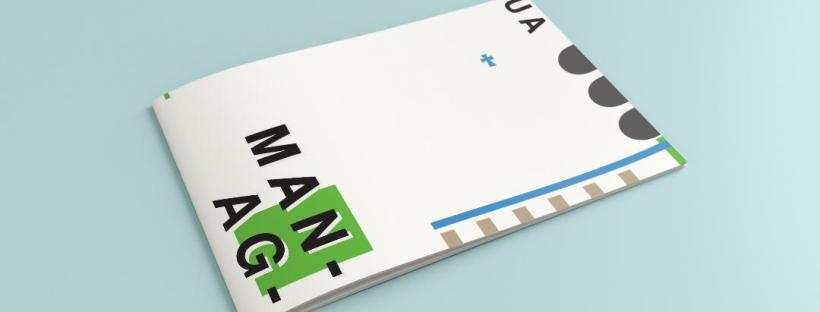
I personally had absolutely no idea where this city was! (I am still confused! – but I do know it is on the bit that joins both Americas together!!) with my poor knowledge of geography I attempted to gloss over this and continue with my design ideas. Again, I wanted to keep the design concept and layout etc for this guidebook cover the same as the others so that it continues to form the series.. I was going in again simplistic and minimalist in approach, using architecture and iconic buildings as the basis of my design and taking key elements away to create my design.

I started my initial research using Pinterest again; I looked up iconic landscapes and architecture in Managua and it came up with the cathedral as the main recognisable building of the city.

Managua Cathedral - Nicaragua - designed in, and shipped from Belgium in 1920 - heavy damage in earthquakes of 1931 & 1972 led to condemnation but as of 2013 it's awaiting renovation.

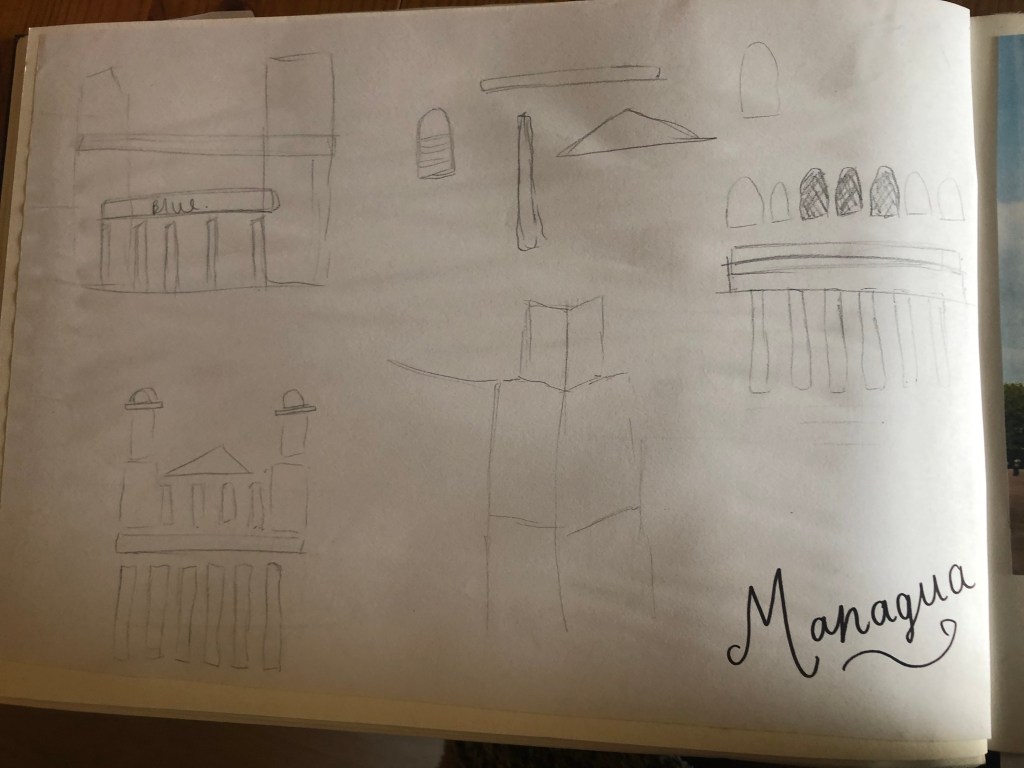
From first glance it looked like a complicated building to try and recreate in abstract! I took the same approach as last time and printed out this image tracing over it again and again simplifying it each time until I was left with the bare bones.

The main key features that stood out to me from the photograph was the intricately detailed stonework of the cathedral, the small cross that features in the middle of the cathedral on top of one of the triangular brickwork and the fact that the cathedral is in beautiful warm weather with 2 palm trees either side of it!

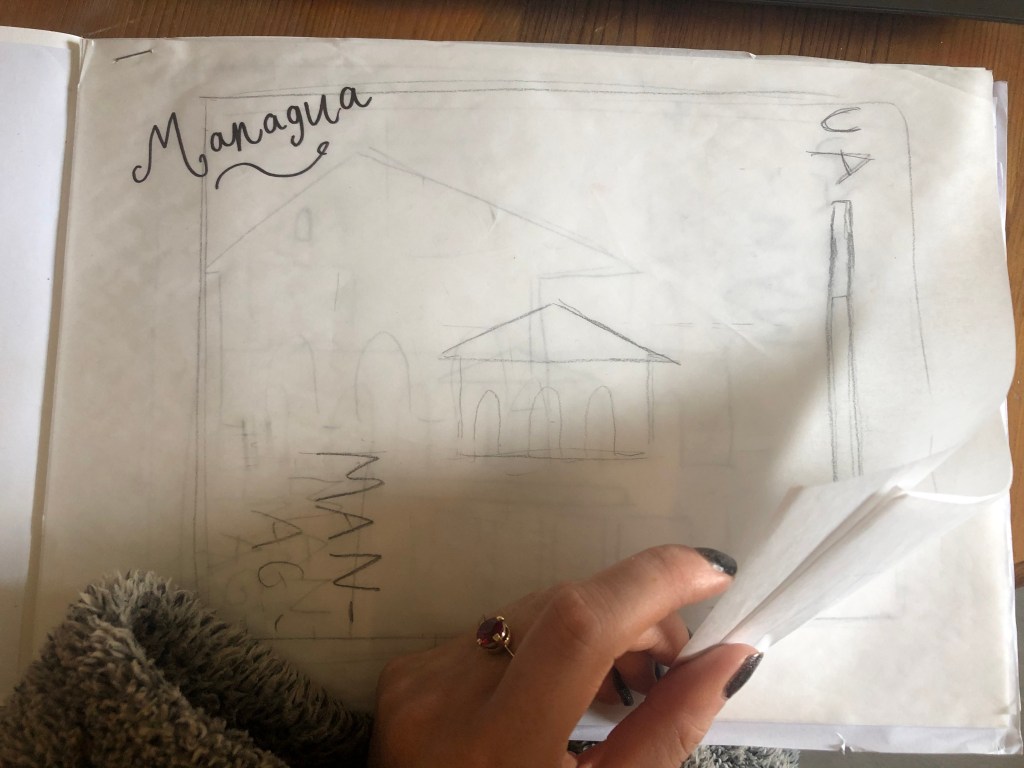
I used my rough sketches to figure out what to include in my final design.

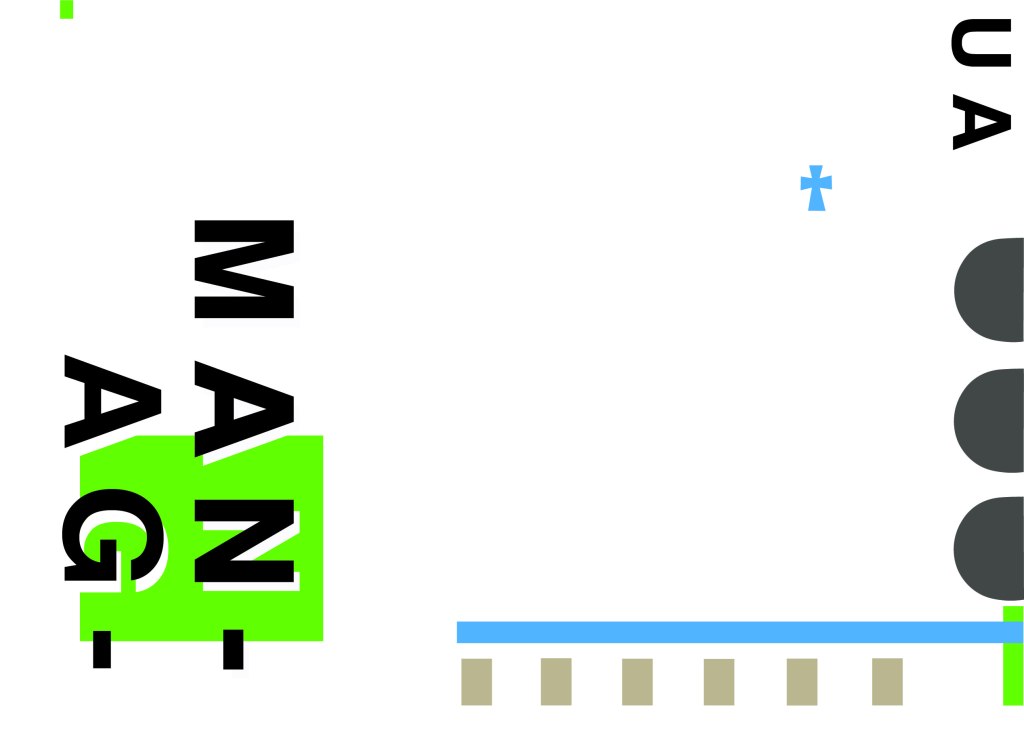
Again, I wanted to try and stick to the rules of thirds for my design and split the design into 3 sections on the cover. I wanted again to let the eye flow naturally across the whole page. Negative space once again played a big factor into the design, I actually base the design around the negative space each time. I placed a lot of the design to the edge of the page which can sometimes constrain the design to a “box” and restrict the design to be able to “breathe”; however, I still allowed for the design to “breathe” by not constraining the design all of the way around the cover. I added a tiny accent of green at the top left side just to give the eye somewhere else to hop to. The idea was for the eye to flow naturally all the way around the design. The bottom green blocks were representative of the 2 palm trees which I have obviously exaggerated and under exaggerated in size – representative of abstract also. The design is not accurate in scale, size or orientation to the building; the grey ovals on the right edge are representative of the arched windows in the centre of the cathedral and the bottom bar and grey small rectangles are a snippet of the pillars that hold the cathedral to the ground and the steps at the bottom. The cross I have kept small, it is always good to have contrast between elements on a design; the eye is drawn more to the cross and its location in the negative space on the cover- it is representative really to how small it is within the great vastness of the cathedral.

The dominant colours on this design accidentally are the black and grey of the text and the arched windows.. I know black and grey are tints but to me they draw me to the design before any of the other colours. The subordinate colour needs to be the green, although to be honest the blue stands out just as much as the green. It probably doesn’t help that these 2 colours are both cool and don’t particularly contrast each other well. As for accent colours… I would say I have designed something that doesn’t have a accent colour as such. In hindsight now looking back I could have added a contrasting colour as a tiny accent to the piece but I honestly just liked the use of these 3 minimalistic colours.

This is the final mock up of Managua! Overall, (apart from I mentioned that I could have used a warmer colour as an accent) I am happy with this design. I think I have met the abstract needs of the brief.

Exercise: Signs and Symbols

  • The brief
  • First thoughts
  • Research
  • Initial Ideas
  • First designs
  • Final design
  • Critique and Feedback

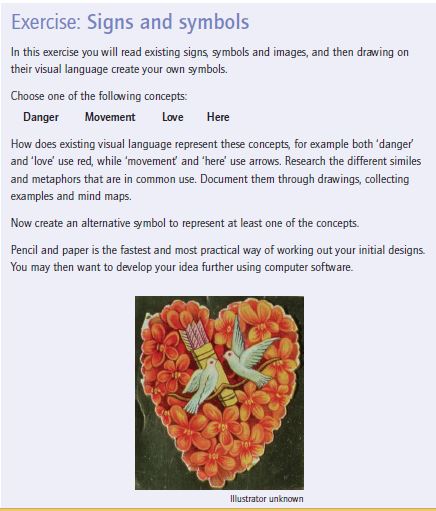
The Brief

First Thoughts

I will admit that when I first read this brief I felt confused and frightened by it and I had no idea of what I would do! – There was just so much being asked and explained and so much information to absorb!

I think that including metaphors and similes into the equation made me initially freeze and panic and make the brief seem far more sophisticated and complex than it actually is. My brain was trying to find complicated answers when actually it was quite a simple response.

My first thoughts were to familiarise myself with metaphors and similes as my GCSE English days were a very long time ago!..

Metaphors – To compare something as something else (2 unrelated subjects) Refers to one subject by mentioning another or it might identify hidden similarities between the 2 things.

Similes – To liken or to say something is similar to something else, particularity using the words “like” “as” or “than”. “As brave as a lion”.

Moving on from this I decided to research some metaphors and similes around the 4 words I have been given to choose from in the brief. I chose Love and Danger to look at some examples and then to decide which one I would choose;

Love

  • “Falling in love”
  • “blanket of love”
  • “Love is a battlefield”
  • “Love is a garden”

Danger –

  • “Skating on thin ice”
  • “playing with fire”
  • “On dangerous ground”
  • “sail close to the wind”

Research

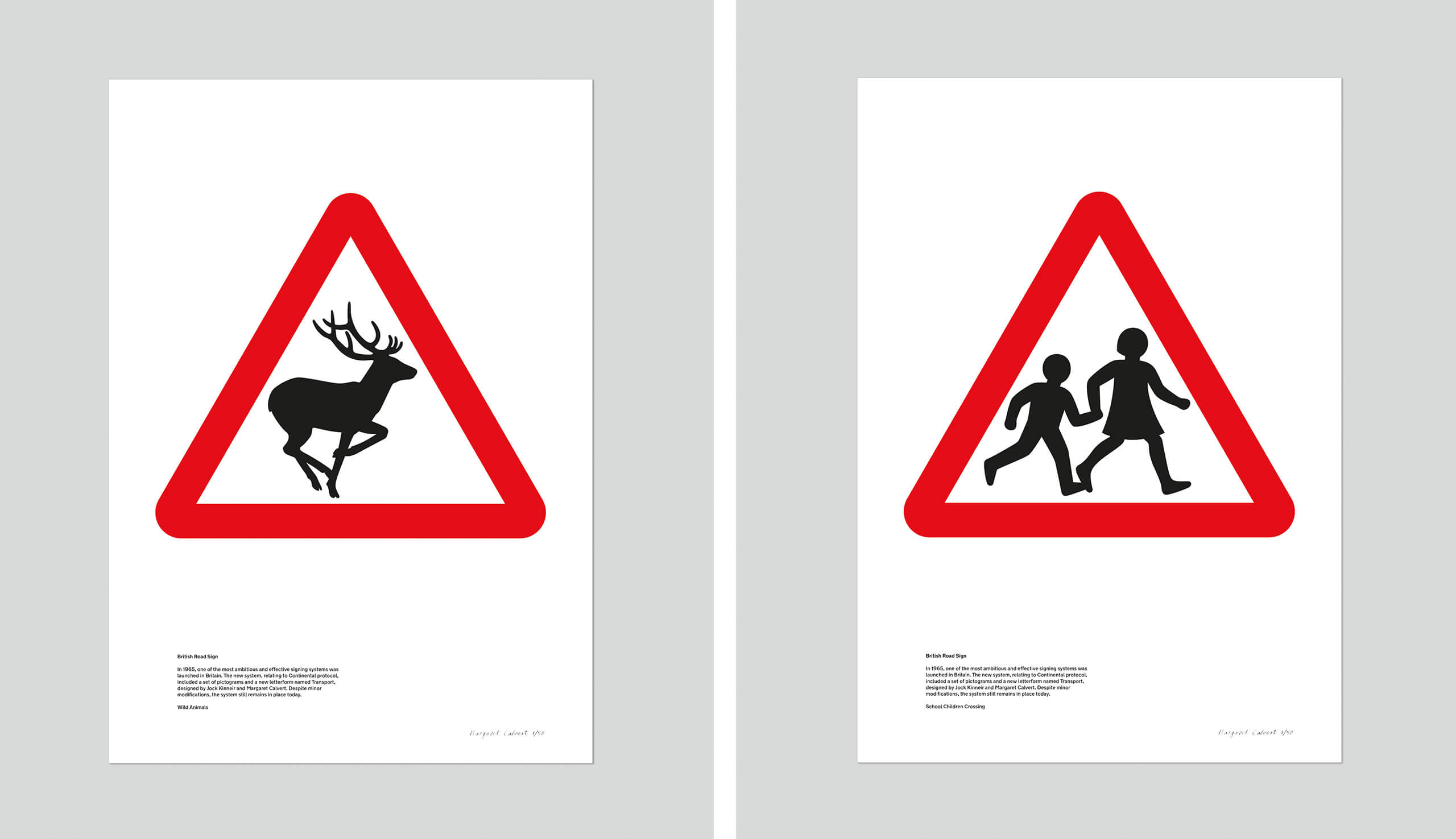
The next step in this exercise was to research existing signs and symbols. When I first read this brief there was only one designer who sprang to mind – Margaret Calvert who designed and implemented signs and symbols for our roads. I decided to refresh my memory on her work.

Margaret Calvert

Margaret Calvert is a famous British typographer and Graphic Designer who designed many of the existing road signs on the roads in the UK. Margaret also designed the typeface “Transport” which is also used on road signs.

Transport font.svg

Calvert was South African born and bred, she moved to England in 1950 where she started studying at the Chelsea College of Art. Her tutor there named Kinneir, asked her to help him design the signs for Gatwick Airport. They both chose the black on yellow scheme for the signs after researching that this was the most effective combination.

In 1957, Kinneir was appointed as head of signs for Britains roads. This worked out well for Calvert as he asked her to redesign the road sign system. Calvert came up with a very simple and easy to understand approach by using pictograms. Some examples of this are:

  • “men at work” (A man digging) – Calvert would appear on an episode of Top Gear where she would try and defend this controversial sign which to many looks like a man is having a fight with an umbrella!
  • “Farm animals” – This sign was based around a cow called Patience that she grew up on a farm with as a child!
  • “School children nearby” (A girl leading a younger boy by the hand)

All of her signs used triangles and circles; triangles showed warning whilst circles showed mandatory restrictions.

Signs and symbols are everywhere. There is a saying which goes;

“It is always better to show than to tell.”

Signs and symbols have the power to cross language barriers and can help to engage with an audience on a deeper level other than just words. Symbols are universal. Where words fail us, a sign or a symbol communicate a message quite simply and effectively. In my opinion what makes a successful sign or symbol is one which does not need any written word beside it.

I read and own a book called “GO” by the Graphic Designer Chip Kidd and in it he wrote about an image of an apple and the fact that you do not need to write the word “Apple” above or below it to convey that it IS an apple. The symbol or picture speaks for itself. This is the link to the TED talk relating to this:

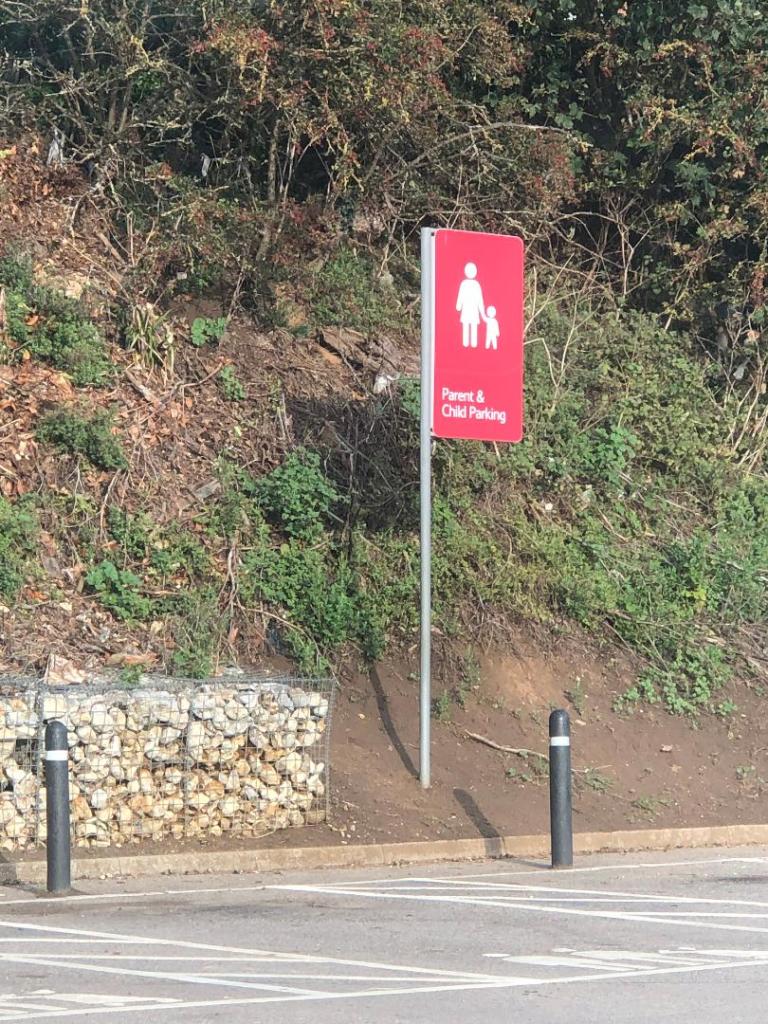
Driving out and about signs and symbols are everywhere. These are just 2 that I decided to photograph in Hunstanton whilst I was sat waiting in the car in Tesco car park.

The most commonly used symbols worldwide are:

  • Arrow symbols: used to represent directions
  • Cloud, rain, snow and sun symbols: used to represent weather
  • Power, disk, wifi and bluetooth symbols: used to represent tech
  • Wheelchair, information, bathroom and no-smoking symbols: used on different signs found in public places

These are known as universal symbols. There is no language barrier; everyone from any background, culture or country can understand what they symbolise and mean. They are understood immediately with no ned for explanation.

Sign and Symbol shapes

It is not just the symbol itself though that needs great thought.. it is the shape that the symbol goes within. Different shapes represent different meanings.

  • Circle: Completeness, cycles, continuation, playfulness
  • Square: Stability, tradition, security, straightforward
  • Triangle: Transformation, movement, balance
  • Intersecting lines: Relationships, connected
  • Spiral: Growth, evolution, transformation
  • Five-pointed star: Excellence
  • Arrow: Direction, movement, force
  • Curved lines: Movement, connection, fluidity
  • Diagonal lines: Tension, excitement
  • Zigzag: Path, confusion

Circles and Triangles are the main shapes used on signs. Circles symbolise something that has to be conformed and adhered to whilst triangles carry warning. Triangles are renowned for their harsh sharp edges which carry warning in itself alone.

Sign and Symbol colours

The colours used within signs and symbols is another very important factor to consider. Signs need to stand out and be visibly noticeable right before you even reach them and the only way this is going to happen is with the use of simple contrasting colours. Black and yellow contrast each other and stand out. Black and yellow are always used in warning signs. Red and white are other commonly used colours.. particularly in the road signs by Calvert.

From looking at this research I had a good idea of where I wanted to go with this brief…

Initial Ideas

I knew that I wanted to use the word “Danger” as my chosen word to design for. From looking at the metaphors I researched, I knew that I wanted to explore “Playing with fire”.

I knew that I did not want to over complicate the design, it needed to be the simplest possible form, no use of words and clearly communicate the message of DANGER.

Playing with fire is very self explanatory. When you play with fire you are putting yourself in great risk of danger. When you play with fire you are usually well aware of the hazards and danger involved but pursue it anyway.

With this mentality in mind, it gave me the vibe and feeling of children messing around; children playing with fire. This led me back to my research around Margaret Calvert; the schoolchildren road sign. What if I could design something very similar to that of what she did but portray playing with fire instead?…

With this idea in mind, I had visions of a triangle warning sign with an image inside of children literally playing with a fireball. I did need to convince myself however that if I created a very similar sign to those of Margaret Calvert that I would not be seen as copying her work.

In the brief it states;

I will read existing signs (Margaret Calvert’s) and then drawing on their visual language (using their designs as inspiration) create my own.

In the back of my head I remember an interview with Chipp Kidd where he explained how he sourced the inspiration for his book cover designs; he regularly stole snippets, photographs, scans or past designs of other peoples work to use on his own and manipulate or change. Making work similar or copying other designers work is always a grey shady area.. but I decided I would use my own silhouette drawings of children and I made sure that there was no existing signs for playing with fire. I asked for the second opinion from my boyfriend, who is a teacher (although a teacher of motor mechanics – no design knowledge at all! :p) and he was also in agreement that the brief is pretty much asking me to create something very similar to what already exists. I am not trying to reinvent the wheel here!

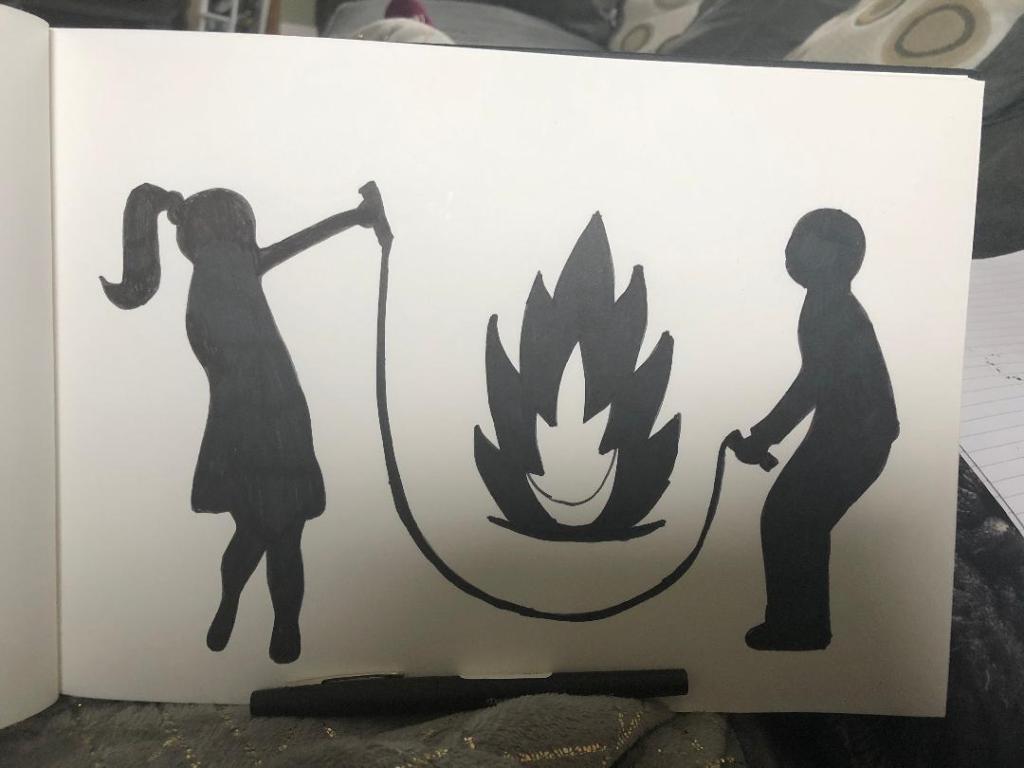
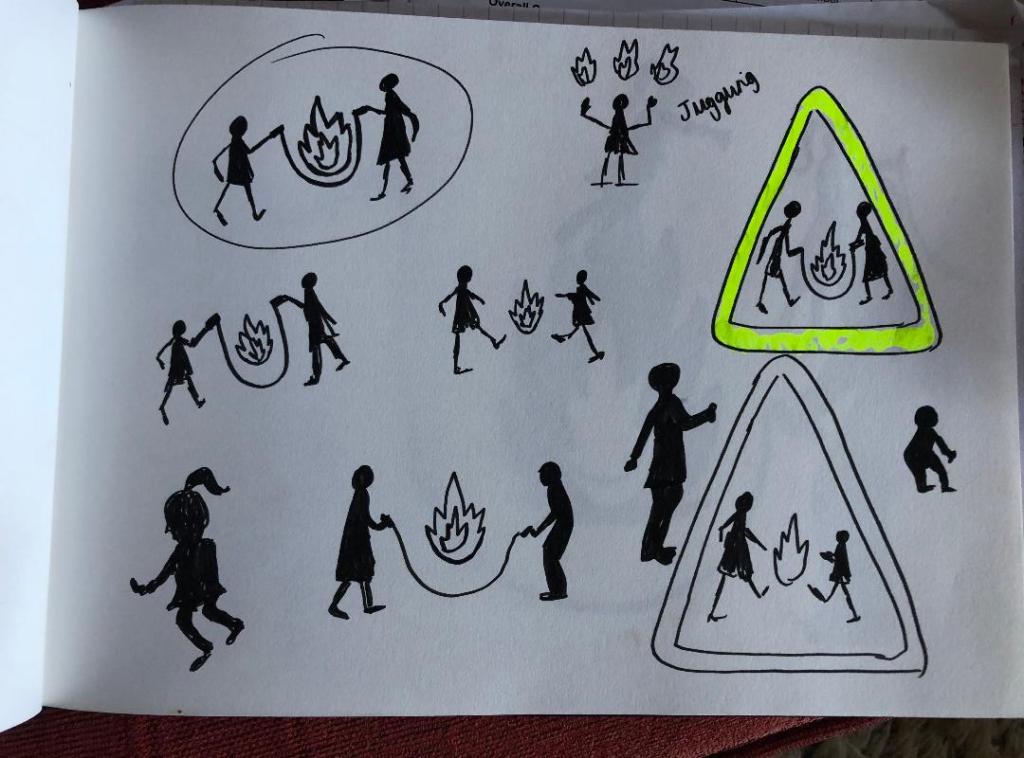
From this point I started sketching some rough drawings. I wanted to make the “playing” part very clear. As soon as you look at the sign the message of “play” needs to be very clear. I pondered using football and other ball sports which could include the use of a fireball but the idea of skipping was very dominant in myself and my boyfriends mind. The idea was to have the 2 children holding a skipping rope either side and the fireball is playing in the middle. I think the idea works. It is simplistic, snappy and easily understood.

These are the first sketches of this thought process;

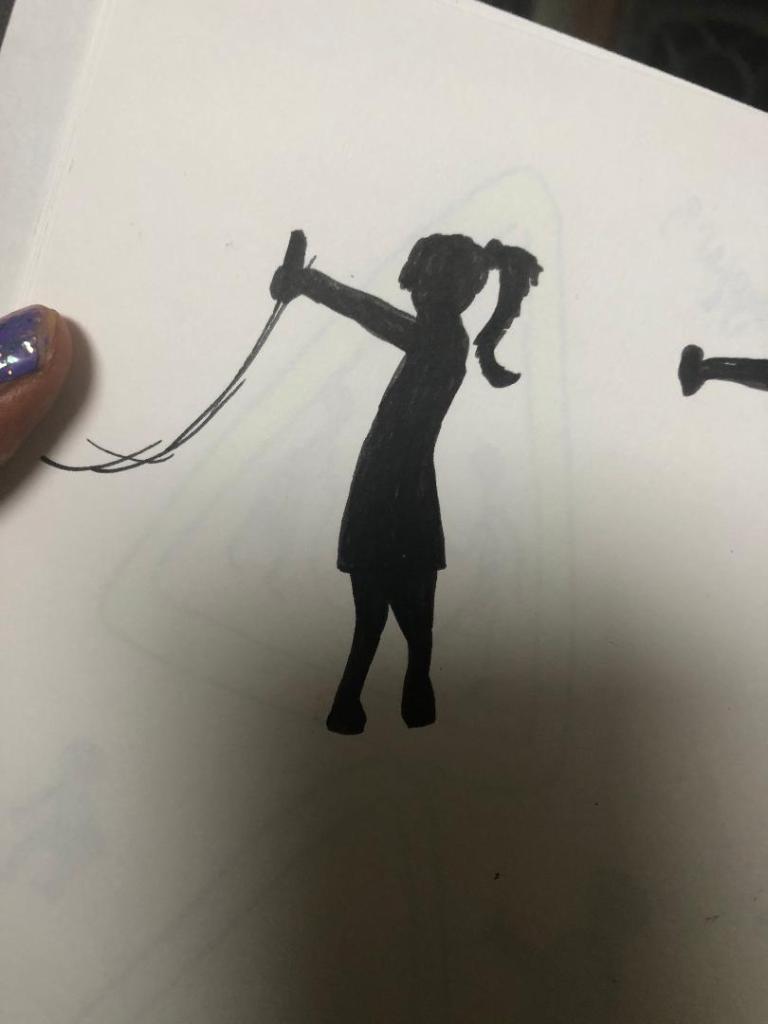
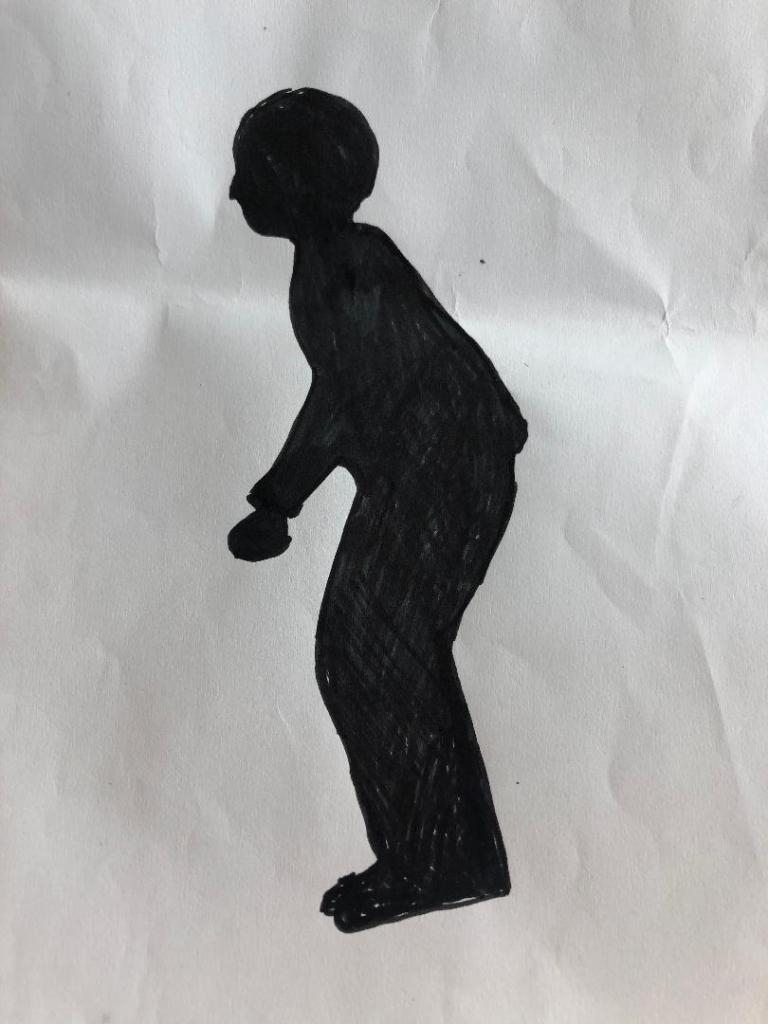
Once I had the initial idea in place, the next step was to perfect the poses of the silhouette children, they needed to differ from those that already exist of Margaret Calvert but they still needed to be simple to understand and have a posture that would appear as though they are playing.

I like this pose of the girl. It is clearly visible that she is a girl and her pose is very naive and playful.

For the boy I played around with the idea of him squatting as if he was to jump or that he is moving in time to the rope swinging. His pose is not ideal and needed work.

This is a rough mock up drawing that I have done of the 2 children and the fireball. There was much need for improvement on this design. The girls arm was too high up in her face and her other arm needed to be included. The boys posture was not ideal.. he looks like he is squatting from a great height off the toilet seat! – I remembered the flack that Margaret Calvert received for the men at work sign looking like an upside down umbrella and figured that if mine was a sign to actually be used in public it would be mocked considerably more!

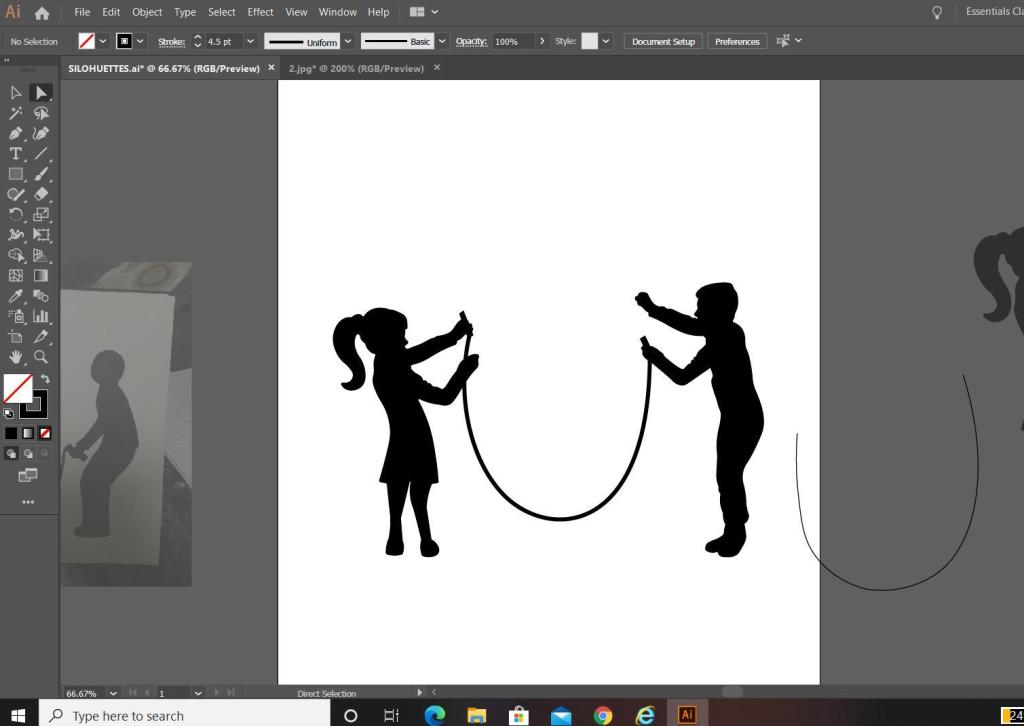
With this in mind I decided to re-look at the silhouette shapes of the children. I decided to take a photo of what I already had drawn in rough and then import it into Illustrator to draw around in there and adjust accordingly.

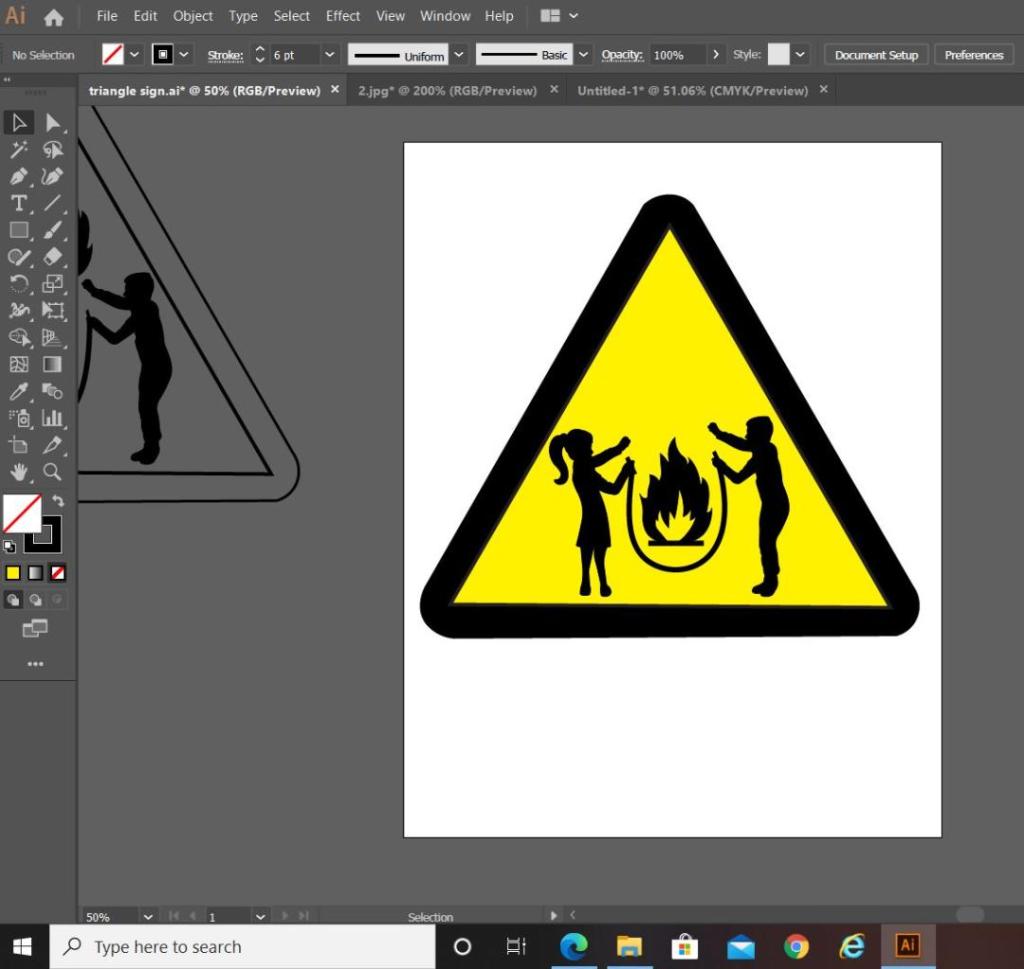
The above screenshot is from Illustrator. It shows the original shape of the girl that I drew on the left hand side and how I altered her into the middle girl that she now is. I altered the shape of the boy completely from the rough drawing that I originally drew of him – this version shows more movement and looks far more playful. I altered the girl slightly by copying elements from the boy (the nose, side profile of the face and the arms) and merging it into the middle image of the girl.

The next step was to add the skipping rope into the equation. I used the pen tool to create a perfect arc shape for it and then added handles in the hands of the children. I played with the thickness of the rope; I chose in the end to keep the rope thick in appearance to match the rest of the sign, I did think about making the thickness (or weight) of the rope thinner to give contrast to the image and to potentially break elements up to see if it would be clearer on the eye but swayed against this decision because it all needs to be bold to stand out as a caution sign potentially from a distance.

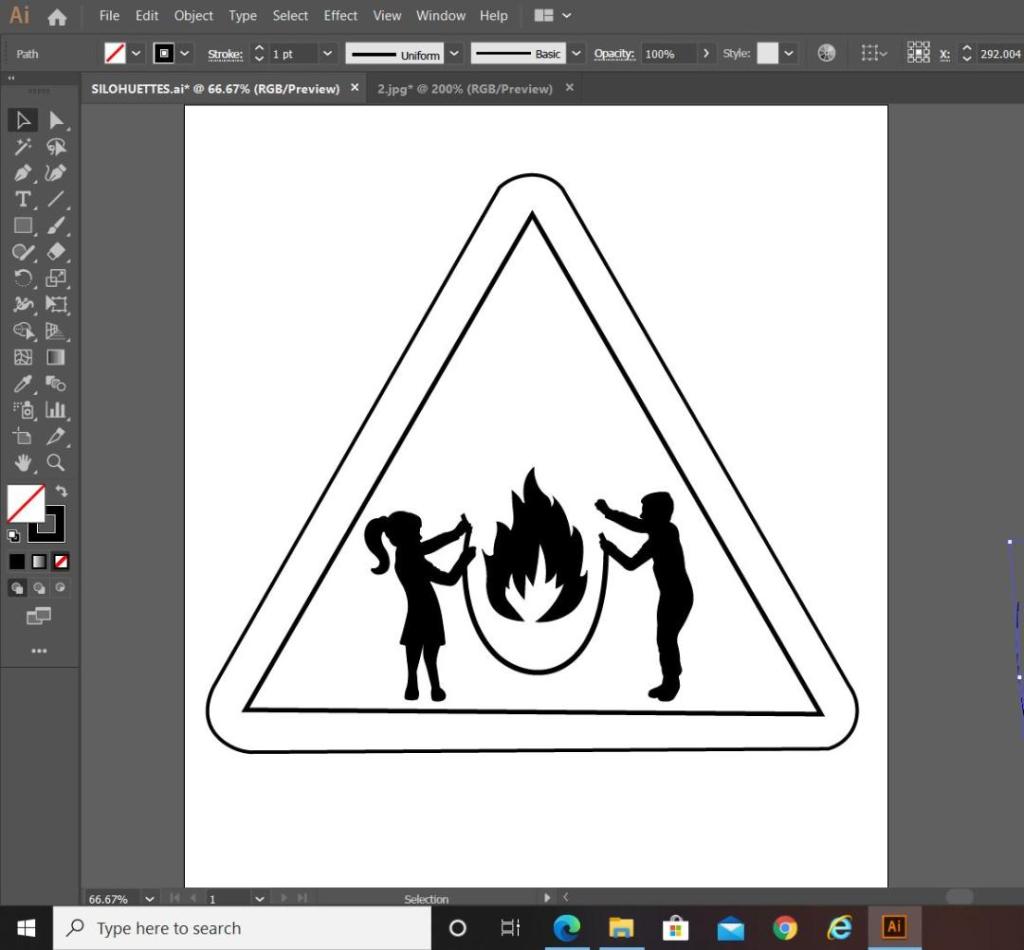
I then went on to draw the sign to put the symbol inside. The sign is a triangle warning sign, but as soon as I placed the symbol into the triangle shape I realised that I had a potential issue…

My symbol did not fill the whole inside of the triangle shape; it only filled the lower half, I knew I would have to try and play around with the sizing and positioning of the symbol itself to try and make it more dominant within the triangle. Firstly though I added colour to see how clear it works as a sign.

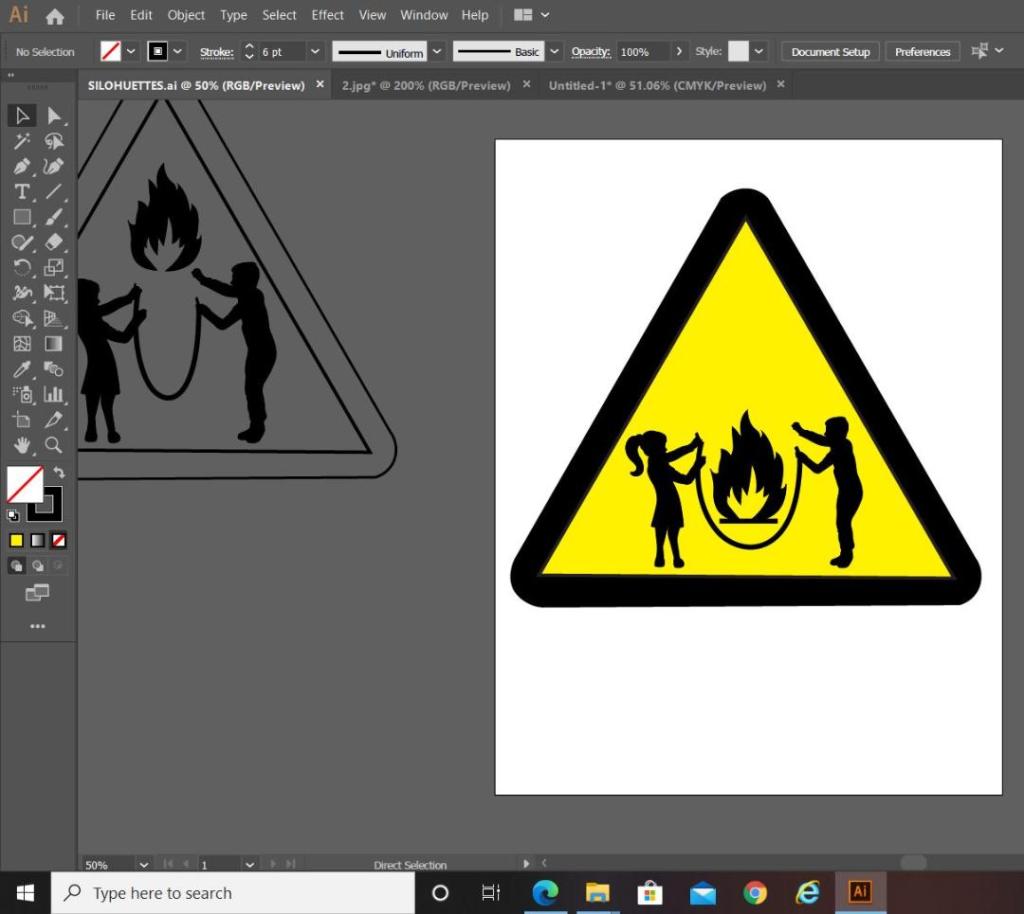
In the images above I was playing around with the positioning and sizing of some of the elements on my symbol. On the far left hand image (on the grey art board) you can see that I tried to decrease the gap between the children and made the skipping rope smaller and narrower; this did not work at all, the image looked distorted and squashed. The only way to make the symbol fit within the triangle shape better was to heighten the size of the children, push them together a tiny amount adjust the skipping rope accordingly. I also played around with the positioning of the flame symbol; I wasn’t sure if I wanted it to appear above the skipping rope or within the rope. Placing it above the rope shows that it is being tossed in the air by the rope, however with it placed within the rope it appears larger and also the eyes attention is drawn to the symbol as a whole rather than to different elements in different areas. The children’s arms are also high in the air and I wasn’t sure if I wanted the flame to be that little bit higher so that it appears as though they are trying to reach out and touch it as it is being flown into the air by the rope. My eye though is drawn to several different areas of the symbol when I separate it this way; with this in mind I think it is better to keep the flame low within the rope.

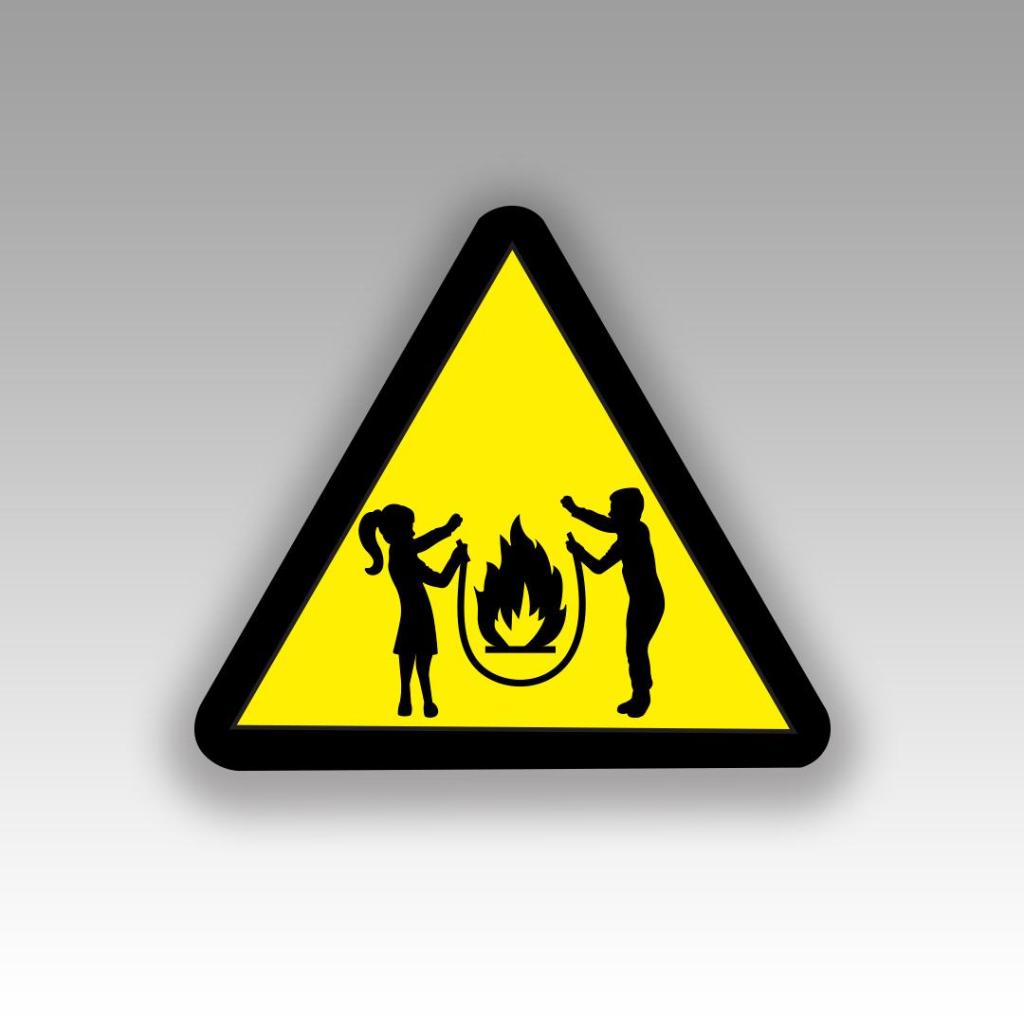
I decided to end this exercise on the above final symbol design.

I heightened the length of the children and kept the flame low in the rope to keep the eyes attention on the symbol as one whole image other than separated elements within the triangle.

Overall I am pleased with how it has turned out. I think I have met the brief by drawing on inspiration from existing signs and symbols, choosing one of the words I was given and by including a metaphor that linked to my chosen word “Danger”. I have looked into the design theory behind what makes symbols and signs effective and I have tried to include that into my own design. I would like to think that it is obvious when looking at this sign what I am referring to.